

Add a Working Stop Generating Button to Flutter AI Chat
You have token-by-token streaming working against POST https://api.widgetchat.app/v1/chat/stream. Tokens land, the bubble grows, everyone is happy — until a user asks something vague, the assistant starts writing 600 words, and there is no way out except backing out of the screen.
So you add a stop button that calls _subscription.cancel(). And it looks fixed. Then you watch a real device:
- Tokens keep landing for another second or two after the tap.
- The send button stays disabled forever, because
onDonenever fires. - Your server logs show the generation ran to completion — you paid for every token.
setState() called after dispose()shows up in the console when someone taps stop and immediately pops the route.
Cancelling the StreamSubscription is one of three things you have to do. Here is the whole teardown.
What cancel() actually does — and doesn't
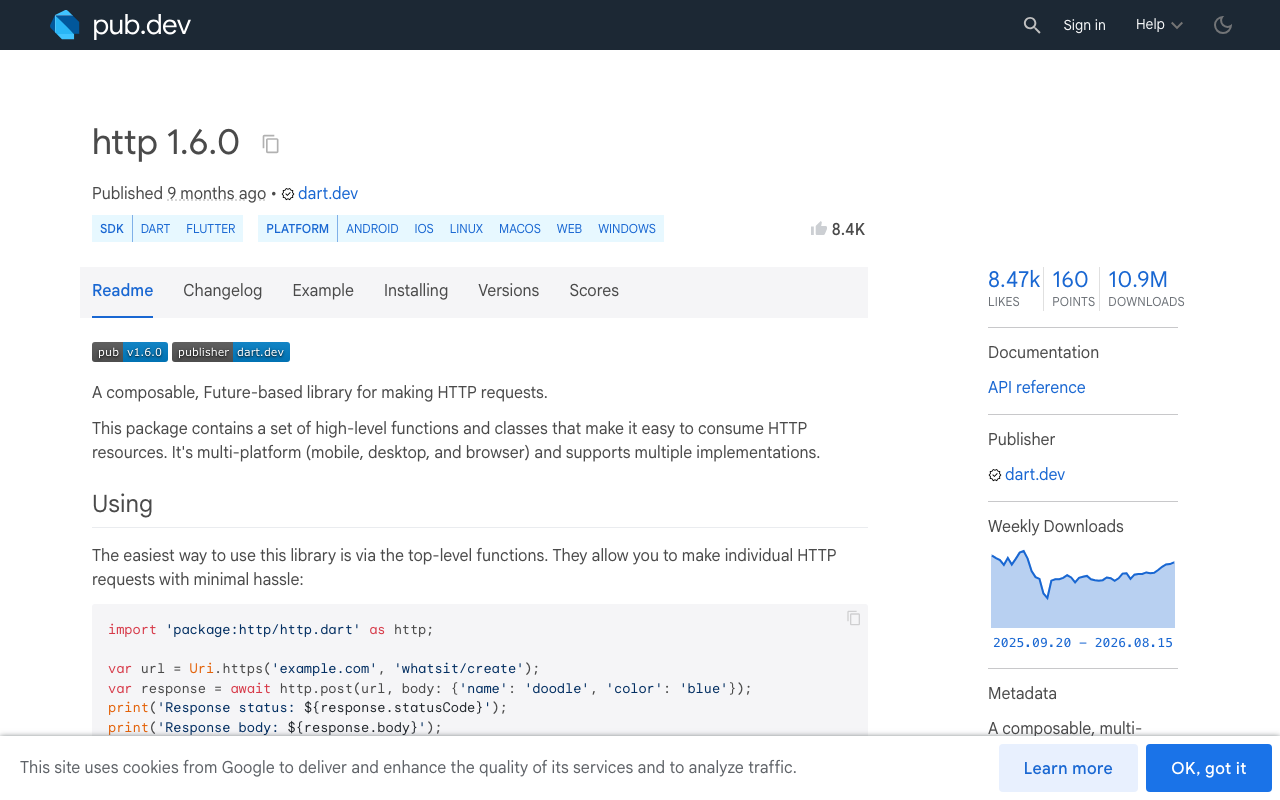
StreamSubscription.cancel() stops delivery to your callback. It does not, on its own, guarantee that the underlying HTTP request is torn down promptly. Chunks already sitting in the socket buffer, and chunks the platform is mid-flight on, are a separate concern from your listener. The Dart team has been fixing exactly these edges recently: http 1.5.0 fixed an IOClient bug where the response stream was cancelled after it had already completed, and 1.6.0 fixed web cancellation for subscriptions that were parked waiting for the next chunk.
The practical consequence for a chat UI: your onDone may not fire when you expect, so any "re-enable the send button" logic hanging off onDone never runs.
The abort API you probably missed
This is the part most posts about flutter cancel sse stream predate. package:http 1.5.0 added first-class request abortion, and it is in the current 1.6.0 release:
dependencies:
  http: ^1.6.0
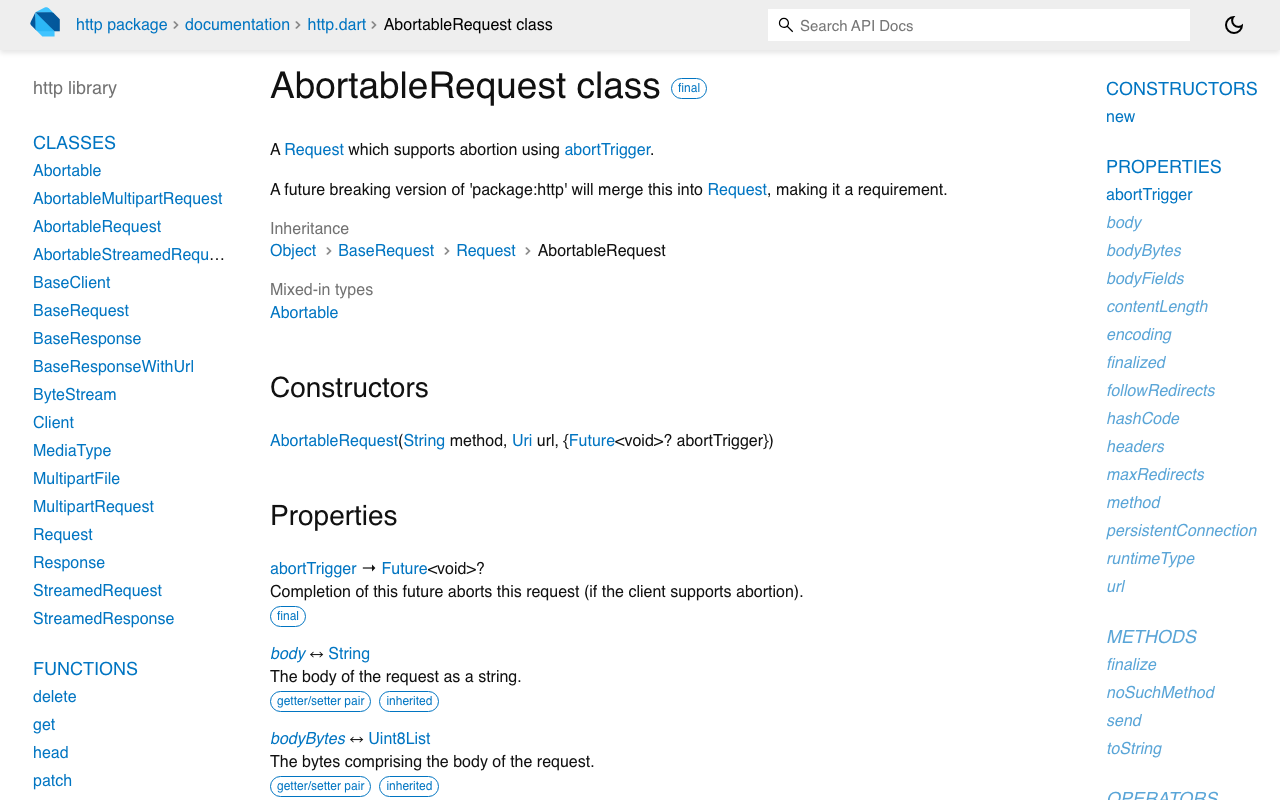
You get an Abortable mixin and three concrete request types — AbortableRequest, AbortableStreamedRequest, AbortableMultipartRequest. Each takes an abortTrigger:
AbortableRequest(String method, Uri url, {Future<void>? abortTrigger})
Complete that future and the request is aborted. What happens next depends on timing:
- Aborted before the response arrives — the
Future<StreamedResponse>fromclient.send()completes withRequestAbortedException(a subclass ofClientException). - Aborted mid-stream —
RequestAbortedExceptionis added as an error onresponse.stream, so it surfaces in youronErrorhandler.
Under the hood it does the right platform thing: on IOClient it calls HttpClientRequest.abort(), and on BrowserClient it fires an AbortController. That is a genuine flutter abort streaming ai response — the connection drops and your server sees the client disconnect, which is what lets the backend stop generating instead of dutifully finishing into a void.
Own the client, the subscription, and the trigger
Three fields, all nullable, all cleared together:
import 'dart:async';
import 'dart:convert';
import 'package:flutter/material.dart';
import 'package:http/http.dart' as http;

class _ChatScreenState extends State<ChatScreen> {
  final List<ChatMessage> _messages = [];

  http.Client? _client;              // owned per request, not shared
  StreamSubscription<String>? _sub;  // null == nothing listening
  Completer<void>? _abort;           // completing it aborts the request
  int _generation = 0;               // guards late chunks
  bool _streaming = false;           // drives send <-> stop
_streaming is deliberately separate from _sub != null. The subscription only exists after the response headers arrive, but a user can tap stop during that wait — and that wait is the longest part of the request when the model is thinking.
Sending
Future<void> _send(String text) async {
  if (_streaming) return;
  final gen = ++_generation;

  setState(() {
    _streaming = true;
    _messages.add(ChatMessage.user(text));
    _messages.add(ChatMessage.assistant(''));  // placeholder we append into
  });

  final abort = _abort = Completer<void>();
  final client = _client = http.Client();

  final request = http.AbortableRequest(
    'POST',
    Uri.parse('https://api.widgetchat.app/v1/chat/stream'),
    abortTrigger: abort.future,
  )
    ..headers['Content-Type'] = 'application/json'
    ..headers['Accept'] = 'text/event-stream'
    ..headers['Authorization'] = 'Bearer ${widget.widgetChatKey}'
    ..body = jsonEncode({'message': text, 'conversation_id': _conversationId});

  try {
    final response = await client.send(request);
    if (gen != _generation) return;  // superseded while we were waiting

    _sub = response.stream
        .transform(utf8.decoder)
        .transform(const LineSplitter())
        .listen(
          (line) => _onLine(gen, line),
          onError: (Object e) => _finish(gen, error: e),
          onDone: () => _finish(gen),
          cancelOnError: true,
        );
  } on http.RequestAbortedException {
    _finish(gen);          // user hit stop before the first byte
  } catch (e) {
    _finish(gen, error: e);
  }
}

void _onLine(int gen, String line) {
  if (!mounted || gen != _generation) return;   // late chunk from a dead stream
  if (!line.startsWith('data:')) return;        // skip blank lines, comments, event:
  final data = line.substring(5).trim();
  if (data.isEmpty || data == '[DONE]') return;
  setState(() => _messages.last = _messages.last.append(_tokenFrom(data)));
}
LineSplitter matters more than it looks. Multiple SSE events routinely arrive in one TCP chunk, so splitting on lines — not on chunk boundaries — is what keeps tokens from being mangled. Adapt _tokenFrom to whatever your data: payload carries; log one raw event once and match its shape rather than guessing.
Stopping
void _stop() {
  if (!_streaming) return;
  _generation++;               // 1. everything still in flight is now stale

  if (_abort?.isCompleted == false) _abort!.complete();  // 2. abort the request
  _sub?.cancel();              // 3. stop delivering buffered chunks to us
  _client?.close();            // 4. force the socket shut

  _sub = null;
  _client = null;
  _abort = null;

  setState(() {
    _streaming = false;
    final partial = _messages.last;
    if (partial.text.trim().isEmpty) {
      _messages.removeLast();          // nothing arrived — drop the empty bubble
    } else {
      _messages.last = partial.markStopped();  // keep it, badge it "Stopped"
    }
  });
}
Order matters. Bump _generation first, before any await-y teardown, so a chunk that sneaks through between lines 2 and 4 is already disqualified by _onLine's guard.
Finishing exactly once
void _finish(int gen, {Object? error}) {
  if (gen != _generation) return;   // a stale stream finishing late — ignore it
  _sub?.cancel();
  _client?.close();
  _sub = null;
  _client = null;
  _abort = null;
  if (!mounted) return;
  setState(() {
    _streaming = false;
    if (error != null && error is! http.RequestAbortedException) {
      _messages.last = _messages.last.markFailed();
    }
  });
}

@override
void dispose() {
  _generation++;      // nothing that lands after this may touch state
  _sub?.cancel();
  _client?.close();
  super.dispose();
}
The if (!mounted) return before setState is the direct fix for setState() called after dispose(), and the _generation++ in dispose() is the belt to that braces.
Why the generation counter is not paranoia
Without it, this sequence corrupts the UI:
- User sends A, gets bored, taps stop.
- User immediately sends B. A new bubble appears.
- One straggler chunk from A — buffered, already decoded — reaches
_onLine. - It appends A's text into B's bubble.
The counter makes that structurally impossible: _onLine and _finish both refuse to act unless their captured gen still matches. This is cheap, has no async surface, and is far more reliable than trying to reason about when the last chunk of a cancel StreamSubscription flutter http stream teardown truly stops arriving.
Give each stream its own http.Client
IOClient.close() calls _inner.close(force: true) — it forcibly terminates the underlying HttpClient. BrowserClient.close() aborts every open AbortController it holds. Both are client-wide. If you share one long-lived client across your app, client.close() to stop one reply will also kill the avatar upload and the conversation-history fetch running beside it.
So: abortTrigger is the scalpel, and a per-request client makes close() safe as the follow-up. Creating a client per streamed reply costs you a connection setup, which is noise next to the seconds a model spends generating. Note that a closed http.Client cannot be reused — build a fresh one in _send() every time, exactly as above.
Wiring the button
IconButton(
  icon: Icon(_streaming ? Icons.stop_rounded : Icons.send_rounded),
  tooltip: _streaming ? 'Stop generating' : 'Send',
  onPressed: _streaming
      ? _stop
      : (_controller.text.trim().isEmpty ? null : () => _send(_controller.text.trim())),
)
One button, two modes. Don't render a second stop button floating above the list — users reach for the control they just used.
In FlutterFlow
The same code lives in a custom action, because FlutterFlow custom actions are plain Dart with your own pubspec dependencies (add http: ^1.6.0 under Custom Pub Dependencies). The catch is lifetime: an action returns, but your Completer and Client must outlive it. Keep them in a top-level or static holder keyed by conversation, expose two actions — startWidgetChatStream and stopWidgetChatStream — and have the streaming action write tokens into an App State string that your Text widget binds to. stopWidgetChatStream completes the stored completer and closes the stored client. WidgetChat needs no proprietary SDK for this; it is an HTTP client and an SSE parser, which is precisely why it drops into a custom action cleanly.
Verify it actually stopped
UI silence is not proof. Check the real thing:
- Watch your WidgetChat dashboard or server logs — an aborted request should show a client disconnect, not a completed generation.
- Run with
flutter runand confirm nosetState() called after dispose()after tap-stop-then-pop. - Tap stop, send a new message immediately, and confirm no text from the first reply appears in the second bubble.
- On web, test in a real browser build: the fetch-based client had cancellation edge cases fixed as recently as
http1.6.0, so pin at or above it.
Try WidgetChat free
WidgetChat gives you the streaming endpoint this post is built on — POST https://api.widgetchat.app/v1/chat/stream, token-by-token data: SSE, answering from your own content, integrated through any HTTP client with no proprietary SDK. And when typing isn't the right interface, tap the mic for real-time voice chat in the same widget: speech-to-speech replies in a natural voice, barge-in so users can interrupt mid-sentence, live captions, and product cards on screen while it speaks — across iOS, Android, and web, with your provider keys staying server-side.
Try WidgetChat free and ship a chat your users can actually interrupt.

Comments
Comments are coming soon. We'd love to hear your thoughts!