

Fix Flutter AI Chat Streams That Die in the Background
You shipped streaming chat. It works perfectly at your desk. Then the bug reports arrive: "the bot got halfway through a sentence and just stopped." "I locked my phone for ten seconds and came back to a spinner that never went away." "It froze when I walked out of the café."
All three are the same bug. Your StreamSubscription stopped emitting and never called onError or onDone — so your isStreaming flag is still true, the typing indicator is still animating, and a half-typed answer sits on screen forever.
Here is why it happens and the complete lifecycle-aware pattern that fixes it.
Why the stream dies silently
Three separate mechanisms, none of which hands you an exception.
1. iOS suspends your process. When the user locks the phone or switches apps, iOS moves you to the background and then suspends you — the Dart isolate stops executing entirely. Callbacks cannot fire, because no code is running. The system also tears down your sockets on the way down. Unless you explicitly hold a beginBackgroundTask assertion (roughly 30 seconds of grace, and Flutter does not do this for you on an ordinary HTTP request), the connection is gone before you wake up.
2. WiFi → cellular is worse. The interface changes and the old TCP connection is dead, but nothing tells TCP that. No FIN, no RST — the socket simply never delivers another byte. Without a read timeout your listen callback waits forever. This is the one that produces a frozen mid-sentence answer on a device that is currently online and working fine.
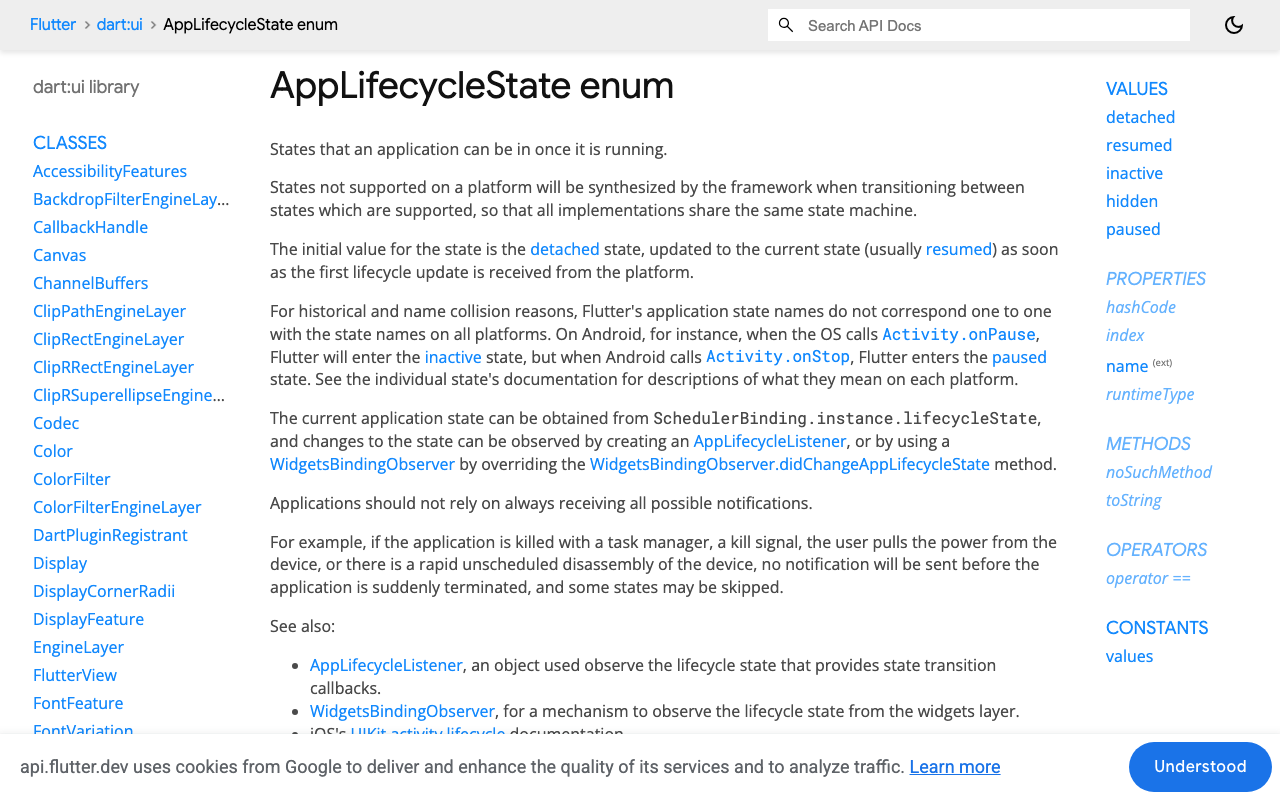
3. paused is not the first signal you get. AppLifecycleState has five values, and on iOS and Android hidden is synthesised as the transition into paused. Handle only paused and you act late. Handle inactive and you act far too early — iOS fires inactive when the user pulls down the notification shade or peeks at the app switcher, and they usually come straight back.
A stream session with a watchdog and clean teardown
This wraps POST https://api.widgetchat.app/v1/chat/stream, which returns token-by-token data: SSE. Requires http: ^1.6.0.
import 'dart:async';
import 'dart:convert';
import 'package:http/http.dart' as http;

enum StreamEnd { completed, backgrounded, networkChanged, stalled, error }

class ChatStreamSession {
  ChatStreamSession({required this.apiKey, required this.conversationId});

  final String apiKey;
  final String conversationId;

  static const _stallTimeout = Duration(seconds: 20);

  http.Client? _client;
  StreamSubscription<String>? _sub;
  Timer? _watchdog;
  StreamEnd? _end;

  final _partial = StringBuffer();
  final _tokens = StreamController<String>.broadcast();

  Stream<String> get tokens => _tokens.stream;
  String get partialText => _partial.toString();
  StreamEnd? get endReason => _end;
  bool get isStreaming => _sub != null && _end == null;

  Future<void> start(String userMessage) async {
    final client = http.Client();
    _client = client;

    final request = http.Request(
      'POST',
      Uri.parse('https://api.widgetchat.app/v1/chat/stream'),
    )
      ..headers.addAll({
        'Authorization': 'Bearer $apiKey',
        'Content-Type': 'application/json',
        'Accept': 'text/event-stream',
      })
      ..body = jsonEncode({
        'conversation_id': conversationId,
        'message': userMessage,
      });

    try {
      final response = await client.send(request);
      if (response.statusCode != 200) {
        await _finish(StreamEnd.error);
        return;
      }
      _armWatchdog();
      _sub = response.stream
          .transform(utf8.decoder)
          .transform(const LineSplitter())
          .listen(
            _onLine,
            onError: (_, __) => _finish(StreamEnd.error),
            onDone: () => _finish(StreamEnd.completed),
            cancelOnError: true,
          );
    } catch (_) {
      await _finish(StreamEnd.error);
    }
  }

  void _onLine(String line) {
    // Re-arm on ANY line, including SSE keep-alive comments (": ping").
    _armWatchdog();
    if (!line.startsWith('data:')) return;

    final data = line.substring(5).trim();
    if (data.isEmpty) return;
    if (data == '[DONE]') {
      _finish(StreamEnd.completed);
      return;
    }

    final token = _decodeToken(data);
    if (token == null || token.isEmpty) return;
    _partial.write(token);
    if (!_tokens.isClosed) _tokens.add(token);
  }

  /// Decode defensively rather than hard-coding one payload key.
  String? _decodeToken(String data) {
    try {
      final decoded = jsonDecode(data);
      if (decoded is String) return decoded;
      if (decoded is Map) {
        for (final key in const ['delta', 'text', 'token', 'content']) {
          final value = decoded[key];
          if (value is String) return value;
        }
      }
      return null;
    } on FormatException {
      return data; // plain-text token, not JSON
    }
  }

  void _armWatchdog() {
    _watchdog?.cancel();
    _watchdog = Timer(_stallTimeout, () => _finish(StreamEnd.stalled));
  }

  /// The only way this session ever ends. The first reason wins.
  Future<void> _finish(StreamEnd reason) async {
    if (_end != null) return;
    _end = reason;

    _watchdog?.cancel();
    _watchdog = null;

    await _sub?.cancel(); // 1. stop reading
    _sub = null;
    _client?.close();     // 2. THEN release the socket
    _client = null;

    if (!_tokens.isClosed) await _tokens.close();
  }

  Future<void> abort(StreamEnd reason) => _finish(reason);
}
Two things in there are load-bearing.
The watchdog is re-armed on every line, including SSE comment keep-alives. It is the only thing that catches the WiFi→cellular hang, because there is no OS event for a TCP connection that quietly stopped delivering bytes. Pick a timeout comfortably longer than your server's keep-alive interval.
The teardown order in _finish is the trap.
The one-line trap: cancel, then close
Almost every SSE tutorial ends here:
await _sub?.cancel(); // done, right?
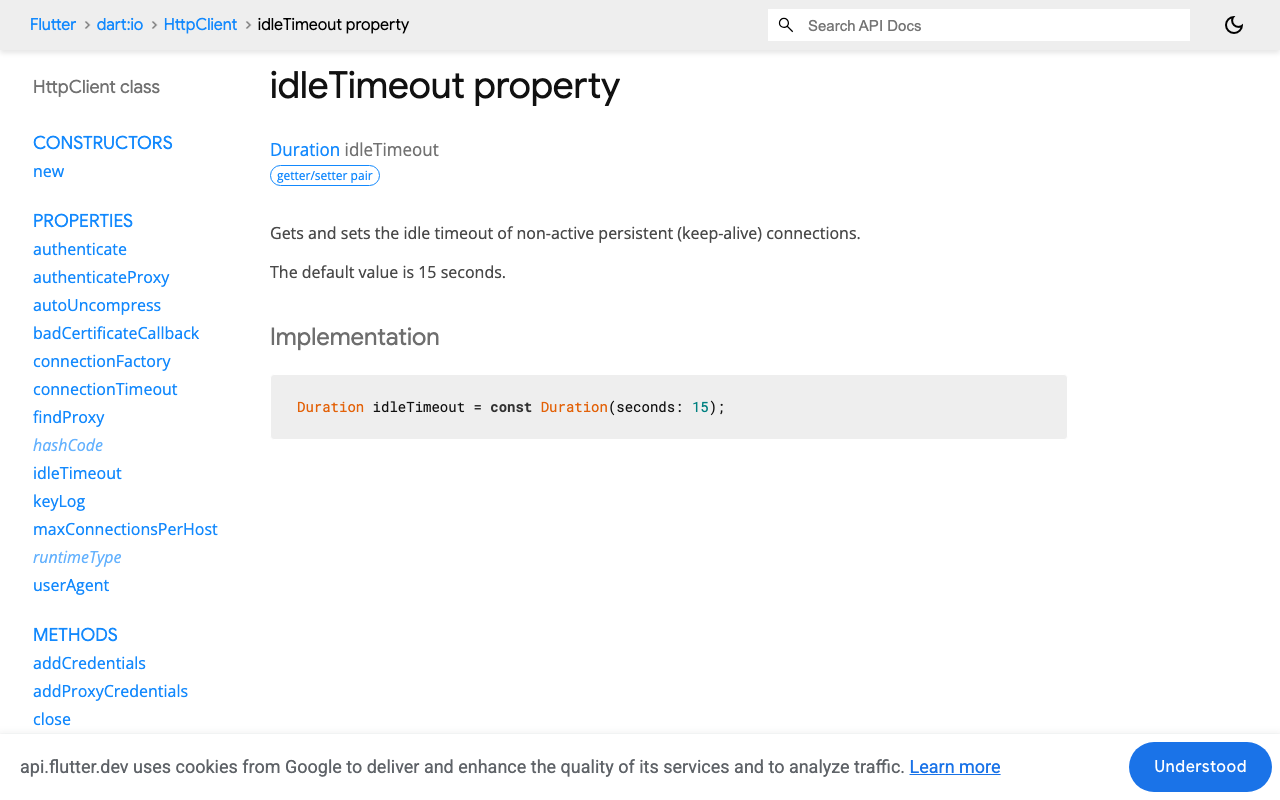
It is not done. package:http's IOClient wraps dart:io's HttpClient, which pools and reuses connections — idleTimeout defaults to 15 seconds and the pool is not torn down until the client is closed. Cancel a half-read streamed response without closing the client and you strand a socket on Android that nothing reclaims for you. Do that once per interrupted message across a long session and the dangling connections stack up.
But you cannot simply close first, either. The http docs are explicit: "If close is called while other asynchronous methods are running, the behavior is undefined." An in-flight streamed response is exactly that.
So: await the cancel, then close the client. In that order, on every exit path — completion, background, network change, stall, error. That is why the code above funnels all five through a single _finish.
Lifecycle: snapshot on hidden, decide on resumed
class _ChatViewState extends State<ChatView> with WidgetsBindingObserver {
  ChatStreamSession? _session;

  @override
  void initState() {
    super.initState();
    WidgetsBinding.instance.addObserver(this);
  }

  @override
  void dispose() {
    WidgetsBinding.instance.removeObserver(this);
    _session?.abort(StreamEnd.backgrounded);
    super.dispose();
  }

  @override
  void didChangeAppLifecycleState(AppLifecycleState state) {
    switch (state) {
      // `hidden` is synthesised on iOS/Android on the way into `paused`,
      // so it is the earliest reliable "about to be suspended" signal.
      case AppLifecycleState.hidden:
      case AppLifecycleState.paused:
        _snapshotAndStop();
      case AppLifecycleState.resumed:
        _handleReturn();
      // Do NOT tear down on `inactive`: iOS fires it for the notification
      // shade and the app switcher, and the user usually comes right back.
      case AppLifecycleState.inactive:
      case AppLifecycleState.detached:
        break;
    }
  }

  void _snapshotAndStop() {
    final session = _session;
    if (session == null || !session.isStreaming) return;
    // Persist what we already have before the socket disappears.
    widget.controller.saveDraftReply(
      text: session.partialText,
      interrupted: true,
    );
    session.abort(StreamEnd.backgrounded);
  }

  void _handleReturn() {
    final session = _session;
    if (session == null) return;
    if (session.endReason == StreamEnd.completed) return; // it really finished
    setState(widget.controller.markInterrupted);
  }
}
On Flutter 3.13+ you can use AppLifecycleListener with its onHide / onPause / onResume callbacks instead of mixing in WidgetsBindingObserver. The state machine is identical; pick whichever fits your widget.
In FlutterFlow, put this in a Custom Widget that owns the chat list — custom actions are one-shot and have nowhere to hold an observer registration.
Connectivity: "network changed" ≠ "server finished"
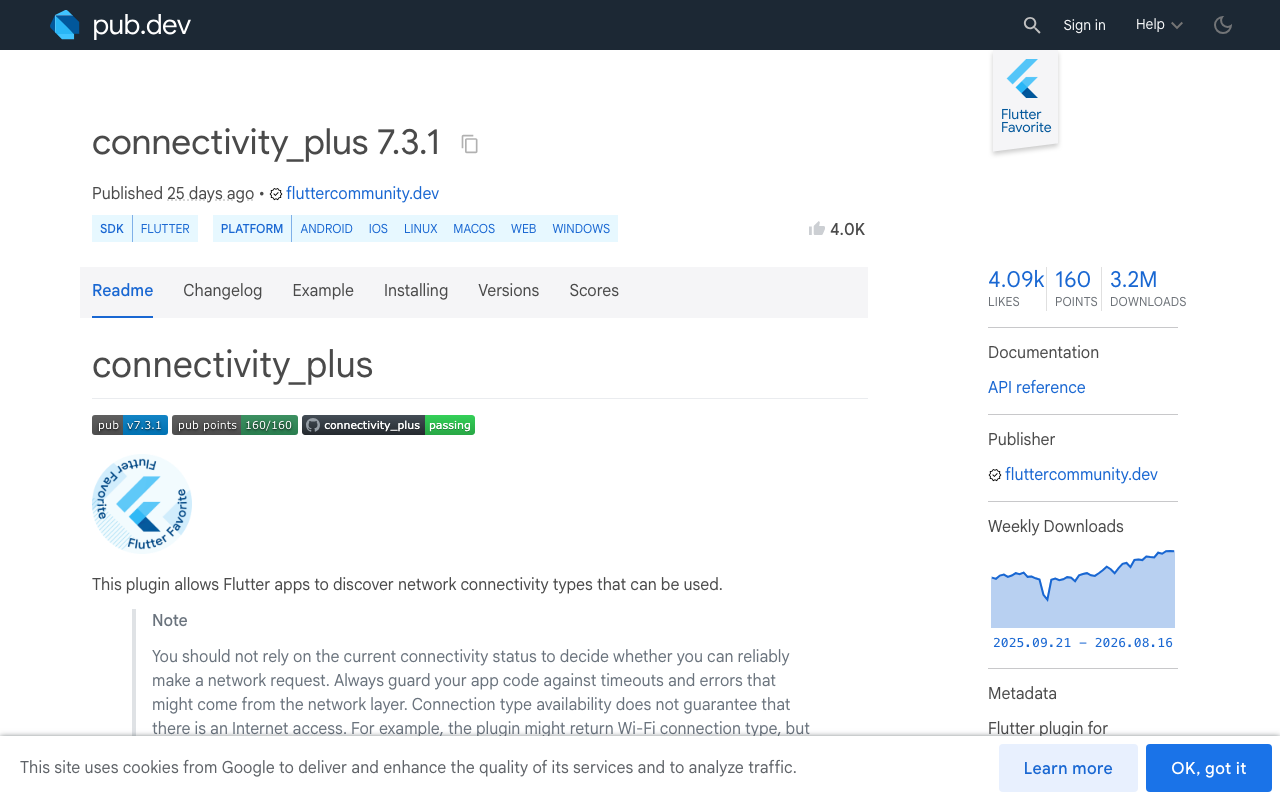
With connectivity_plus: ^7.3.1:
StreamSubscription<List<ConnectivityResult>>? _connSub;

void _watchConnectivity() {
  _connSub = Connectivity().onConnectivityChanged.listen((results) {
    final session = _session;
    if (session == null || !session.isStreaming) return;

    final online = results.any((r) => r != ConnectivityResult.none);
    // The interface changed under a live stream. Even if we are still
    // "online" (WiFi -> cellular), the old socket is already dead.
    session.abort(online ? StreamEnd.networkChanged : StreamEnd.error);
    setState(widget.controller.markInterrupted);
  });
}
One caveat the package README states plainly: connection type availability does not guarantee internet access. Treat this as a fast hint that lets you fail in 200 ms instead of waiting out the 20-second watchdog — never as your only detector. Keep the watchdog.
Resuming the half-finished reply
Be clear about what the API gives you: /v1/chat/stream is a plain POST returning token-by-token SSE. There is no offset or replay token to rewind to. So "resume" means one of two client-side strategies.
Strategy A — mark interrupted, offer Retry. Keep the partial text on screen, badge it, and let the user decide. This is the right default: it never fabricates content and never double-charges a request the user didn't ask for.
Strategy B — re-request the tail. Fire a fresh POST that hands the model back what you already received, so it continues instead of restarting.
Widget buildReply(ChatMessage message) {
  if (!message.interrupted) return Text(message.text);
  return Column(
    crossAxisAlignment: CrossAxisAlignment.start,
    children: [
      Text(message.text),
      const SizedBox(height: 6),
      Row(children: [
        const Icon(Icons.cloud_off, size: 14),
        const SizedBox(width: 6),
        const Text('Reply interrupted'),
        const SizedBox(width: 12),
        TextButton(
          onPressed: () => _resumeTail(message),
          child: const Text('Retry'),
        ),
      ]),
    ],
  );
}

Future<void> _resumeTail(ChatMessage message) async {
  final session = ChatStreamSession(
    apiKey: widget.apiKey,
    conversationId: widget.conversationId, // same thread, so context is kept
  );
  _session = session;
  session.tokens.listen((t) => setState(() => message.append(t)));
  setState(() => message.interrupted = false);

  await session.start(
    'Continue your previous answer from exactly where it stopped. '
    'Do not repeat any of it. Partial answer so far:\n\n${message.text}',
  );
}
Use Strategy B only when the partial ends mid-sentence and is long enough to be worth salvaging. If you got three tokens in, just re-ask the original question — stitching is more likely to produce a seam than to save anything.
Verify it in 30 seconds
- iOS Simulator: start a long answer, press ⌘⇧H, wait 25 seconds, come back. You should see the partial text plus a Retry affordance, never a permanent spinner.
- Network change: toggle Airplane Mode on and off mid-stream on a real device. The connectivity listener should fire well before the watchdog.
- Silent stall: with a proxy like Proxyman, kill the connection mid-response without sending a close frame. Only the watchdog catches this one — it is the best test of whether your timeout logic actually works.
Try WidgetChat free
WidgetChat drops an AI support chatbot into your Flutter or FlutterFlow app with streaming SSE responses over POST /v1/chat/stream — no proprietary SDK, just an HTTP client or a custom action, so the lifecycle pattern above is yours to own. Tap the mic and the same widget becomes a real-time voice call: speech-to-speech in a natural voice, barge-in so users can interrupt, live captions, and product cards on screen while it speaks — across iOS, Android, and web, with your provider keys staying server-side.
Try WidgetChat free and ship a chat stream that survives a locked screen.

Comments
Comments are coming soon. We'd love to hear your thoughts!