
An AI chatbot for your FlutterFlow app
FlutterFlow has no built-in AI chat widget. Widget-Chat adds one: a custom pub dependency and one custom widget, and your app has a full chat screen that answers from your own content. You configure the assistant in a dashboard, not in custom code.
Free plan, no credit card.
// Custom Pub Dependency: widget_chat
import 'package:widget_chat/widget_chat.dart';

ChatWidget(
  configuration: BotConfiguration(
    projectSecretKey: widget.projectKey,
    userID: widget.userId,
  ),
)
How it works
- 1
Create a project
Sign up, name your assistant and add the pages or documents it should answer from.
- 2
Add the dependency
In FlutterFlow, add widget_chat under Custom Pub Dependencies (this needs a paid FlutterFlow plan).
- 3
Add a custom widget
Create a Custom Widget that returns ChatWidget, with your project key and user id as parameters.
- 4
Drop it on a page
Place the widget, run the app, and the chat is live. Later changes happen in the dashboard.
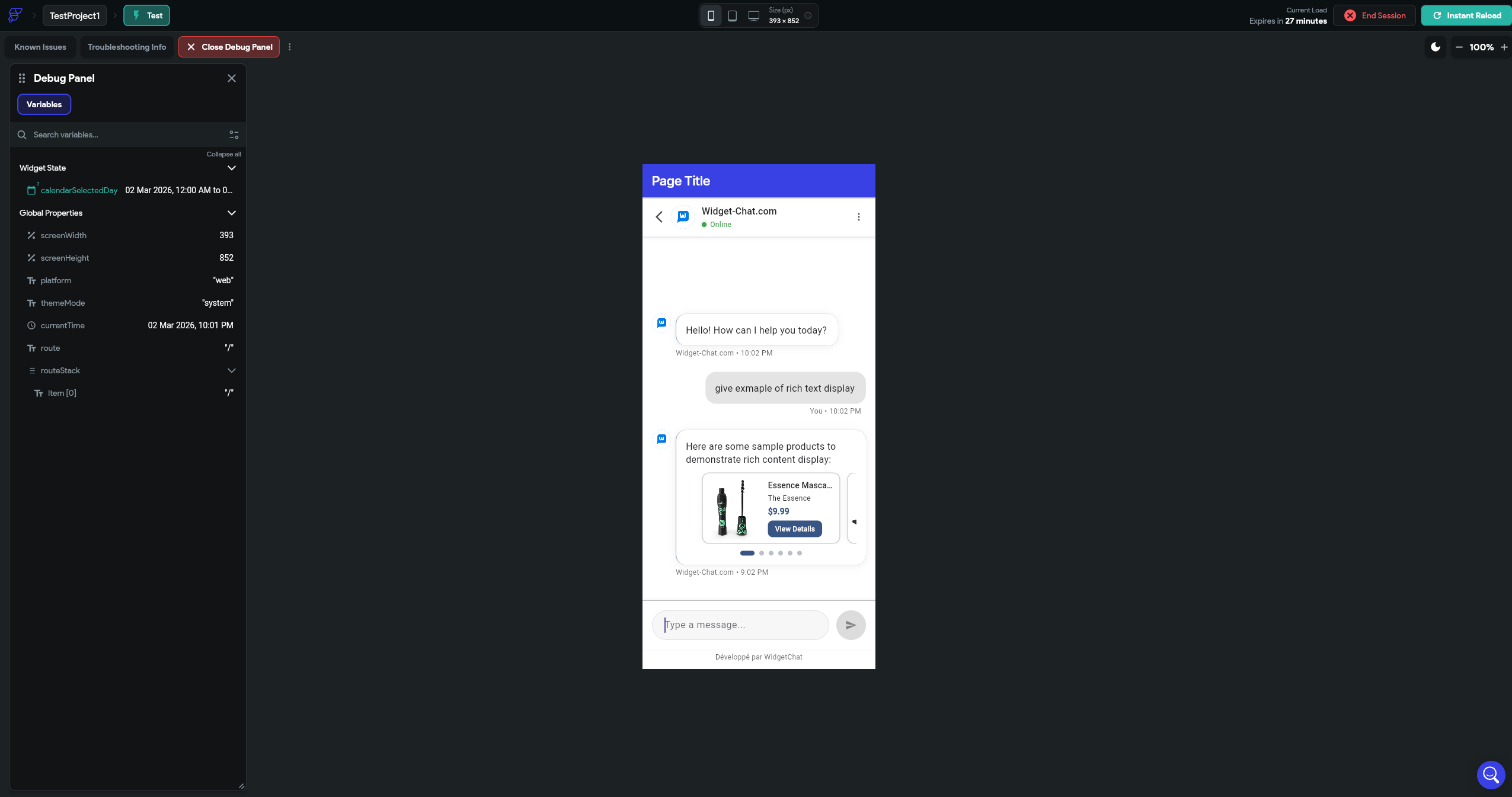
What you get
Answers from your content
Train the assistant on your pages and documents in the dashboard. No vector database to run.
Rich messages
Markdown, image cards, carousels and product lists, with buttons that call back into your app.
Tools
The assistant calls your HTTP APIs to fetch live data. You declare them in the dashboard.
Live voice chat
A real-time voice call in the same widget, with barge-in and live captions (paid plans).
46 locales, 100+ languages
The chat UI ships translated, and the assistant replies in the language the user writes in.
Verified users
Sign user ids with HMAC on your server so nobody can read another user's conversation.
Custom actions versus the widget
| You build | Widget-Chat | |
|---|---|---|
| Chat UI | Built from ListViews, app state and conditional visibility | Included |
| Talking to the model | Custom actions, API keys, a proxy to keep the key out of the app | Hosted |
| Streaming and errors | Chunk buffering, timeouts, retries, stop button | Handled inside the widget |
| Your content | A separate retrieval service | Add URLs in the dashboard |
| Voice | Mic permissions and audio handling in custom code | A toggle in the dashboard |
Questions
Does it work on the free FlutterFlow plan?
No. FlutterFlow only allows custom pub dependencies on paid plans, and the widget is a pub.dev package.
Do I have to write custom actions?
No. One custom widget that returns ChatWidget is all the code there is. The conversation, history and model calls live inside it.
Where do I find the project key?
In the Widget-Chat dashboard, on your project's install page. Pass it to the custom widget as a parameter.
Can the chat open pages or trigger actions in my app?
Yes. Buttons in rich messages call callbacks you pass to the widget, which you can map to FlutterFlow actions.
Is there a free plan?
Yes. The Widget-Chat free plan includes 250 messages a month and needs no credit card.