
WidgetChat vs Intercom for Flutter Apps
You have a Flutter app, users are asking the same ten questions, and you want a support widget inside the app. The two realistic routes are Intercom's Messenger, through the community intercom_flutter plugin, or an AI chatbot like WidgetChat that you call over HTTP and render with your own widgets.
Both put in app chat in Flutter. They solve different problems, and the integration work, the UI control and the bill come out very differently. This post walks through both with real code so you can pick.
The short answer
Pick Intercom if you already run a support team on the Intercom helpdesk and want human agents, inboxes, tickets and Fin AI in one place. Its plugin opens Intercom's native Messenger on top of your app.
Pick WidgetChat if what you mainly want is an AI assistant that answers from your own content, drawn with your own Flutter widgets, on iOS, Android and web, without native SDK setup. That is the case where people go looking for a flutter intercom alternative.
Intercom (intercom_flutter) |
WidgetChat | |
|---|---|---|
| What you embed | Intercom's native Messenger, via a plugin | An HTTP streaming endpoint you call from Dart |
| UI | Intercom's Messenger screens, themed from Intercom settings | Your own widgets, fully in your design system |
| Native setup | Android Application class, iOS setup, app ID and API keys |
None, it is a plain HTTP call |
| AI answers | Fin, billed per outcome | AI answers from your content |
| Human helpdesk | Yes, full inbox and ticketing | Not its focus |
| Pricing | Per seat plus $0.99 per Fin outcome | Free tier to start |
What Intercom looks like in Flutter
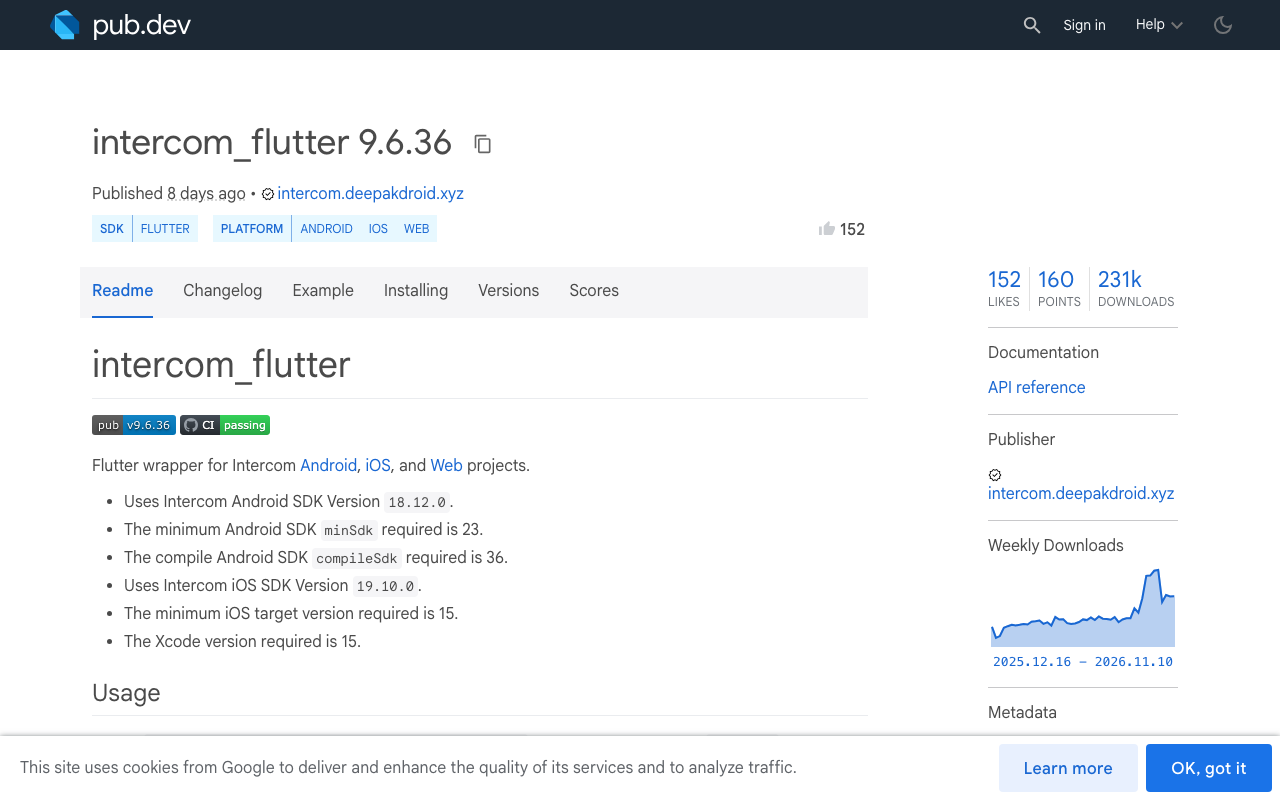
Intercom has no first party Flutter SDK. The common route is intercom_flutter on pub.dev, a plugin that wraps Intercom's native Android and iOS SDKs. The setup in its docs looks like this:
import 'package:flutter/material.dart';
import 'package:intercom_flutter/intercom_flutter.dart';

Future<void> main() async {
  WidgetsFlutterBinding.ensureInitialized();
  await Intercom.instance.initialize(
    'your_app_id',
    iosApiKey: 'your_ios_api_key',
    androidApiKey: 'your_android_api_key',
  );
  runApp(const MyApp());
}

Future<void> openSupport(String userId) async {
  await Intercom.instance.loginIdentifiedUser(userId: userId);
  await Intercom.instance.displayMessenger();
}
That is the Dart side. On Android, the current plugin docs also ask for a custom Application class that initialises the SDK in onCreate() through IntercomFlutterPlugin.initSdk, registered in AndroidManifest.xml. iOS has its own native setup. Every plugin release pins specific Intercom native SDK versions, so a plugin upgrade can mean a native SDK upgrade too. Check the package page for the versions your release pins before you bump it.
What WidgetChat looks like in Flutter
WidgetChat needs no proprietary SDK. You send the user's message to POST https://api.widgetchat.app/v1/chat/stream and read the reply token by token as Server-Sent Events. Any HTTP client works, so this runs the same on iOS, Android and web.
Here is a minimal client with the http package. The headers and JSON body come from your WidgetChat project settings, so they are passed in rather than hardcoded:
import 'dart:convert';
import 'package:http/http.dart' as http;

class WidgetChatClient {
  WidgetChatClient({required this.headers});

  /// Auth and project headers from your WidgetChat dashboard.
  final Map<String, String> headers;
  final _client = http.Client();

  Stream<String> streamReply(Map<String, dynamic> body) async* {
    final request = http.Request(
      'POST',
      Uri.parse('https://api.widgetchat.app/v1/chat/stream'),
    )
      ..headers.addAll({
        'Content-Type': 'application/json',
        'Accept': 'text/event-stream',
        ...headers,
      })
      ..body = jsonEncode(body);

    final response = await _client.send(request);
    if (response.statusCode != 200) {
      throw Exception('Chat failed: ${response.statusCode}');
    }

    final lines = response.stream
        .transform(utf8.decoder)
        .transform(const LineSplitter());

    await for (final line in lines) {
      if (line.startsWith('data:')) {
        yield line.substring(5).trimLeft();
      }
    }
  }
}
And the widget side, which is just a StreamBuilder-style loop into state:
Future<void> ask(String question) async {
  setState(() => _answer = '');
  await for (final token in client.streamReply(buildBody(question))) {
    setState(() => _answer += token);
  }
}
buildBody is yours: shape the JSON to match the request format shown for your project. Because it is your code, the flutter support widget can be a bottom sheet, a full screen, a floating button or a FlutterFlow custom action. In FlutterFlow the same HTTP call goes into a custom action, so no-code projects get it too.
- lib/
- support/
- widgetchat_client.dartthe SSE client above
- support_sheet.dartyour chat UI
- support_button.dartentry point on any screen
- main.dart
The difference that matters most: who owns the UI
Intercom Messenger in Flutter
- Native screen pushed over your app
- Look set in Intercom, not in your ThemeData
- Android Application class and iOS native setup
- Upgrades can pull in new native SDK versions
WidgetChat over HTTP
- Chat is a normal Flutter widget
- Uses your theme, fonts and components
- No native setup, one Dart file
- Same code on iOS, Android and web
If design consistency matters, this alone often decides it. If you need human agents, ticket routing and an inbox your support team already knows, Intercom's helpdesk is the stronger product and the native Messenger is the price you pay for it.
Cost: seats plus outcomes
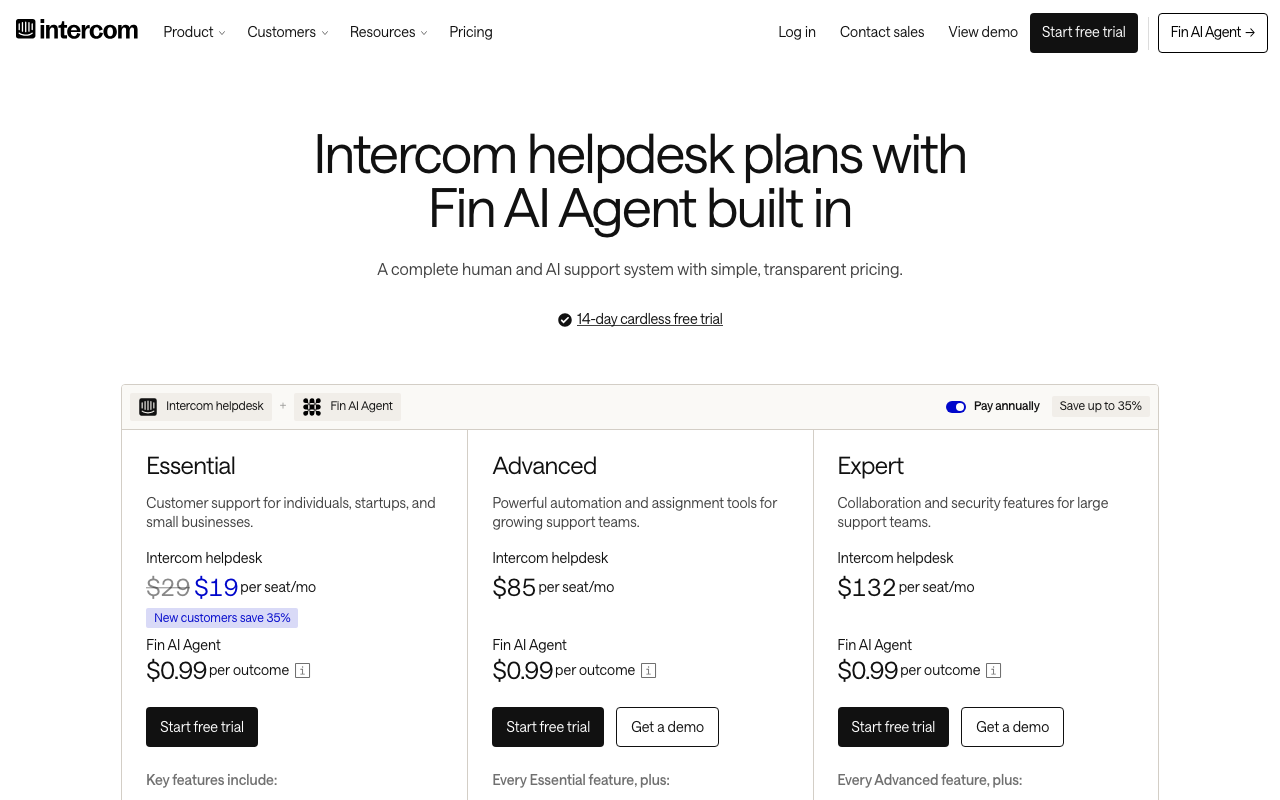
Intercom's published plans are per seat: Essential around $29, Advanced $85 and Expert $132 per seat per month on annual billing. Fin, its AI agent, is charged at $0.99 per outcome on top, counted at most once per conversation, with a monthly minimum.
The Fin part grows straight with volume. Here is a worked example for a small team on Advanced with two seats:
Monthly Intercom cost, 2 Advanced seats plus Fin
- Seats (2 x $85)
- Fin ($0.99 each)
That model is fair when Fin is resolving tickets your human team would otherwise handle. For an app where the AI does almost all the work and nobody needs a seat, you are paying for a helpdesk you barely use. WidgetChat has a free tier to start, so you can ship the chat and watch real usage before deciding anything.
Voice is the other gap
WidgetChat's live voice chat works inside the same widget. Users tap the mic and talk to the assistant, which replies out loud in a natural voice, and they can interrupt it mid sentence. Captions show live during the call, and it can show product cards on screen while it speaks. It is the same conversation and the same dashboard as text chat, it runs on iOS, Android and web, and provider API keys stay on the server. You turn it on per project in the dashboard's Voice section and set the voice, max session length and captions default. Voice draws on a monthly voice-minute pool set by your plan.
How to choose
- List what support needsHuman inbox and tickets, or mostly AI answers from your docs?
- Check your platformsWidgetChat is one HTTP client that runs the same on iOS, Android and web.
- Check your design barIf chat must match your app's theme, you want your own widgets.
- Price at real volumeMultiply expected AI resolutions by $0.99 and add seats for Intercom.
- Ship a testWire the WidgetChat SSE client into one screen and watch real questions come in.
You can also run both: WidgetChat as the first line in the app, with a "talk to a person" button that opens whatever human channel you already have.
- Intercom fits teams already living in its helpdesk
- WidgetChat fits AI-first in app chat in Flutter
- WidgetChat needs no native setup, one Dart client
- Intercom AI cost scales per outcome on top of seats
- Voice chat ships in the same WidgetChat widget
Try WidgetChat free
Drop a streaming AI support chat into your Flutter or FlutterFlow app with one Dart file, styled your way, on every platform you ship. Try WidgetChat free and have your first answer streaming in a few minutes.

Comments
Comments are coming soon. We'd love to hear your thoughts!