

FlutterFlow Streaming CORS in Test Mode: The Real Fix
You wired up a streaming AI support chatbot in FlutterFlow. Tokens flow beautifully on a physical device. Then you open Test/Run mode in the browser and the console lights up:
Access to fetch at 'https://api.yourbackend.com/chat/stream' from origin
'https://app.flutterflow.io' has been blocked by CORS policy:
No 'Access-Control-Allow-Origin' header is present on the requested resource.
Same endpoint. Same auth. Same payload. Works on device, dies in Test mode. And every forum thread ends with the same shrug: "just test on device." That's not a fix — it's giving up on your fastest feedback loop.
Here's what's actually happening, and the exact WidgetChat setup that makes streaming work in Test mode and on device.
Why FlutterFlow Test mode throws CORS but device doesn't
Two different runtimes are in play.
On a physical device, your app is compiled Flutter running on dart:io. CORS is a browser security mechanism — it simply does not exist in a native mobile process. Your streaming call hits the network directly, no origin check, and tokens stream in. Everything works.
In Test/Run mode, FlutterFlow runs your app as a web build inside the browser at app.flutterflow.io. Now the browser enforces the same-origin policy. To spare you from CORS during development, FlutterFlow routes normal API calls through its own test proxy — a middleman server that forwards the request and returns the response from the same origin, so the browser never complains. That's why the "Use Proxy for Test/Run" toggle exists.
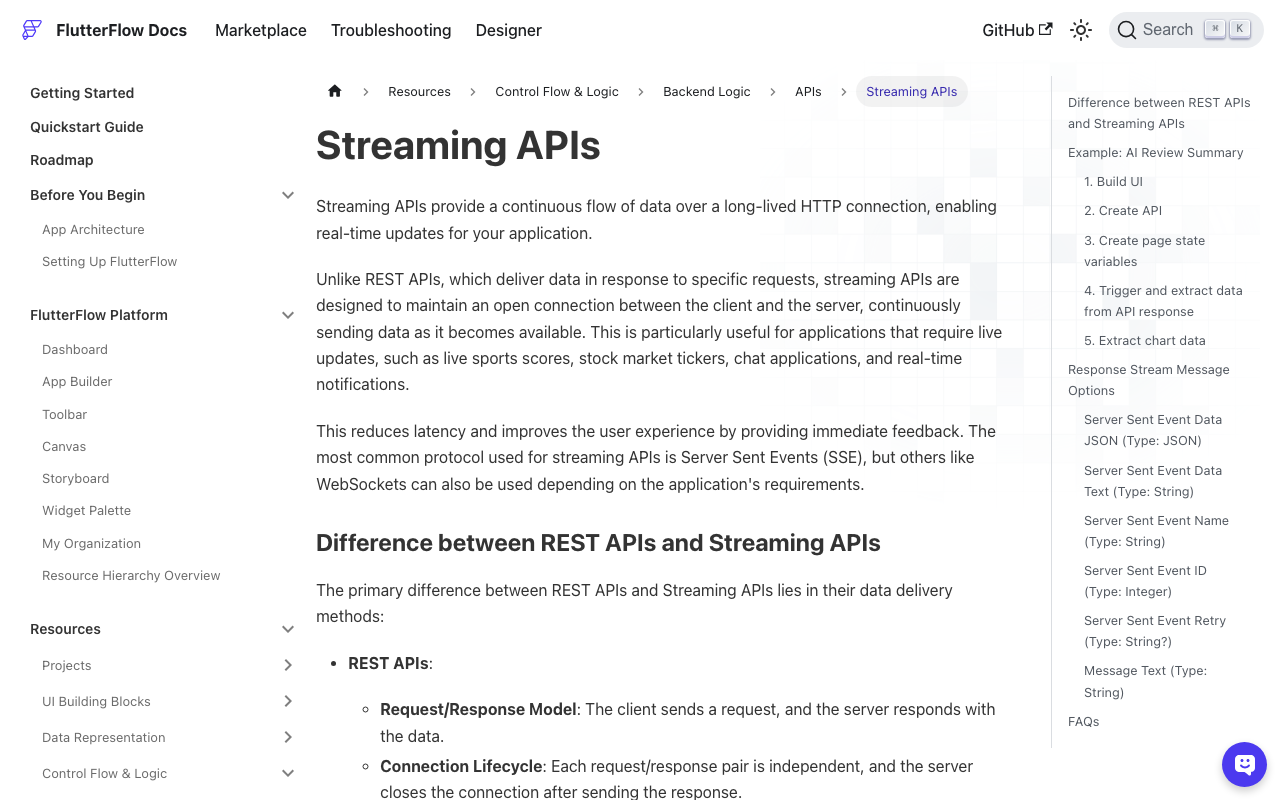
The catch: FlutterFlow's test proxy does not support streaming responses. It's built to forward-and-return a complete body, not to hold a long-lived text/event-stream connection open and pipe chunks through. So the moment you flip the streaming switch on, the proxy drops out of the path, the browser makes the request directly, your backend has no Access-Control-Allow-Origin header — and you get the CORS wall. A non-streaming version of the identical call sails through the proxy without issue.
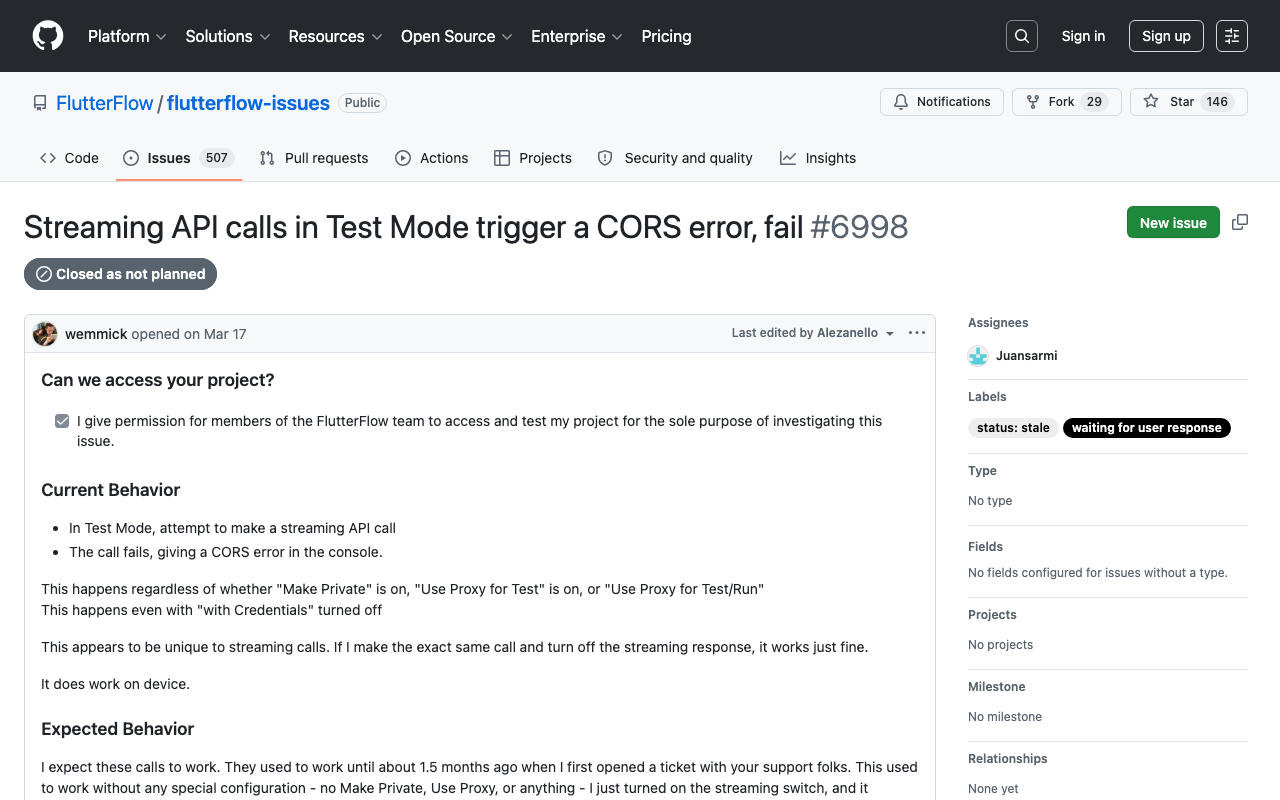
This is a known, reported behavior (FlutterFlow issue #6998, filed March 2026): streaming API calls in Test mode fail with CORS regardless of the Make Private / Use Proxy toggles, while the same call with streaming turned off works fine and streaming works on device.
The conclusion is unavoidable: you cannot rely on the proxy for streaming. You have to make the browser's direct call succeed. That means (1) owning the streaming client yourself and (2) making your backend return real CORS headers.
Step 1: A custom-action SSE client
Don't lean on the native streaming API action — it's the thing tangled up with the proxy. Instead, do the streaming yourself in a custom action using the http package's Client().send(), which gives you a StreamedResponse you can decode chunk by chunk. This runs identically on web and native, so it behaves the same in Test mode and on device.
// Custom Action: streamWidgetChat
// Args: message (String), threadId (String), apiKey (String)
// Returns: void — pushes tokens into an App State field via a callback
import 'dart:convert';
import 'package:http/http.dart' as http;

Future streamWidgetChat(
  String message,
  String threadId,
  String apiKey,
  Future Function(String token) onToken,
) async {
  final request = http.Request(
    'POST',
    Uri.parse('https://api.widgetchat.app/v1/chat/stream'),
  )
    ..headers['Authorization'] = 'Bearer $apiKey'
    ..headers['Content-Type'] = 'application/json'
    ..headers['Accept'] = 'text/event-stream'
    ..body = jsonEncode({'message': message, 'thread_id': threadId});

  final client = http.Client();
  try {
    final response = await client.send(request);

    if (response.statusCode != 200) {
      throw Exception('Stream failed: ${response.statusCode}');
    }

    // Decode the byte stream to text, split into SSE lines.
    await for (final chunk in response.stream
        .transform(utf8.decoder)
        .transform(const LineSplitter())) {
      if (!chunk.startsWith('data:')) continue;
      final data = chunk.substring(5).trim();
      if (data.isEmpty || data == '[DONE]') continue;

      final decoded = jsonDecode(data);
      final token = decoded['delta'] as String? ?? '';
      if (token.isNotEmpty) await onToken(token);
    }
  } finally {
    client.close();
  }
}
Wire onToken to append to an App State string (e.g. currentReply), and bind your chat bubble's Text to that field. As each data: line arrives, the UI grows token by token — the streaming effect users expect from a modern support bot.
A few things that trip people up:
- Split on lines. Multiple SSE events often arrive in one network packet.
LineSplitter(or splitting on\n\n) keeps you from parsing half an event. - Close the client. Open connections cost the server. Always
client.close()infinally, and cancel the action when the chat screen is disposed. - Use
Accept: text/event-stream. It tells your backend to stream rather than buffer a full JSON body.
Step 2: The exact backend CORS headers
Because the browser now calls your backend directly in Test mode, your streaming endpoint must return CORS headers itself. Standard REST CORS setup isn't enough — SSE needs a few streaming-safe extras so nothing buffers the response into oblivion. Here's a minimal Express (Node) handler for the WidgetChat streaming route:
app.post('/v1/chat/stream', (req, res) => {
  // CORS — allow the FlutterFlow builder origin (and your published domain).
  const origin = req.headers.origin;
  const allowed = [
    'https://app.flutterflow.io',
    'https://your-app.web.app', // your published FlutterFlow web app
  ];
  if (allowed.includes(origin)) {
    res.setHeader('Access-Control-Allow-Origin', origin);
  }
  res.setHeader('Vary', 'Origin');
  res.setHeader('Access-Control-Allow-Credentials', 'true');

  // Streaming-safe headers.
  res.setHeader('Content-Type', 'text/event-stream');
  res.setHeader('Cache-Control', 'no-cache, no-transform');
  res.setHeader('Connection', 'keep-alive');
  res.setHeader('X-Accel-Buffering', 'no'); // stop Nginx from buffering the stream
  res.flushHeaders();

  const send = (obj) => res.write(`data: ${JSON.stringify(obj)}\n\n`);
  // ... pipe your LLM tokens: send({ delta: token }) per chunk ...
  // then: res.write('data: [DONE]\n\n'); res.end();
});

// Preflight — the browser sends OPTIONS before the POST.
app.options('/v1/chat/stream', (req, res) => {
  const origin = req.headers.origin;
  res.setHeader('Access-Control-Allow-Origin', origin || '*');
  res.setHeader('Access-Control-Allow-Methods', 'POST, OPTIONS');
  res.setHeader('Access-Control-Allow-Headers', 'Authorization, Content-Type, Accept');
  res.setHeader('Access-Control-Max-Age', '86400');
  res.status(204).end();
});
Why each streaming header matters:
Access-Control-Allow-Origin— the header the browser was missing. Echo the specific origin (not*) when you send credentials or anAuthorizationheader; a wildcard is rejected alongside credentials.Content-Type: text/event-stream— declares SSE so intermediaries keep the connection open.Cache-Control: no-cache, no-transform— stops proxies from caching or rewriting the stream.X-Accel-Buffering: no— critical behind Nginx, which otherwise buffers your whole response and delivers it in one lump, killing the streaming effect.- The
OPTIONShandler — because your request has custom headers (Authorization,Accept), the browser sends a preflight first. If it 404s or lacks the allow headers, the real request never fires.
With WidgetChat's hosted backend, these headers are already set for you — you just add your published FlutterFlow domain to the allowed-origins list in the dashboard. Rolling your own backend? Copy the block above.
Verify it in both runtimes
- Test mode: open Run mode, send a message, watch the Network tab — you should see the POST return
200withtext/event-streamand tokens streaming in, no CORS error. - Device: run on a physical phone; it worked before and still does (no proxy, no CORS involved).
Because the custom action owns the connection instead of FlutterFlow's proxy, you get one code path that behaves the same everywhere — and you can debug streaming right in the browser instead of rebuilding to a device on every change.
Try WidgetChat free
WidgetChat drops a streaming AI support chatbot into your Flutter or FlutterFlow app with a ready-made SSE backend, correct CORS out of the box, and a copy-paste custom action like the one above. Skip the proxy rabbit hole — try WidgetChat free and have a streaming support bot working in Test mode and on device today.

Comments
Comments are coming soon. We'd love to hear your thoughts!