

Flutter Web SSE Not Streaming? Fix Chrome's One-Chunk Reply
Your AI chat streams beautifully on iOS and Android: tokens tick in one by one, the reply grows word by word. Then you run the exact same code with flutter run -d chrome, send a message, and… nothing. A spinner. Three seconds of silence. Then the entire reply appears in one paint.
Nothing in your code changed. The server is sending Server-Sent Events correctly — you can watch the chunks arrive in Chrome DevTools. The problem is (or was) in Dart's HTTP stack on the web, and the fix is a small, surgical swap. Let's walk through why it happens and how to make one chat codebase truly stream on iOS, Android, and web.
Why the same code streams on mobile and buffers on web
On iOS and Android, package:http rides on dart:io's HttpClient, which hands you response bytes as they arrive. Your response.stream genuinely streams.
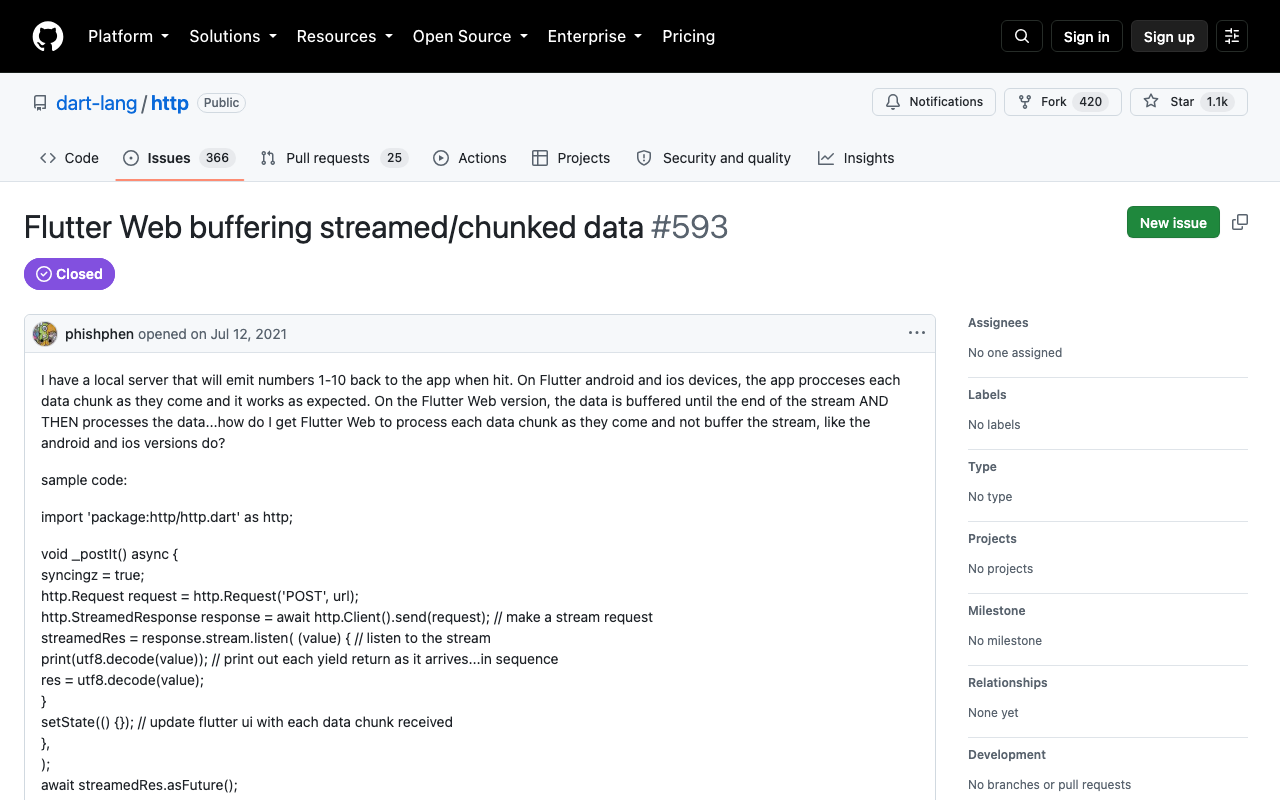
On the web, package:http uses BrowserClient — and for years, BrowserClient was built on XMLHttpRequest. XHR cannot hand chunked response bytes to Dart as they arrive, so the client waited for the whole body and then emitted it as one giant chunk. Your SSE "stream" silently degraded to a single event. This is exactly the behavior reported in dart-lang/http #593 ("Flutter Web buffering streamed/chunked data"), which was closed in 2021 as a documented limitation, and it's why streaming LLM chat on web kept coming up, most recently in flutter/flutter #172030.
The good news: the long-tracked migration to the Fetch API (dart-lang/http #595) shipped. Since http 1.3.0, the changelog reads: "Switched BrowserClient to use Fetch API instead of XMLHttpRequest", and the BrowserClient docs now state: "Responses are streamed but requests are not."
So if your Flutter Web SSE is not streaming in 2026, it's one of three causes. Check them in order.
Cause 1: you're resolving an old http
If anything in your dependency tree pins http below 1.3.0, you're still on the XHR client and the whole response is buffered. Check what you actually resolved:
flutter pub deps --style=list | grep 'http '
If you see http 1.2.x or older, upgrade:
flutter pub upgrade http
and raise your constraint to http: ^1.3.0 or later (current is 1.6.0).
Cause 2: http.post() buffers by design — on every platform
This one bites people who "fixed" the web problem and still see the whole reply at once. The convenience methods (http.get, http.post, client.post) return a Response, and a Response by definition holds the complete body — they internally await the entire stream before returning. That's not a web bug; it's the API contract.
To stream, you must build a Request and call client.send(), which returns a StreamedResponse:
// ❌ Waits for the full body everywhere, even on iOS/Android:
final res = await client.post(url, body: payload);

// ✅ Gives you bytes as they arrive:
final req = http.Request('POST', url)..body = payload;
final streamed = await client.send(req);
streamed.stream.listen(onChunk);
Cause 3: something between Chrome and your server is buffering
If the client is right, verify the network path. In Chrome DevTools → Network, click the request: if bytes trickle in over time there but your Dart code still gets one chunk, it's the client. If DevTools itself shows the body arriving in one burst, look server-side:
- Response must be
Content-Type: text/event-streamwithCache-Control: no-cache. - Compression middleware (gzip/brotli) often collects the whole body before flushing — disable it for the SSE route.
- Reverse proxies buffer by default; for nginx, send
X-Accel-Buffering: no.
The fix: a streaming client behind a conditional import
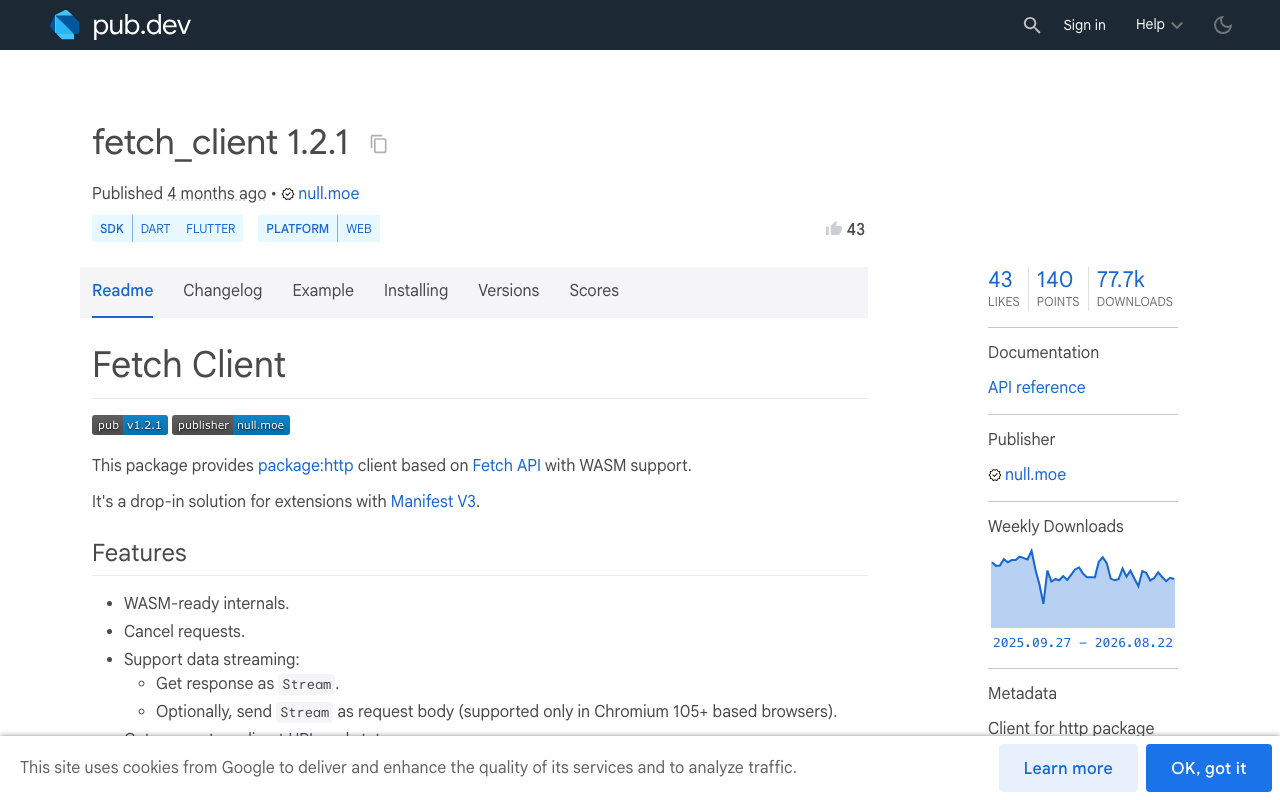
The robust setup is a tiny factory that returns the right Client per platform: the default dart:io-backed client on mobile/desktop, and an explicitly fetch-backed client on web. For the web side you can rely on BrowserClient (fetch-backed since http 1.3.0), or use fetch_client (FetchClient), which adds explicit control over CORS mode, credentials, redirects, and even request streaming — handy when your chat API lives on another origin, which for an AI backend it almost always does.
# pubspec.yaml
dependencies:
  http: ^1.6.0
  fetch_client: ^1.2.1
Create three small files. First the IO implementation:
// chat_http_client_io.dart
import 'package:http/http.dart' as http;

http.Client createStreamingClient() => http.Client();
Then the web implementation — this is the 3-line swap that makes a flutter fetch_client streaming response actually stream:
// chat_http_client_web.dart
import 'package:fetch_client/fetch_client.dart';
import 'package:http/http.dart' as http;

http.Client createStreamingClient() => FetchClient(mode: RequestMode.cors);
And the conditional export that picks one at compile time:
// chat_http_client.dart
export 'chat_http_client_io.dart'
    if (dart.library.js_interop) 'chat_http_client_web.dart';
Note the condition is dart.library.js_interop, not the older dart.library.html — the html library is deprecated, and js_interop is the check that also holds for WebAssembly builds. fetch_client advertises WASM-ready internals, so this setup survives --wasm too.
Point it at a real SSE chat endpoint
Here's the full consumer against WidgetChat's streaming chat endpoint, which returns token-by-token data: SSE lines. The same function now behaves identically on all three platforms:
import 'dart:convert';
import 'package:http/http.dart' as http;
import 'chat_http_client.dart';

Stream<String> streamChat(String message) async* {
  final client = createStreamingClient();
  try {
    final request = http.Request(
      'POST',
      Uri.parse('https://api.widgetchat.app/v1/chat/stream'),
    )
      ..headers['Content-Type'] = 'application/json'
      ..headers['Accept'] = 'text/event-stream'
      // ...plus your project's auth header
      ..body = jsonEncode({'message': message});

    final response = await client.send(request);

    final lines = response.stream
        .transform(utf8.decoder) // decodes safely across chunk boundaries
        .transform(const LineSplitter());

    await for (final line in lines) {
      if (!line.startsWith('data:')) continue;
      var token = line.substring(5);
      // SSE spec: strip exactly ONE leading space — tokens like " world"
      // legitimately start with a space, so never trim() here.
      if (token.startsWith(' ')) token = token.substring(1);
      yield token;
    }
  } finally {
    client.close();
  }
}
In your chat screen, append tokens as they arrive:
await for (final token in streamChat(text)) {
  setState(() => _reply += token);
}
Run it on Chrome. If the swap worked, you'll see the reply grow token by token instead of the dart http stream response arriving all at once on web.
After it streams: two gotchas to expect
Once real chunks start flowing, two new failure modes show up that the buffered version was hiding:
- UTF-8 split across chunks. A multi-byte character (é, emoji, CJK) can be cut in half at a chunk boundary. Calling
utf8.decode(chunk)per chunk throws or produces mojibake — always use the streamingutf8.decodertransformer as shown above. We cover the failure modes in depth in our post on UTF-8 chunk splitting in streamed Flutter chat. - Per-token rebuild jank.
setState40–80 times per second on a growing rich-text widget will stutter on low-end devices. Batch tokens with a short timer or rebuild only the message bubble — our post on fixing per-token rebuild jank walks through the pattern.
Try WidgetChat free
If you'd rather ship the chat than babysit the transport, WidgetChat is an embeddable AI support chatbot for Flutter and FlutterFlow that answers users from your own content. Its POST https://api.widgetchat.app/v1/chat/stream endpoint streams token-by-token SSE — exactly what the client above consumes — and it integrates through a plain HTTP call or a FlutterFlow custom action, no proprietary SDK required. The same widget now also supports live voice chat: users can tap the mic and talk to your assistant in a real-time call with barge-in and live captions, on iOS, Android, and web. There's a free tier, so you can have a genuinely streaming AI chat in your app this afternoon — try WidgetChat free.

Comments
Comments are coming soon. We'd love to hear your thoughts!