

Flutter Web SSE Not Streaming? Fix the Buffered Chat
Your AI support widget types out answers beautifully on iOS and Android. You build for web, ask the same question, stare at a spinner for nine seconds, and then the entire answer appears in one block.
The backend is almost certainly innocent. The same POST https://api.widgetchat.app/v1/chat/stream endpoint is emitting data: frames the whole time — something between the socket and your StreamBuilder is holding them. There are exactly two layers that do this, and you can rule one out in thirty seconds.
Layer 1: prove the bytes leave the server early
Before touching Dart, check the wire with curl -N (-N disables curl's own output buffering):
curl -N -i -X POST https://api.widgetchat.app/v1/chat/stream \
  -H "Authorization: Bearer $WIDGETCHAT_KEY" \
  -H 'Content-Type: application/json' \
  -H 'Accept: text/event-stream' \
  -d '{"message":"what do your plans include?"}'
If tokens trickle out of curl, the network path is fine and your problem is Dart-side — skip to layer 2. If curl also pauses and then vomits everything, read the response headers it just printed:
transfer-encoding: chunkedshould be present andcontent-lengthabsent. Acontent-lengthmeans something upstream collected the whole body before forwarding it.x-accel-buffering: noshould be present if nginx (or anything nginx-derived) is in the path.
This matters because curl from your laptop traverses the same CDN and reverse proxy as Chrome does. Run it against your origin directly too — if origin streams and the public hostname doesn't, you have found your buffer.
The proxy fixes worth knowing
For nginx, buffering is on by default and will happily sit on an SSE stream:
location /v1/chat/stream {
    proxy_pass              http://app_upstream;
    proxy_http_version      1.1;
    proxy_set_header        Connection '';
    proxy_buffering         off;
    proxy_cache             off;
    chunked_transfer_encoding off;
    proxy_read_timeout      1h;
}
Cloudflare is the other repeat offender. Users have reported proxied (orange-cloud) hostnames holding text/event-stream responses until roughly 100 KB has accumulated, even with response buffering disabled — which is why a short chat reply lands all at once and a very long one appears to half-work. The practical mitigation is to emit X-Accel-Buffering: no from your origin, and to send a keep-alive comment frame (: ping\n\n) every 20–30 seconds so an idle model call does not trip the 100-second timeout.
If curl streams, none of this is your problem. Move on.
Layer 2: the Dart client — and which version pub actually resolved
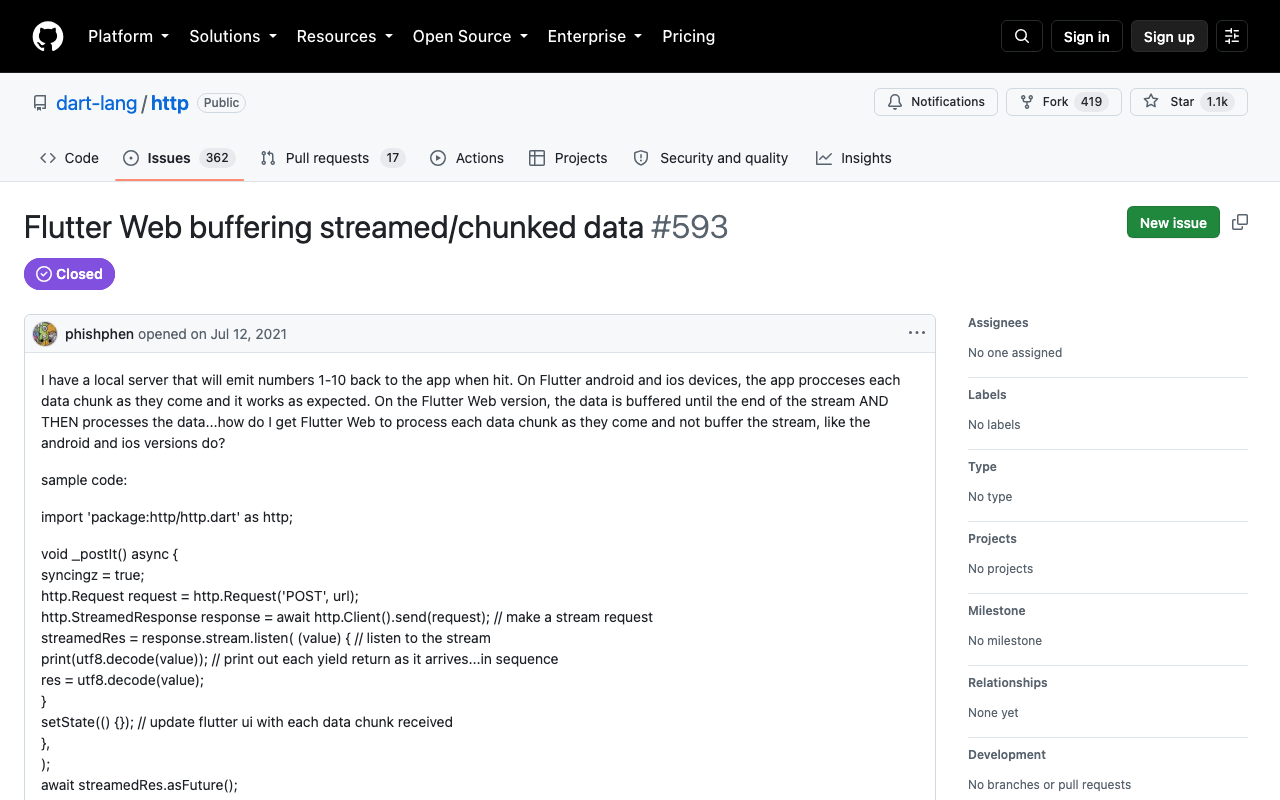
This is where the mobile-vs-web asymmetry comes from. On iOS and Android, http.Client() gives you an IOClient built on dart:io, which has always delivered response bytes as they arrive. On web you get BrowserClient, and for years that class was built on XMLHttpRequest — it could not surface a partial body, so it handed you everything only once the response completed. That is dart-lang/http#593, Flutter Web buffering streamed/chunked data, filed in 2021 and describing your exact symptom.
The good news: http 1.3.0 switched BrowserClient to the Fetch API instead of XMLHttpRequest. The current implementation reads Response.body (a ReadableStream) through a reader and republishes it as a Dart stream, so responses genuinely stream. Its own doc comment is blunt about the remaining limit: responses are streamed, requests are not.
So step one is not a code change — it is checking what your lockfile resolved:
grep -A3 '^ http:' pubspec.lock
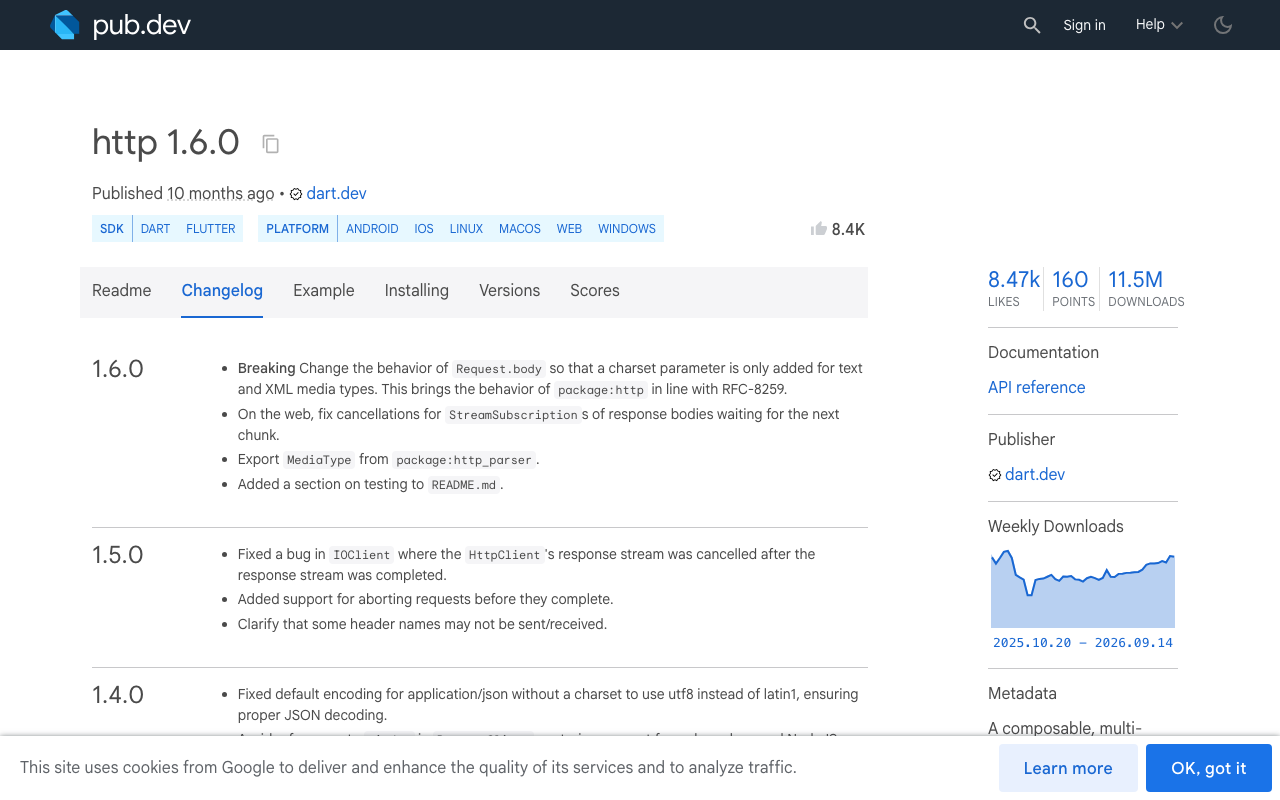
A ^1.1.0 constraint in your pubspec does not mean you got 1.3.0+. A transitive dependency pinning an older http will silently drag you back to the XHR client, and pub will not warn you because nothing is broken — only slow. http 1.3.0 and later require Dart SDK 3.4+; 1.6.0 is current and includes a web fix for cancelling subscriptions that are waiting on the next chunk.
The second trap: http.post() can never stream
Even on a fetch-backed BrowserClient, this buffers by definition:
final res = await http.post(url, body: payload); // waits for the LAST byte
for (final line in res.body.split('\n')) { ... }  // then replays instantly
http.Response is a materialised body. To stream you must go through Client.send() and consume StreamedResponse.stream as it arrives. Plenty of "flutter web sse not streaming" reports are really this: mobile felt fast enough that nobody noticed the top-level helper was buffering there too.
A streaming SSE reader that works on all three platforms
This uses only package:http — no conditional imports, no web-only code — and works on mobile and on web once you are on http 1.3.0+.
import 'dart:convert';
import 'package:http/http.dart' as http;

/// Yields each `data:` payload from WidgetChat's streaming chat endpoint.
Stream<String> streamReply({
  required String message,
  required String projectKey,
  String? conversationId,
}) async* {
  final client = http.Client();
  final request = http.Request(
    'POST',
    Uri.parse('https://api.widgetchat.app/v1/chat/stream'),
  )
    ..headers.addAll({
      'Authorization': 'Bearer $projectKey',
      'Content-Type': 'application/json',
      'Accept': 'text/event-stream',
    })
    ..body = jsonEncode({
      'message': message,
      if (conversationId != null) 'conversation_id': conversationId,
    });

  try {
    final response = await client.send(request);
    if (response.statusCode != 200) {
      throw http.ClientException(
        'chat/stream returned ${response.statusCode}',
        request.url,
      );
    }

    // utf8.decoder as a *stream transformer* is stateful: it correctly
    // reassembles a multi-byte character split across two chunks.
    // Calling utf8.decode() per chunk instead will mangle emoji mid-stream.
    var buffer = '';
    await for (final text in response.stream.transform(utf8.decoder)) {
      buffer += text.replaceAll('\r\n', '\n');

      // SSE frames are separated by a blank line.
      var split = buffer.indexOf('\n\n');
      while (split != -1) {
        final frame = buffer.substring(0, split);
        buffer = buffer.substring(split + 2);

        for (final line in const LineSplitter().convert(frame)) {
          if (!line.startsWith('data:')) continue; // skip `:` comments, ids
          final data = line.substring(5).trimLeft();
          if (data == '[DONE]') return;
          yield data;
        }
        split = buffer.indexOf('\n\n');
      }
    }
  } finally {
    client.close();
  }
}
Wiring it into a chat bubble is then ordinary Flutter — accumulate into a StringBuffer and rebuild:
final _draft = StringBuffer();
late StreamSubscription<String> _sub;

void _send(String text) {
  _draft.clear();
  _sub = streamReply(message: text, projectKey: kWidgetChatKey).listen(
    (payload) => setState(() => _draft.write(_tokenFrom(payload))),
    onDone: () => setState(_commitMessage),
  );
}
_tokenFrom is where you decode whatever your data: payload carries — raw text, or a small JSON object. Cancel _sub in dispose(); on web that aborts the underlying fetch.
Escape hatch: your own fetch client
If a transitive dependency pins you below http 1.3.0, or you need fetch options the client does not expose (cache mode, credentials, a custom AbortSignal), drop to package:web behind a conditional import so mobile never compiles it:
// lib/src/stream_transport.dart
export 'stream_transport_io.dart'
    if (dart.library.js_interop) 'stream_transport_web.dart';
// lib/src/stream_transport_web.dart
import 'dart:js_interop';
import 'dart:typed_data';
import 'package:web/web.dart' as web;

Stream<Uint8List> postByteStream(
  Uri url, {
  required Map<String, String> headers,
  required String body,
}) async* {
  final res = await web.window
      .fetch(
        url.toString().toJS,
        web.RequestInit(
          method: 'POST',
          headers: headers.jsify()! as JSObject,
          body: body.toJS,
          cache: 'no-store', // never replay a cached body for a stream
        ),
      )
      .toDart;

  if (res.status != 200) {
    throw StateError('chat/stream returned ${res.status}');
  }

  final reader =
      res.body!.getReader() as web.ReadableStreamDefaultReader;
  try {
    while (true) {
      final chunk = await reader.read().toDart;
      if (chunk.done) break;
      yield (chunk.value! as JSUint8Array).toDart;
    }
  } finally {
    reader.releaseLock();
  }
}
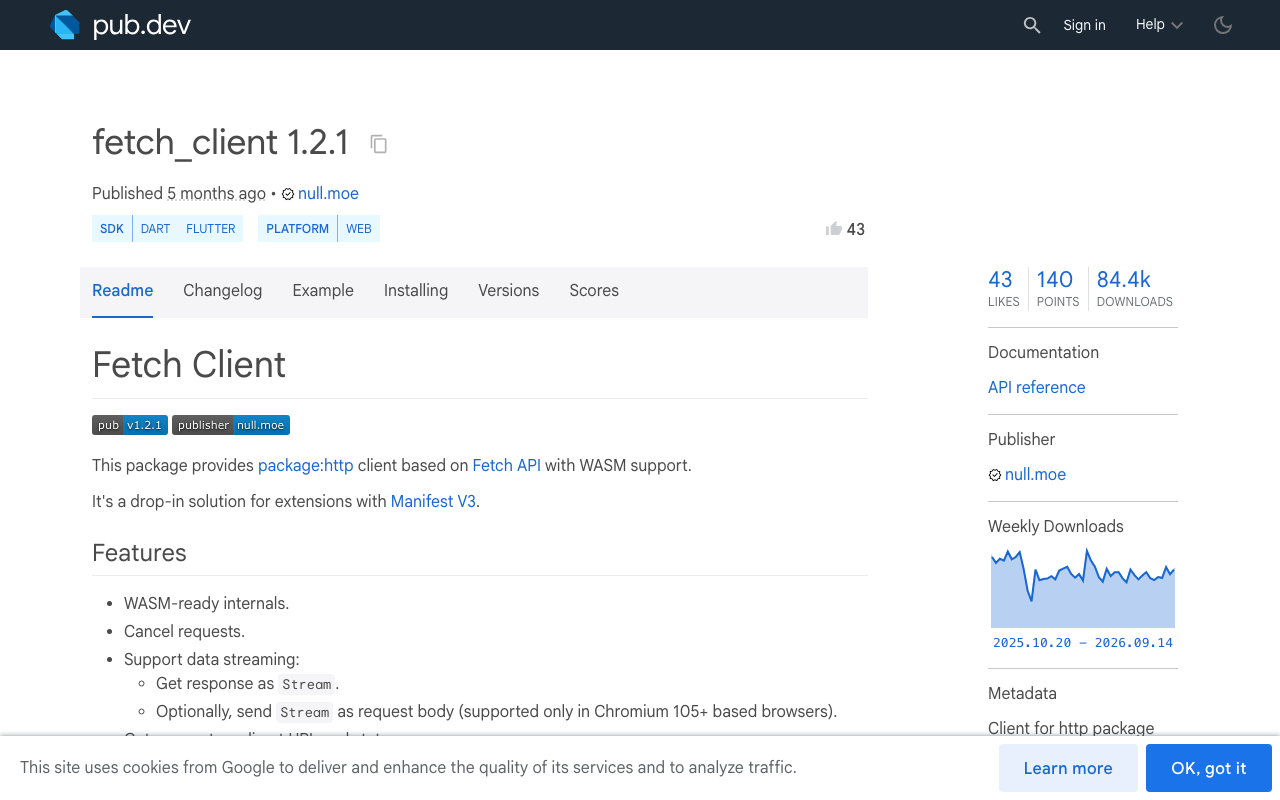
Feed that byte stream into the same frame parser above. If you would rather not hand-roll it, package:fetch_client (1.2.1 at time of writing) gives you a drop-in FetchClient implements http.Client with streamed responses, cancellation and redirect metadata — package:http's own README points at it for web.
The order to debug in
curl -Nthe endpoint. Bytes early? Backend and proxies are fine.grep http pubspec.lock. Below 1.3.0, you are on the XHR client — upgrade.- Using
http.post()or readingresponse.body? That buffers everywhere. Switch toClient.send(). - Still buffered on web only? Swap in
fetch_clientor thepackage:webreader above. - Buffered for everyone past ~100 KB? Look at Cloudflare and
X-Accel-Buffering.
WidgetChat's /v1/chat/stream endpoint emits token-by-token data: SSE and integrates through a plain HTTP client or a FlutterFlow custom action — no proprietary SDK — so the client you pick is entirely yours. If you would rather your users talk than type, live voice chat is shipped too: the same embedded widget does real-time speech-to-speech with barge-in, live captions and on-screen product cards, on iOS, Android and web, with provider keys kept server-side.
Try WidgetChat free and get a streaming AI support assistant into your Flutter or FlutterFlow app today.

Comments
Comments are coming soon. We'd love to hear your thoughts!