

Flutter Voice AI Goes Tinny on AirPods? Handle HFP Switch
The bug report usually reads like this: "Voice chat sounded great, then I put my AirPods in and the assistant went muffled. When I took them out, the mic stopped and I had to tap it again." Two different symptoms, one cause. Your Flutter app configured the audio session once at launch, and a Bluetooth route change happened under it mid-call.
This post explains the profile switch that causes the quality drop, then shows the audio_session setup, the route-change listener, and the re-arm step that lets a WidgetChat live voice call survive a headset connect or disconnect without the user touching the mic. It completes the set with the earpiece routing post and the phone-call interruption post.
Why the audio gets worse the moment the mic opens
Bluetooth earbuds speak two audio profiles, and iOS and Android pick one per session:
- A2DP (Advanced Audio Distribution Profile) is the music profile. Stereo, high bitrate, output only. There is no microphone path.
- HFP (Hands-Free Profile) is the phone-call profile. Bidirectional, mono, and narrow: 8 kHz on the classic CVSD codec, 16 kHz with mSBC wideband. That is the "tinny" sound.
A voice assistant needs the mic, so the OS has to use HFP. On iOS the switch happens when a playAndRecord session that allows Bluetooth input becomes active: output and input both move to HFP, and you cannot keep A2DP for playback while taking input over HFP. Apple's docs describe allowBluetoothHFP (the newer name for allowBluetooth) as the option that makes HFP devices available for input, valid only with the record and playAndRecord categories. Android does the same thing through the SCO link when a communication device is selected.
So the quality drop is not a bug you can fix. It is the price of a two-way Bluetooth link. What you can fix is everything around it: the session that never asked for HFP, the capture graph that lost its input node, and the user having to re-tap the mic.
Configure the session for a two-way Bluetooth call
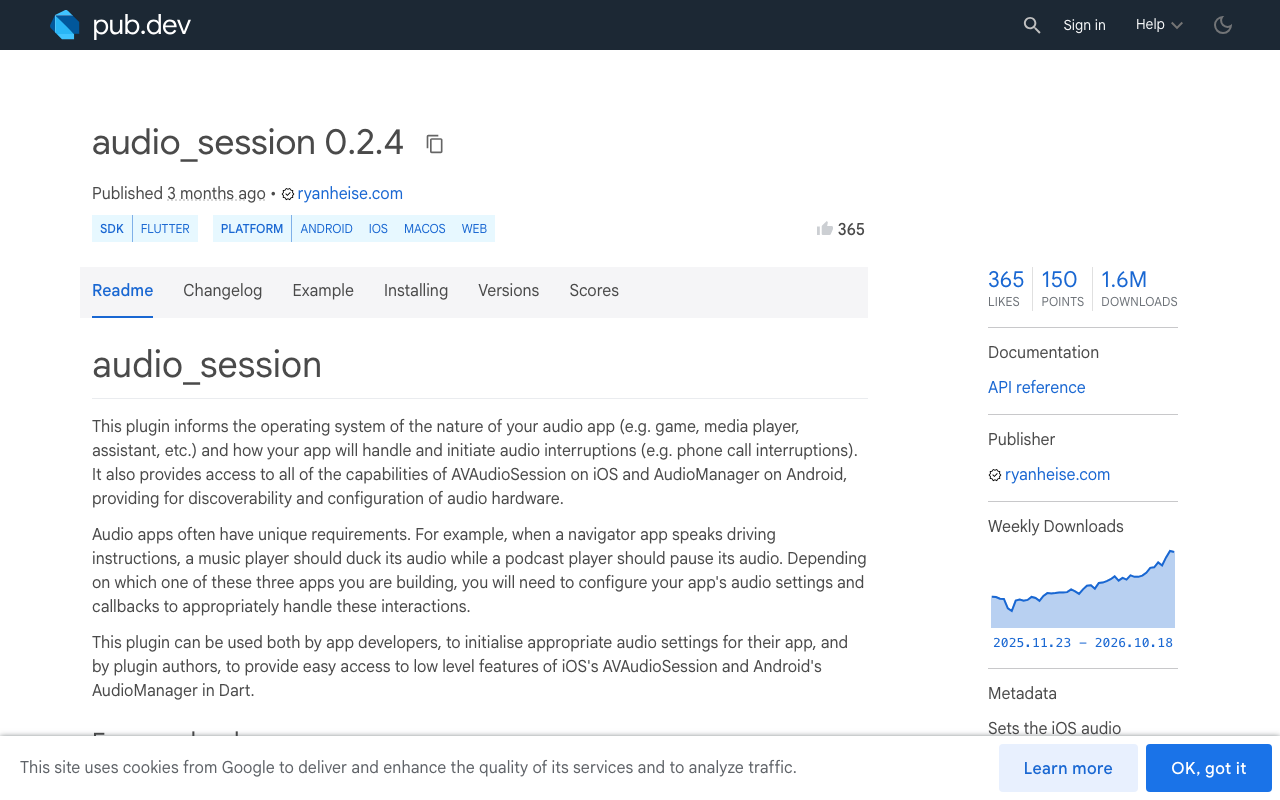
The audio_session package (0.2.4 at the time of writing) exposes the iOS category options and the Android attributes in one call. Configure for voice before the call starts, not at app launch, so a text-only user never gets pushed onto HFP.
import 'package:audio_session/audio_session.dart';

Future<void> configureForVoiceCall() async {
  final session = await AudioSession.instance;
  await session.configure(const AudioSessionConfiguration(
    avAudioSessionCategory: AVAudioSessionCategory.playAndRecord,
    avAudioSessionCategoryOptions:
        AVAudioSessionCategoryOptions.allowBluetooth |
        AVAudioSessionCategoryOptions.allowBluetoothA2dp |
        AVAudioSessionCategoryOptions.defaultToSpeaker,
    avAudioSessionMode: AVAudioSessionMode.voiceChat,
    androidAudioAttributes: AndroidAudioAttributes(
      contentType: AndroidAudioContentType.speech,
      usage: AndroidAudioUsage.voiceCommunication,
    ),
    androidAudioFocusGainType: AndroidAudioFocusGainType.gainTransient,
  ));
  await session.setActive(true);
}
Three things matter here. allowBluetooth is what lets the headset's mic show up as an input route. allowBluetoothA2dp keeps the high-quality path available when you later drop the mic, for example while the assistant reads a long answer and barge-in is off. voiceChat mode tells iOS to tune for speech and it applies the HFP option on its own, so leaving it out is the most common reason "AirPods play but never record."
Listen for the route change
This is the part the launch-time config misses. On iOS, AVAudioSession.routeChangeStream reports a reason for every change. On both platforms, devicesChangedEventStream tells you which devices appeared or vanished. Use both: the reason tells you why, the device list tells you what.
import 'dart:async';
import 'package:audio_session/audio_session.dart';

class VoiceRouteWatcher {
  StreamSubscription? _devices;
  StreamSubscription? _iosRoute;
  Timer? _debounce;

  final Future<void> Function() rearmMic;
  final void Function() pauseCall;

  VoiceRouteWatcher({required this.rearmMic, required this.pauseCall});

  Future<void> start() async {
    final session = await AudioSession.instance;

    _devices = session.devicesChangedEventStream.listen((e) {
      final btAdded = e.devicesAdded.any(_isBluetooth);
      final btRemoved = e.devicesRemoved.any(_isBluetooth);
      if (btRemoved) pauseCall();          // never blast support audio into the room
      if (btAdded || btRemoved) _scheduleRearm();
    });

    _iosRoute = AVAudioSession().routeChangeStream.listen((change) {
      switch (change.reason) {
        case AVAudioSessionRouteChangeReason.newDeviceAvailable:
        case AVAudioSessionRouteChangeReason.oldDeviceUnavailable:
        case AVAudioSessionRouteChangeReason.categoryChange:
          _scheduleRearm();
        default:
          break;
      }
    });
  }

  bool _isBluetooth(AudioDevice d) =>
      d.type == AudioDeviceType.bluetoothSco ||
      d.type == AudioDeviceType.bluetoothA2dp ||
      d.type == AudioDeviceType.bluetoothLe;

  // AirPods fire several changes in a row (A2DP appears, then HFP, then
  // the input flips). Re-arm once, after the burst settles.
  void _scheduleRearm() {
    _debounce?.cancel();
    _debounce = Timer(const Duration(milliseconds: 600), rearmMic);
  }

  Future<void> dispose() async {
    _debounce?.cancel();
    await _devices?.cancel();
    await _iosRoute?.cancel();
  }
}
The debounce is not optional. Connecting AirPods produces a cascade: the A2DP output appears, the session re-activates, HFP comes up, and the input port changes. Re-arming on each one makes the mic flap and sometimes leaves the capture stream bound to a port that no longer exists.
categoryChange is in the list on purpose. When iOS re-applies the category after the HFP link is up, the input the capture graph was holding is gone, even though no device "changed" from the user's point of view.
Re-arm the mic, don't just reconfigure
The mistake in most fixes is calling configure again and stopping there. The session is fine after that call. The capture engine is not: it still points at the old input node. Whatever you use to feed microphone audio into the WidgetChat voice call has to be stopped and restarted on the new route.
class VoiceCallController {
  bool _active = false;
  late final VoiceRouteWatcher _watcher;

  VoiceCallController() {
    _watcher = VoiceRouteWatcher(rearmMic: _rearm, pauseCall: _pause);
  }

  Future<void> startCall() async {
    await configureForVoiceCall();
    await _watcher.start();
    await _startCapture();           // your mic capture + the WidgetChat voice call
    _active = true;
  }

  Future<void> _rearm() async {
    if (!_active) return;
    await _stopCapture();            // release the stale input node
    await configureForVoiceCall();   // re-assert playAndRecord + Bluetooth options
    final route = await AVAudioSession().currentRoute;
    final onHfp = route.inputs.any(
        (p) => p.portType == AVAudioSessionPort.bluetoothHfp);
    debugPrint('voice input: ${onHfp ? 'bluetooth HFP' : 'built-in mic'}');
    await _startCapture();           // same conversation, no user tap
  }

  Future<void> _pause() async { /* mute capture and playback, keep the session */ }

  Future<void> endCall() async {
    _active = false;
    await _watcher.dispose();
    await _stopCapture();
    final session = await AudioSession.instance;
    await session.setActive(false);
  }

  Future<void> _startCapture() async { /* open mic stream into the voice call */ }
  Future<void> _stopCapture() async { /* close it */ }
}
The currentRoute check is worth keeping in debug builds. If inputs shows builtInMic while AirPods are in, the session lacks allowBluetooth, or voiceChat mode is missing, and HFP never came up. If outputs shows bluetoothA2dp while you are capturing, you are recording from the phone mic and playing to the earbuds, which is exactly the "it hears the room, not me" report.
Android: the SCO link takes time
Android 12 (API 31) deprecated startBluetoothSco() in favour of AudioManager.setCommunicationDevice(). Call it from a small platform channel when a bluetoothSco device appears, and expect the link to take a few hundred milliseconds to open. Capture started before the SCO link is up records silence, which is the Android flavour of "the mic stopped."
fun routeToBluetoothSco(context: Context): Boolean {
    val am = context.getSystemService(Context.AUDIO_SERVICE) as AudioManager
    val sco = am.availableCommunicationDevices
        .firstOrNull { it.type == AudioDeviceInfo.TYPE_BLUETOOTH_SCO }
        ?: return false
    return am.setCommunicationDevice(sco)
}
Call clearCommunicationDevice() when the headset disconnects, and run the same debounced re-arm. The Dart listener above already fires for both platforms, so only the native routing step is platform specific.
Where WidgetChat live voice fits
WidgetChat live voice is a real-time speech-to-speech call inside the same widget you already embed in your Flutter or FlutterFlow app. The assistant listens, replies out loud, supports barge-in, and shows live captions and product cards while it speaks. Provider keys stay server-side, and the Voice section of the dashboard controls whether voice is on, the voice name, the max session length, and whether captions default on, with usage drawn from a monthly voice-minute pool.
The code above sits around that call. Start the watcher when the user taps the mic, re-arm on route changes, dispose when the call ends. The conversation, captions, and dashboard transcript are untouched by the re-arm because nothing on the server knows the headset moved. The user hears a brief gap, then the same assistant in the same session.
For FlutterFlow, wrap configureForVoiceCall and the watcher in one custom action triggered before the voice call starts, and a second custom action for endCall. Add audio_session as the action's pub dependency.
Checklist before you ship
- Configure for voice only when a call starts, with
playAndRecord,allowBluetooth,allowBluetoothA2dp, andvoiceChatmode. - Listen to
devicesChangedEventStreamand, on iOS,routeChangeStream. Debounce the burst. - On any Bluetooth change: stop capture, reconfigure, restart capture. Do not just reconfigure.
- Pause on headset removal before re-arming, so the room does not hear the answer.
- Log
currentRoutein debug and confirmbluetoothHfpis the input when earbuds are in. - Tell users in the UI that the earbuds switched to call quality. Muffled but working beats a bug report.
Try WidgetChat free
WidgetChat gives your Flutter or FlutterFlow app an AI support assistant users can type to or talk to, with streaming text answers and live voice in the same widget. Start on the free tier at widgetchat.app, enable voice in the dashboard, and test a call with your AirPods in, out, and back in.

Comments
Comments are coming soon. We'd love to hear your thoughts!