

Flutter Voice AI Mic Dead After a Call? Fix Interruptions
You shipped a voice assistant. A user taps the mic, talks to WidgetChat, gets a spoken reply — perfect. Then a phone call comes in. After they hang up, they tap the mic again and nothing. No captions, no reply, no error dialog. Just a dead button until the app is force-quit.
This is not a bug in your recorder package. It is the operating system taking the audio session away from you and handing it back in a state your old audio graph can no longer use. Here is what actually happens and how to rebuild the session so the second tap works.
What the OS does when a call arrives
On iOS, AVAudioSession posts an interruption notification with type .began, deactivates your session, and stops your AVAudioEngine. When the call ends it posts .ended — and sometimes includes the shouldResume option flag. Sometimes it does not. Apple documents shouldResume as a hint, not a guarantee, and if the interrupting app is still holding audio (or the user swiped away CallKit in an odd order) you get an .ended event with no options at all.
On Android the equivalent is audio focus. An incoming call requests AUDIOFOCUS_GAIN_TRANSIENT, so your app receives AUDIOFOCUS_LOSS_TRANSIENT and later AUDIOFOCUS_GAIN. An alarm or a music app that never gives focus back sends the permanent AUDIOFOCUS_LOSS instead, and you are supposed to stay silent until the user asks again.
The two platforms line up almost exactly, which is why one Dart handler can cover both.
Use audio_session as the single source of truth
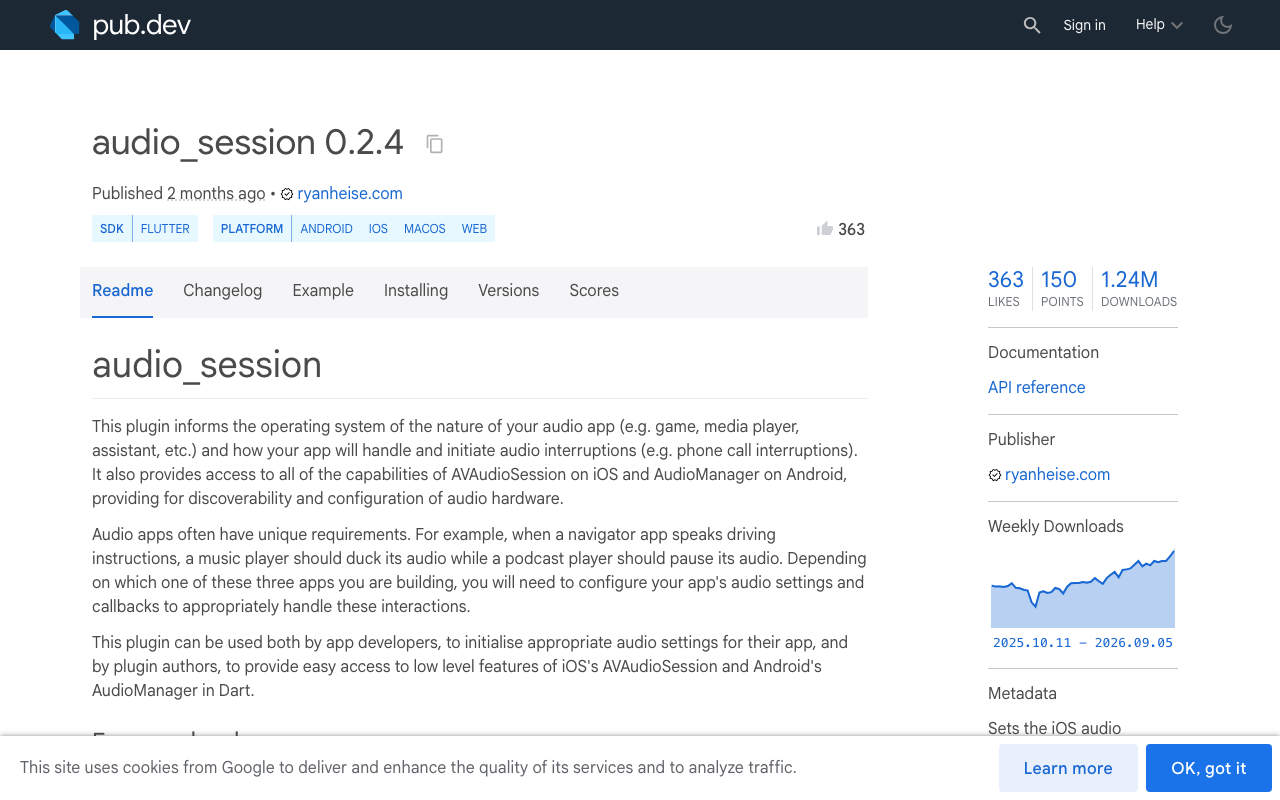
Ryan Heise's audio_session (0.2.4 at time of writing) normalises both platforms into one stream. Add it:
dependencies:
  audio_session: ^0.2.4
session.interruptionEventStream emits AudioInterruptionEvent objects with two fields: begin (true when the interruption starts, false when it ends) and type, one of duck, pause, or unknown.
The mapping is the whole trick:
| Event | iOS | Android |
|---|---|---|
duck |
category option ducking | AUDIOFOCUS_LOSS_TRANSIENT_CAN_DUCK |
pause |
.began, or .ended with shouldResume |
AUDIOFOCUS_LOSS_TRANSIENT / AUDIOFOCUS_GAIN |
unknown |
.ended without shouldResume |
AUDIOFOCUS_LOSS (permanent) |
So begin == false && type == pause means resume now. begin == false && type == unknown means do not auto-resume — wait for a user tap. Most tutorials collapse these two and that is exactly why the mic never comes back on some devices.
The drop-in interruption handler
This class owns the OS session around a WidgetChat voice call. It does not care which recorder you use — you pass in startMic and stopMic closures that build and dispose your capture graph.
import 'dart:async';
import 'package:audio_session/audio_session.dart';

class VoiceSessionGuard {
  VoiceSessionGuard({required this.startMic, required this.stopMic});

  /// Builds a FRESH capture graph. Must install a new tap, not reuse one.
  final Future<void> Function() startMic;
  /// Idempotent teardown: stop engine, remove taps, release the recorder.
  final Future<void> Function() stopMic;

  /// Called when we may not auto-resume — re-arm your mic button here.
  void Function()? onNeedsUserTap;

  AudioSession? _session;
  StreamSubscription<AudioInterruptionEvent>? _sub;
  bool _duckedOnly = false;

  Future<void> open() async {
    final session = await AudioSession.instance;
    _session = session;

    await session.configure(AudioSessionConfiguration(
      avAudioSessionCategory: AVAudioSessionCategory.playAndRecord,
      avAudioSessionCategoryOptions:
          AVAudioSessionCategoryOptions.allowBluetooth |
          AVAudioSessionCategoryOptions.defaultToSpeaker,
      avAudioSessionMode: AVAudioSessionMode.voiceChat,
      avAudioSessionRouteSharingPolicy:
          AVAudioSessionRouteSharingPolicy.defaultPolicy,
      avAudioSessionSetActiveOptions: AVAudioSessionSetActiveOptions.none,
      androidAudioAttributes: const AndroidAudioAttributes(
        contentType: AndroidAudioContentType.speech,
        usage: AndroidAudioUsage.voiceCommunication,
        flags: AndroidAudioFlags.none,
      ),
      androidAudioFocusGainType: AndroidAudioFocusGainType.gain,
      androidWillPauseWhenDucked: true,
    ));

    _sub ??= session.interruptionEventStream.listen(_onInterruption);

    if (!await session.setActive(true)) {
      // Denied — a call is already in progress. Do not start the mic.
      throw StateError('Audio session denied');
    }
    await startMic();
  }

  Future<void> _onInterruption(AudioInterruptionEvent event) async {
    if (event.begin) {
      if (event.type == AudioInterruptionType.duck) {
        _duckedOnly = true; // volume only; our graph is untouched
        return;
      }
      _duckedOnly = false;
      await stopMic();
      await _session?.setActive(false);
      return;
    }

    // --- the interruption ended ---
    if (_duckedOnly) {
      _duckedOnly = false;
      return;
    }

    switch (event.type) {
      case AudioInterruptionType.pause:
        await _rebuild();       // shouldResume / AUDIOFOCUS_GAIN
        break;
      case AudioInterruptionType.duck:
        break;
      case AudioInterruptionType.unknown:
        // No shouldResume, or permanent Android focus loss.
        onNeedsUserTap?.call();
        break;
    }
  }

  Future<void> _rebuild({int attempt = 0}) async {
    try {
      await stopMic();                    // drop any stale tap first
      if (!(await _session?.setActive(true) ?? false)) {
        throw StateError('session busy');
      }
      await startMic();                   // new tap, current HW format
    } catch (_) {
      if (attempt >= 3) {
        onNeedsUserTap?.call();
        return;
      }
      await Future<void>.delayed(Duration(milliseconds: 250 * (attempt + 1)));
      await _rebuild(attempt: attempt + 1);
    }
  }

  Future<void> close() async {
    await _sub?.cancel();
    _sub = null;
    await stopMic();
    await _session?.setActive(false);
  }
}
Two details carry most of the weight. First, setActive(true) returns a bool — if it is false, a call is still up and starting the mic anyway is how you get a permanently silent recorder. The retry loop with backoff exists because CallKit releases the session a beat after it fires .ended. Second, _rebuild always calls stopMic() before startMic(). Never resume the old engine.
Why -10868 shows up, and why a full rebuild fixes it
If you dig into the iOS device log after a failed resume you will often find AVFAudio throwing -10868, which is kAudioUnitErr_FormatNotSupported. It means an audio unit was handed a format it cannot accept.
During a phone call the input hardware format changes. A Bluetooth headset drops to the 8/16 kHz HFP path; the built-in mic may come back at a different sample rate than before. Your existing tap and any connect(_:to:format:) edges still describe the old format, so restarting the engine fails — or worse, succeeds silently while the tap callback never fires again. Apple's own developer forums carry reports of exactly this on recent iPhones after a call interruption, with the fix being a stop-remove-reinstall cycle rather than a bare start().
If you own native code, the resume path should look like this:
func rebuildInput() throws {
    engine.stop()
    engine.inputNode.removeTap(onBus: 0)
    try AVAudioSession.sharedInstance().setActive(true)
    // Read the format AFTER re-activating; do not cache it.
    let format = engine.inputNode.inputFormat(forBus: 0)
    engine.inputNode.installTap(onBus: 0, bufferSize: 4096, format: format) {
        buffer, time in self.process(buffer, at: time)
    }
    engine.prepare()
    try engine.start()
}
Re-reading inputFormat(forBus:) after setActive(true) is the whole fix. Cached formats are what produce -10868.
Also handle lifecycle, not just interruptions
Some interruptions never produce an .ended event — the user answers on a Watch, or the app is backgrounded long enough to be suspended. Pair the guard with a lifecycle listener:
late final AppLifecycleListener _lifecycle = AppLifecycleListener(
  onResume: () async {
    if (voiceCallIsSupposedToBeLive) {
      await guard._rebuild(); // expose a public resume() in your copy
    }
  },
);
Belt and braces: the interruption stream covers the common case, lifecycle covers the silent one.
The FlutterFlow version
FlutterFlow cannot subscribe to a Dart stream from the UI builder, so wrap the guard in a singleton and expose two custom actions. Add audio_session: ^0.2.4 under Custom Pub Dependencies, then create initVoiceGuard:
// Custom Action: initVoiceGuard
// Returns nothing. Call once from your page's On Page Load.
import 'package:audio_session/audio_session.dart';

VoiceSessionGuard? _guard;

Future initVoiceGuard() async {
  if (_guard != null) return;
  _guard = VoiceSessionGuard(
    startMic: () async => await MyRecorder.instance.start(),
    stopMic:  () async => await MyRecorder.instance.stop(),
  )..onNeedsUserTap = () {
      // App State bool the mic button binds to.
      FFAppState().update(() => FFAppState().voiceMicReady = true);
    };
}

// Custom Action: openVoiceSession -> returns bool
Future<bool> openVoiceSession() async {
  try {
    await _guard!.open();
    return true;
  } catch (_) {
    return false; // show a snackbar: 'Finish your call, then tap again.'
  }
}
Bind the mic button's onTap to openVoiceSession, and gate its enabled state on FFAppState().voiceMicReady. Because openVoiceSession returns a bool, you can branch in the FlutterFlow action chain and show a real message instead of a button that does nothing.
Do not forget the platform declarations — NSMicrophoneUsageDescription in Info.plist, the audio background mode if your assistant keeps talking off-screen, and android.permission.RECORD_AUDIO in the manifest. A missing permission produces the same symptom as a broken session and wastes an afternoon.
How this fits WidgetChat
WidgetChat's live voice chat runs speech-to-speech inside the same widget you already embed: the user taps the mic, talks, and the assistant replies out loud with barge-in support and live captions on screen, plus product cards while it speaks. Text chat streams over POST https://api.widgetchat.app/v1/chat/stream as token-by-token SSE, so the same conversation and the same dashboard cover both modes across iOS, Android, and web. Provider API keys stay server-side, and voice is plan-gated by a monthly minute pool you configure in the dashboard's Voice section — enable/disable, voice name, max session length, and whether captions default on.
What the OS interruption still belongs to you is the mic itself, because that is your app's audio session, not the widget's. Ship the guard above and a phone call becomes a two-second pause instead of a support ticket.
Try WidgetChat free
Add a talking AI support assistant to your Flutter or FlutterFlow app in an afternoon — streaming text chat, real-time voice with barge-in and captions, one dashboard. Try WidgetChat free.


Comments
Comments are coming soon. We'd love to hear your thoughts!