

Flutter AI Chat: Stream Markdown Without Flicker
Your support bot streams its reply token by token, and for a second or two the bubble looks broken. You see **Reset with raw asterisks, a code block that swallows the rest of the message until its closing fence arrives, and a table that renders as a pile of pipes. Then the last token lands and everything snaps into place. That snap is the flicker users notice.
The fix has three parts: move off the discontinued flutter_markdown, repair the partial text before every parse so it is always valid Markdown, and stop re-parsing paragraphs that are already finished.
flutter_markdown is discontinued: switch to flutter_markdown_plus
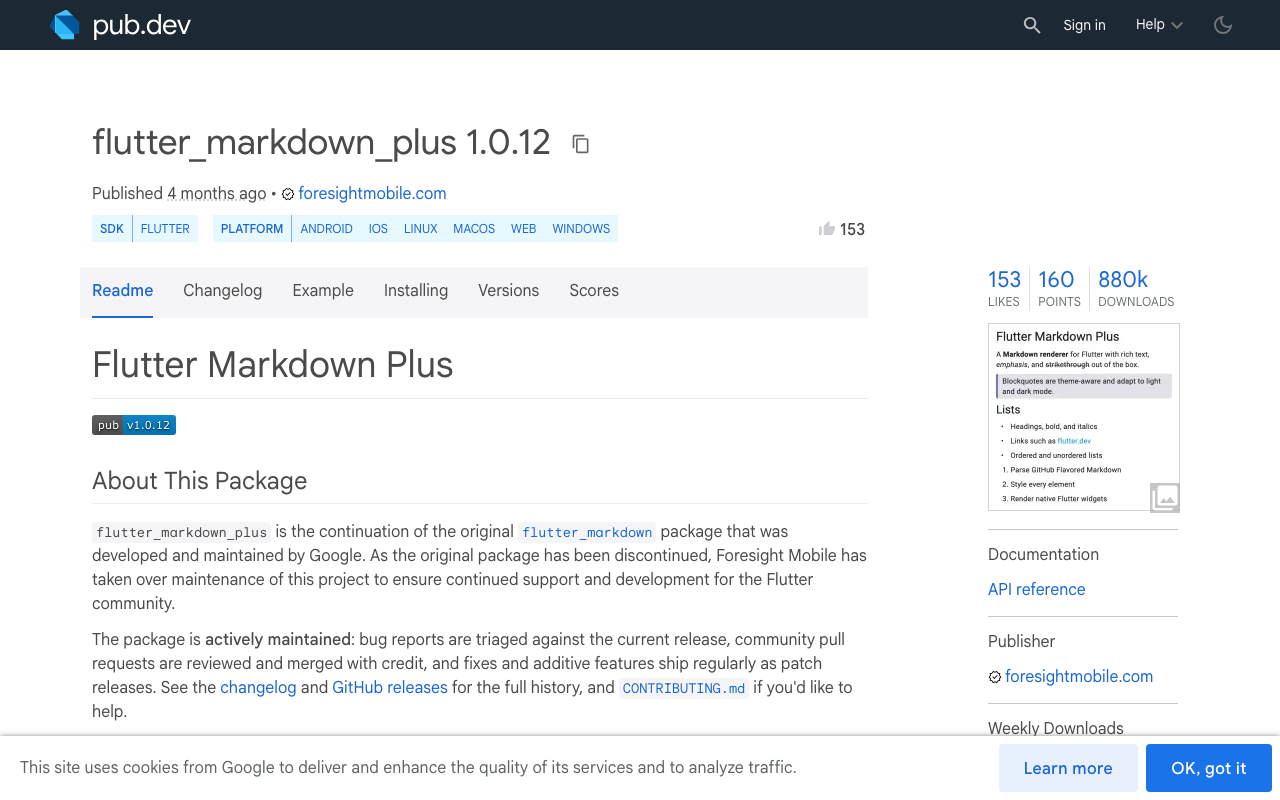
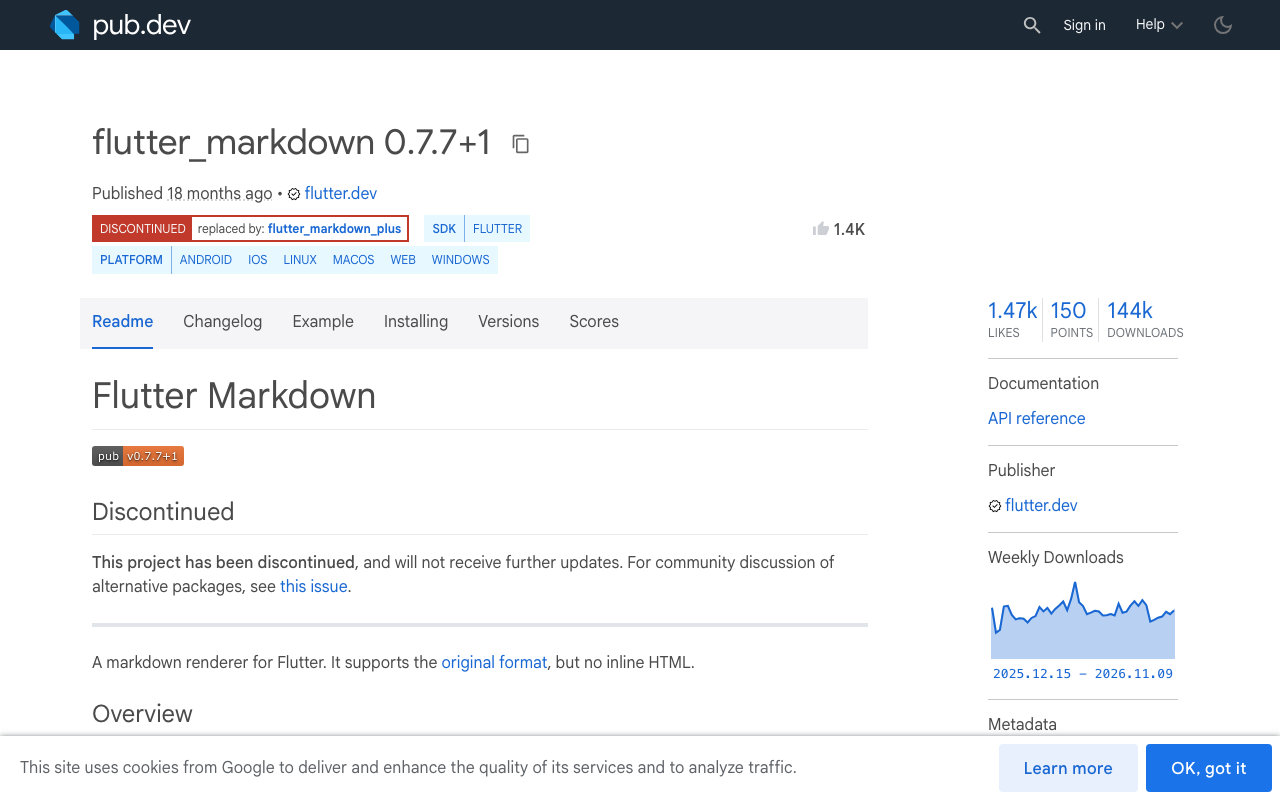
Google marked flutter_markdown as discontinued on pub.dev (last release 0.7.7+1), and it no longer receives updates. Foresight Mobile took over maintenance and publishes the continuation as flutter_markdown_plus (1.0.12 at the time of writing). It keeps the same widget API (Markdown, MarkdownBody, MarkdownStyleSheet, onTapLink), defaults to GitHub Flavored Markdown so tables and strikethrough work, and does not render inline HTML.
The migration is a dependency swap and an import change:
dependencies:
  flutter_markdown_plus: ^1.0.12
  http: ^1.6.0
// before: import 'package:flutter_markdown/flutter_markdown.dart';
import 'package:flutter_markdown_plus/flutter_markdown_plus.dart';
Recent releases also added contextMenuBuilder and a platform-adaptive selection toolbar when selectable: true, which is handy for letting users copy an answer.
Switching packages does not fix the flicker on its own. The parser is doing its job: half a Markdown document really is a different document.
Why partial Markdown flickers
Each streamed chunk gives you a prefix of the final reply. Some prefixes parse badly:
- An opening code fence with no closing fence turns everything after it into code. When the closing fence arrives, the whole tail flips back to prose.
**Reset yourhas an unmatched delimiter, so the asterisks show as text untilpassword**lands.- A lone
-or1.at the end of the buffer renders as a bullet with nothing next to it, or as a stray character. - A table header row without its
| --- |delimiter row is not a table yet, so it renders as a paragraph of pipes. [docs](https://exarenders as literal brackets.
Every one of these resolves when more text arrives, so the cure is to render what the text will become, not what it is right now.
Heal the tail before you parse
healMarkdown takes the raw buffer and returns a version that is safe to parse. It closes an open fence, closes unmatched bold, italic and inline code in the current paragraph, and trims syntax that has no content yet. It never edits the stored reply, only the string you hand to the widget.
final _fenceLine = RegExp(r'^ {0,3}(`{3,}|~{3,})');
final _bareListMarker = RegExp(r'^\s*([-*+]|\d+[.)])\s*$');
final _openLink = RegExp(r'!?\[[^\]]*(\]\([^)]*)?$');
final _tableDelimiter = RegExp(r'^\s*\|?\s*:?-+:?\s*(\|\s*:?-+:?\s*)*\|?\s*$');

String healMarkdown(String text) {
  final lines = text.split('\n');

  // 1. Unclosed code fence: close it with the same marker it opened with.
  String? openFence;
  for (final line in lines) {
    final match = _fenceLine.firstMatch(line);
    if (match == null) continue;
    final marker = match.group(1)!;
    if (openFence == null) {
      openFence = marker;
    } else if (marker[0] == openFence[0] && marker.length >= openFence.length) {
      openFence = null;
    }
  }
  if (openFence != null) return '$text\n$openFence';

  // 2. A list marker with no text yet: hide it until a word arrives.
  if (lines.isNotEmpty && _bareListMarker.hasMatch(lines.last)) {
    lines.removeLast();
  }

  // 3. A table header without its delimiter row is not a table yet.
  if (lines.isNotEmpty && lines.last.trimLeft().startsWith('|')) {
    final tableStart = lines.lastIndexWhere((l) => !l.trimLeft().startsWith('|')) + 1;
    final tableRows = lines.length - tableStart;
    if (tableRows < 2 || !_tableDelimiter.hasMatch(lines[tableStart + 1])) {
      lines.removeRange(tableStart, lines.length);
    } else if (!lines.last.trimRight().endsWith('|')) {
      lines.removeLast(); // half-written body row
    }
  }

  var out = lines.join('\n');

  // 4. A link or image whose URL is still streaming: show the text later.
  out = out.replaceFirst(_openLink, '');

  // 5. Unmatched inline delimiters in the current paragraph only.
  final paragraph = out.substring(out.lastIndexOf('\n\n') + 1);
  final withoutCode = paragraph.replaceAll(RegExp(r'`[^`]*`'), '');
  if ('`'.allMatches(withoutCode).length.isOdd) return '$out`';
  if ('**'.allMatches(withoutCode).length.isOdd) out = '$out**';
  if ('~~'.allMatches(withoutCode).length.isOdd) out = '$out~~';
  final singles = withoutCode.replaceAll('**', '').replaceAll(RegExp(r'^\s*\* ', multiLine: true), '');
  if ('*'.allMatches(singles).length.isOdd) out = '$out*';
  return out;
}
Order matters. Inside an open fence nothing else applies, because asterisks in code are code. Inline code is checked before bold so a backtick span that contains ** does not trigger a bogus closer. List bullets (* item) are stripped before counting single asterisks, otherwise every bullet would look like an open italic.
This is a heuristic, not a full parser, and that is fine: it only has to be right for the few hundred milliseconds before the real closer arrives. When the stream ends, render the raw text with no healing at all.
Re-parse only the last block
MarkdownBody re-parses its whole data string whenever it changes. On a long answer with a big code sample, that is a full parse and a full rebuild of every paragraph on every flush. But a paragraph followed by a blank line (outside a fence) will never change again.
So split the reply into committed blocks and one live tail. Committed blocks get a MarkdownBody built once and cached. Only the tail is healed and rebuilt.
import 'package:flutter/material.dart';
import 'package:flutter_markdown_plus/flutter_markdown_plus.dart';

class StreamingMarkdown extends StatefulWidget {
  const StreamingMarkdown({super.key, required this.text, required this.done});

  final String text;
  final bool done;

  @override
  State<StreamingMarkdown> createState() => _StreamingMarkdownState();
}

class _StreamingMarkdownState extends State<StreamingMarkdown> {
  final List<Widget> _committed = [];
  int _committedLength = 0;

  @override
  void didUpdateWidget(StreamingMarkdown old) {
    super.didUpdateWidget(old);
    if (!widget.text.startsWith(old.text)) {
      _committed.clear(); // new message or regenerated reply
      _committedLength = 0;
    }
  }

  /// End offset of the last blank line that sits outside a code fence.
  int _stableBoundary(String text) {
    var inFence = false;
    var boundary = _committedLength;
    var offset = 0;
    for (final line in text.split('\n')) {
      if (_fenceLine.hasMatch(line)) inFence = !inFence;
      offset += line.length + 1;
      if (!inFence && line.trim().isEmpty && offset <= text.length) {
        if (offset > boundary) boundary = offset;
      }
    }
    return boundary;
  }

  Widget _block(String data) => MarkdownBody(
        data: data,
        styleSheet: MarkdownStyleSheet.fromTheme(Theme.of(context)),
        onTapLink: (text, href, title) {
          // open href with url_launcher
        },
      );

  @override
  Widget build(BuildContext context) {
    final text = widget.text;
    final boundary = widget.done ? text.length : _stableBoundary(text);
    if (boundary > _committedLength) {
      final block = text.substring(_committedLength, boundary).trim();
      if (block.isNotEmpty) _committed.add(_block(block));
      _committedLength = boundary;
    }
    final tail = text.substring(_committedLength);
    return Column(
      crossAxisAlignment: CrossAxisAlignment.start,
      children: [
        ..._committed,
        if (tail.trim().isNotEmpty) _block(healMarkdown(tail)),
      ],
    );
  }
}
Returning the same widget instance for a committed block tells Flutter to skip it entirely, so finished paragraphs are not parsed or laid out again. One trade-off: each block is its own document, so reference-style links defined in another block will not resolve. Support answers almost never use them.
Wire it to the WidgetChat SSE stream
WidgetChat streams replies from POST https://api.widgetchat.app/v1/chat/stream as data: Server-Sent Events, and you call it with a plain HTTP client. Two SSE details matter for Markdown. Strip only the single space after data:, because a token like **bold needs its leading space. And join multi-line data: fields with \n, because newlines are what separate Markdown blocks.
import 'dart:convert';
import 'package:flutter/foundation.dart';
import 'package:http/http.dart' as http;

Future<void> streamReply({
  required String projectKey,
  required String conversationId,
  required String message,
  required ValueNotifier<String> reply,
  required ValueNotifier<bool> done,
}) async {
  final client = http.Client();
  final buffer = StringBuffer();
  try {
    final request = http.Request(
      'POST',
      Uri.parse('https://api.widgetchat.app/v1/chat/stream'),
    )
      ..headers.addAll({
        'Authorization': 'Bearer $projectKey',
        'Content-Type': 'application/json',
        'Accept': 'text/event-stream',
      })
      ..body = jsonEncode({
        'conversation_id': conversationId,
        'message': message,
      });

    final response = await client.send(request);
    if (response.statusCode != 200) {
      throw Exception('WidgetChat stream failed: ${response.statusCode}');
    }

    final dataLines = <String>[];
    await for (final line in response.stream
        .transform(utf8.decoder)
        .transform(const LineSplitter())) {
      if (line.startsWith('data:')) {
        final value = line.substring(5);
        dataLines.add(value.startsWith(' ') ? value.substring(1) : value);
        continue;
      }
      if (line.isNotEmpty || dataLines.isEmpty) continue;
      final event = dataLines.join('\n');
      dataLines.clear();
      if (event == '[DONE]') break;
      buffer.write(event);
      reply.value = buffer.toString();
    }
  } finally {
    client.close();
    done.value = true;
  }
}
Check your dashboard's integration snippet for the exact request fields and payload shape of your project. If your frames carry JSON, decode the token out of each event before writing it to the buffer.
In the bubble, listen to both notifiers and pass them to the widget:
ValueListenableBuilder<bool>(
  valueListenable: done,
  builder: (context, isDone, _) => ValueListenableBuilder<String>(
    valueListenable: reply,
    builder: (context, text, _) => StreamingMarkdown(text: text, done: isDone),
  ),
)
Keep the frame budget
Healing and tail parsing are cheap, but not if you run them 80 times a second. Batch tokens and flush once per frame with a ValueNotifier, as shown in fixing token jank in a Flutter streaming chat. Since the bubble grows while the user reads, pair it with auto-scroll that does not fight the user, so a growing code block does not yank the list.
A quick test plan: stream a reply that contains a fenced Dart sample, a bold warning, a numbered list and a three-column table, and record the screen. No frame should show raw asterisks, a page-long code block, or a table made of pipes.
Try WidgetChat free
WidgetChat adds an AI support chatbot to your Flutter or FlutterFlow app, streaming token by token over /v1/chat/stream with no proprietary SDK required, and the same widget handles live voice chat when users would rather talk. Try WidgetChat free.

Comments
Comments are coming soon. We'd love to hear your thoughts!