

Resume a Flutter AI Chat SSE Stream After Backgrounding
Your support bot is streaming a beautiful token-by-token answer. The user swipes to another app to check something, comes back four seconds later — and the bubble is frozen mid-sentence. No error, no spinner, no retry. Just a half-written answer that never finishes.
This is the single most common bug in a Flutter AI chat that streams over Server-Sent Events, and the reason it's hard to debug is that nothing throws. Here's what's actually happening and the fix that doesn't duplicate the answer.
Why the stream stalls instead of erroring
Two different platform behaviours produce the same symptom.
iOS suspends your process. Backgrounding an iOS app doesn't kill it — it suspends it shortly after. Apple's own guidance is blunt about the consequence: once your app is suspended your code isn't running, so it can't process network events, and the system reclaims socket resources. Your StreamSubscription doesn't get an onError or an onDone, because there's no thread running to deliver one. Dart timers don't fire either, so a client-side inactivity timeout you set up before backgrounding will not save you.
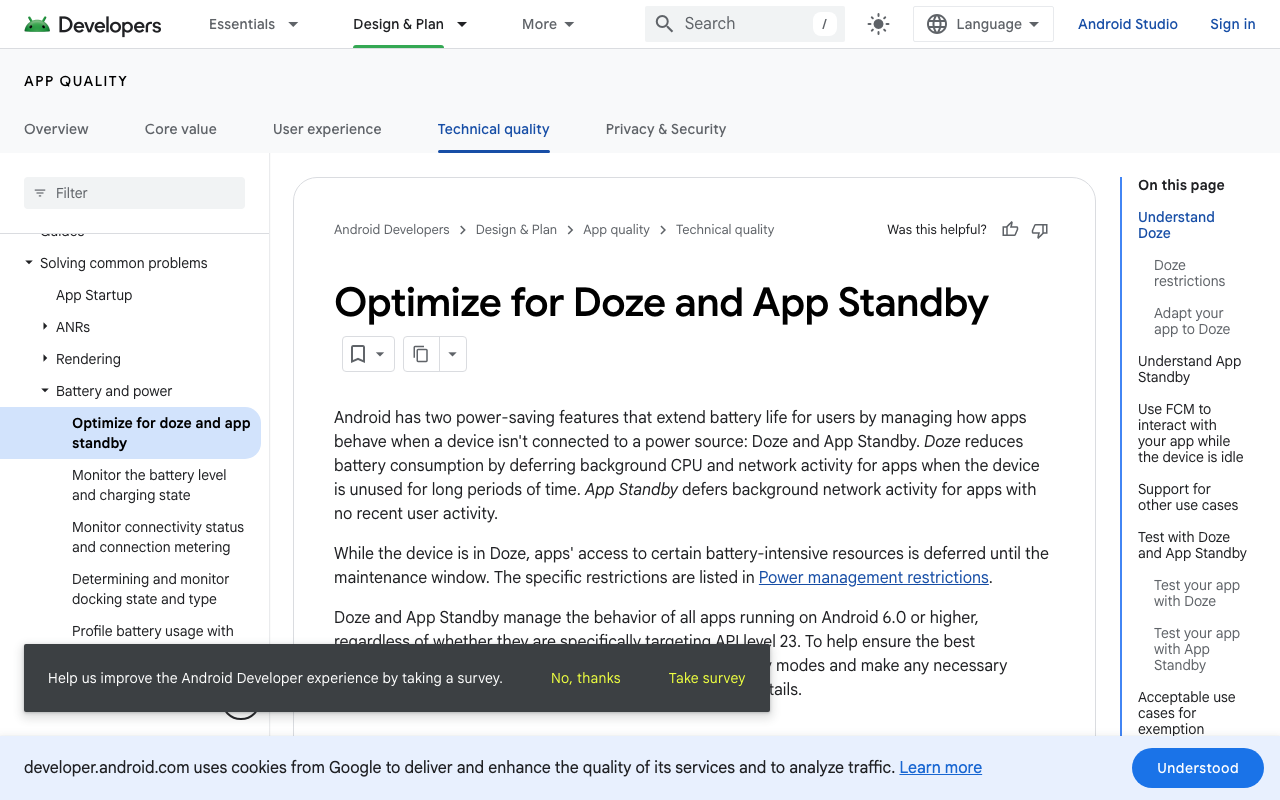
Android Doze defers your network. When the device has been unused for a while, Doze suspends network access for background apps and defers jobs and alarms until the next maintenance window. Long-lived TCP connections get torn down; app-level pings and TCP keepalives are suspended too. The classic outcome: the client still thinks it's connected while the server has already cleaned up the session.
So flutter sse stream stops when app in background isn't a bug in the http package. It's the OS doing exactly what it promises, and your job is to make the client notice and recover.
Cancel on paused — not on inactive
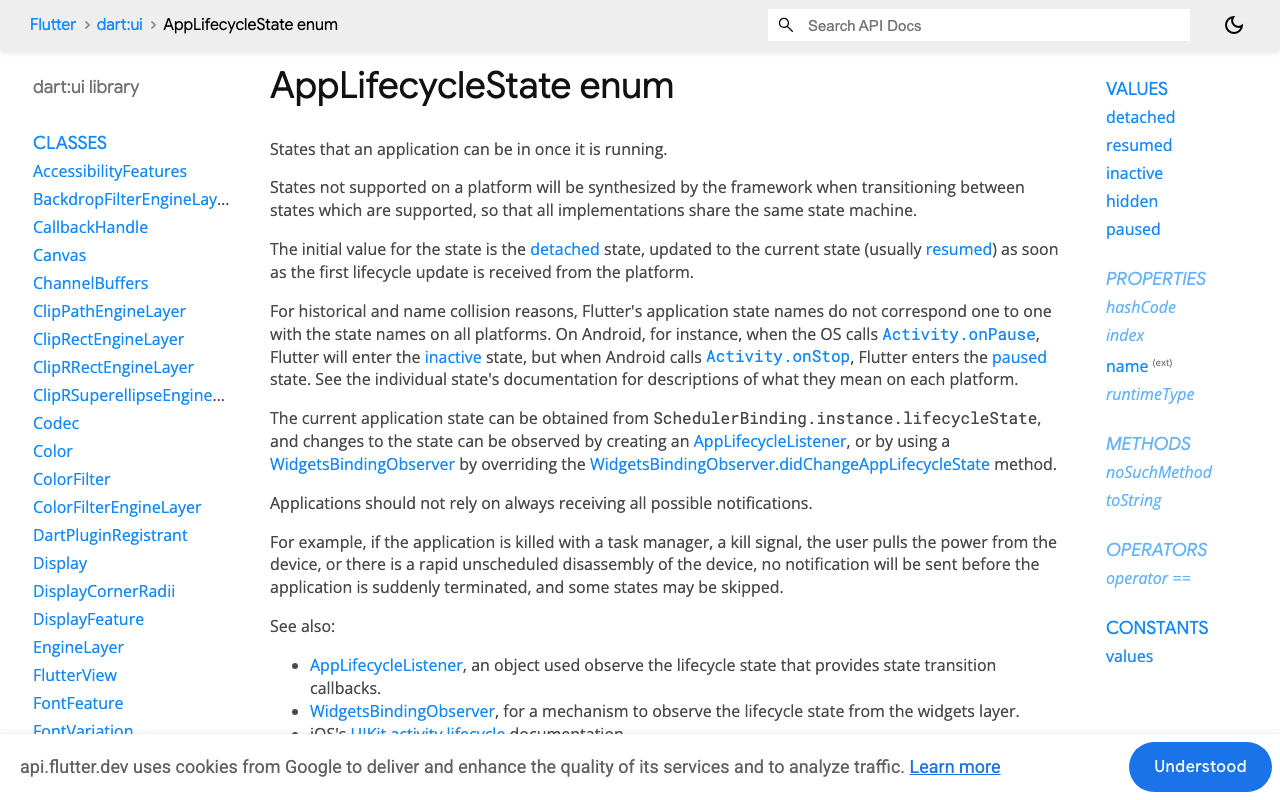
Flutter's AppLifecycleState has five values: resumed, inactive, hidden, paused, detached. Backgrounding walks resumed → inactive → hidden → paused, and foregrounding walks it back. hidden is synthesised by the framework on iOS and Android so the state machine is consistent across platforms.
The trap: inactive fires for things that are not backgrounding — pulling down Control Center, an incoming-call banner, the app switcher preview, a permission dialog. If you tear down and re-issue the request on inactive, users get a restarted answer every time a notification slides in. Only paused (and detached) means the socket is about to become useless.
The resumable stream
The pattern: one object owns the subscription, the partial text, and the conversation id. On pause it cancels deterministically and persists. On resume it re-issues POST /v1/chat/stream and reconciles what comes back against what the user already read.
import 'dart:async';
import 'dart:convert';
import 'dart:io' show HttpException;

import 'package:flutter/widgets.dart';
import 'package:http/http.dart' as http;
import 'package:shared_preferences/shared_preferences.dart';

/// Streams a WidgetChat reply and survives the app being backgrounded.
class ResumableChatStream with WidgetsBindingObserver {
  ResumableChatStream({required this.apiKey});

  final String apiKey;
  final http.Client _client = http.Client();

  StreamSubscription<String>? _sub;
  final StreamController<String> _out = StreamController<String>.broadcast();

  /// Emits the FULL answer so far, not deltas — that makes resume trivial.
  Stream<String> get answer => _out.stream;

  String? _conversationId;
  String? _lastUserMessage;
  final StringBuffer _shown = StringBuffer();
  bool _complete = false;

  void attach() => WidgetsBinding.instance.addObserver(this);

  Future<void> dispose() async {
    WidgetsBinding.instance.removeObserver(this);
    await _sub?.cancel();
    await _out.close();
    _client.close();
  }

  Future<void> ask(String message, {String? conversationId}) async {
    _lastUserMessage = message;
    _conversationId = conversationId ?? _conversationId;
    _shown.clear();
    _complete = false;
    await _open(resume: false);
  }

  Future<void> _open({required bool resume}) async {
    await _sub?.cancel();
    _sub = null;

    final req = http.Request(
      'POST',
      Uri.parse('https://api.widgetchat.app/v1/chat/stream'),
    )
      ..headers.addAll({
        'Authorization': 'Bearer $apiKey',
        'Content-Type': 'application/json',
        'Accept': 'text/event-stream',
      })
      ..body = jsonEncode({
        'message': _lastUserMessage,
        if (_conversationId != null) 'conversation_id': _conversationId,
      });

    final res = await _client.send(req);
    if (res.statusCode != 200) {
      _out.addError(HttpException('chat/stream returned ${res.statusCode}'));
      return;
    }

    // Text the user already read before we were suspended.
    final alreadyShown = resume ? _shown.toString() : '';
    final fresh = StringBuffer();

    _sub = res.stream
        .transform(utf8.decoder)          // chunk-safe across split UTF-8 bytes
        .transform(const LineSplitter())  // chunk-safe across split SSE frames
        .listen(
      (line) {
        if (!line.startsWith('data:')) return; // skip blank lines and ': ' comments
        final payload = line.substring(5).trim();
        if (payload.isEmpty) return;
        if (payload == '[DONE]') {
          _finish();
          return;
        }
        final token = _decodeToken(payload);
        if (token == null) return;

        fresh.write(token);
        final text = _reconcile(alreadyShown, fresh.toString());
        _shown
          ..clear()
          ..write(text);
        _out.add(text);
      },
      onDone: () {
        // Cut off without [DONE]: keep the partial, let resume finish it.
        if (!_complete) _out.add(_shown.toString());
      },
      onError: _out.addError,
      cancelOnError: true,
    );
  }

  void _finish() {
    _complete = true;
    _out.add(_shown.toString());
    SharedPreferences.getInstance().then((p) => p.remove('wc_pending'));
  }
}
A detail worth keeping: parse the SSE frames off utf8.decoder then LineSplitter, never off raw byte chunks. A single data: line routinely arrives split across two TCP chunks, and a multi-byte emoji can be split mid-character. Both decoders are chunked-stream aware; hand-rolled String.fromCharCodes splitting is where mangled tokens come from.
The lifecycle half
  @override
  void didChangeAppLifecycleState(AppLifecycleState state) {
    switch (state) {
      case AppLifecycleState.paused:
      case AppLifecycleState.detached:
        _suspend();
      case AppLifecycleState.resumed:
        _maybeResume();
      case AppLifecycleState.inactive:
      case AppLifecycleState.hidden:
        break; // Control Center, call banner, app switcher — do nothing.
    }
  }

  Future<void> _suspend() async {
    if (_complete) return;
    await _sub?.cancel(); // deterministic teardown beats a zombie socket
    _sub = null;
    final prefs = await SharedPreferences.getInstance();
    await prefs.setString('wc_pending', jsonEncode({
      'conversation_id': _conversationId,
      'message': _lastUserMessage,
      'partial': _shown.toString(),
    }));
  }

  Future<void> _maybeResume() async {
    if (_complete || _sub != null || _lastUserMessage == null) return;
    await _open(resume: true);
  }
Cancelling on pause is not cosmetic. It's the only moment you're guaranteed to still be executing Dart code, so it's your last chance to write the partial answer to disk before iOS suspends you or Android kills the process outright. Do it here and flutter ai chat message lost background ios stops being a bug report.
On cold start, rehydrate before you show the chat:
Future<void> restorePending(ResumableChatStream stream) async {
  final prefs = await SharedPreferences.getInstance();
  final raw = prefs.getString('wc_pending');
  if (raw == null) return;
  final saved = jsonDecode(raw) as Map<String, dynamic>;
  stream.hydrate(
    conversationId: saved['conversation_id'] as String?,
    message: saved['message'] as String,
    partial: saved['partial'] as String? ?? '',
  );
  await stream.resumeNow();
}
Reconciling instead of duplicating
This is the part most widgetsbindingobserver reconnect stream flutter snippets get wrong. They reconnect and append, so the user reads: "To reset your password, go to Settings To reset your password, go to Settings and tap…"
Re-issuing the request regenerates the answer from the top. So compare, don't concatenate:
/// `shown` = what the user already read. `fresh` = the re-issued answer so far.
String _reconcile(String shown, String fresh) {
  if (shown.isEmpty) return fresh;
  if (fresh.length <= shown.length) {
    // Still replaying territory we've displayed: hold the buffered text,
    // so the bubble doesn't visibly rewind and retype itself.
    return shown.startsWith(fresh) ? shown : fresh;
  }
  return fresh; // overtaken the buffer — the new answer is now the truth
}
The behaviour: the resumed stream silently catches up under the frozen bubble, then keeps going past where it stalled. The user sees the sentence complete itself, not a restart. If the model happens to word it differently this time, startsWith fails and the bubble snaps to the new text — a small visible rewind, deliberately preferred over showing two half-answers glued together.
And the token decoder, tolerant of both JSON and plain-text frames:
String? _decodeToken(String payload) {
  try {
    final decoded = jsonDecode(payload);
    if (decoded is Map) {
      return (decoded['delta'] ?? decoded['text'] ?? decoded['content']) as String?;
    }
    return null;
  } on FormatException {
    return payload; // frame carried a bare token
  }
}
Check one real response in your network log and keep only the branch you actually receive — a tolerant decoder is a debugging aid, not a substitute for knowing your payload shape.
Doing this in FlutterFlow
FlutterFlow custom actions return futures, not streams, so put ResumableChatStream in a custom code file, expose it as a singleton, and split the work:
- A custom action
startChat(message)callsask()and returns immediately. - A custom widget wraps a
StreamBuilder<String>onanswerand renders the bubble. - Call
attach()once, from your main page'sinitStatecustom action, so the observer is registered for the whole session.
The lifecycle logic lives entirely in your Dart file — FlutterFlow's action flow never has to know the stream was rebuilt.
Three things not to do
- Don't reconnect on
inactive. You'll restart the answer every time a banner appears. - Don't rely on a
Timerstall detector. Timers are frozen while iOS has you suspended; the check has to run onresumed. - Don't keep the socket alive with a background task. iOS background execution windows are short and non-negotiable, and Doze will defer you anyway. Re-issue and reconcile — it's cheaper and it works on both platforms.
Try WidgetChat free
WidgetChat is an AI support chatbot you embed in Flutter and FlutterFlow apps — token-by-token streaming over SSE from POST https://api.widgetchat.app/v1/chat/stream, no proprietary SDK, just your own HTTP client or a custom action. Users can also tap the mic for a real-time voice call with the same assistant, with barge-in and live captions, in the same widget and the same conversation.
Try WidgetChat free and ship a chat that survives a phone call mid-answer.


Comments
Comments are coming soon. We'd love to hear your thoughts!