

Fix Flutter speech_to_text Stopping After Silence
You wired speech_to_text into your AI chat screen, tapped the mic, said a sentence — and three seconds after you paused, the recognizer quietly stopped. On Android it may cut out even mid-thought, and longer sessions die around the one-minute mark no matter what you pass to listen(). Your users end up re-tapping the mic for every single utterance, which is exactly the friction a voice interface was supposed to remove.
This post covers what's actually happening, the real fixes (with code), and where the DIY approach hits a wall that no Dart code can move — plus the reliable alternative when you need an open-ended voice conversation with an AI assistant in your Flutter or FlutterFlow app.
Why flutter speech_to_text stops listening
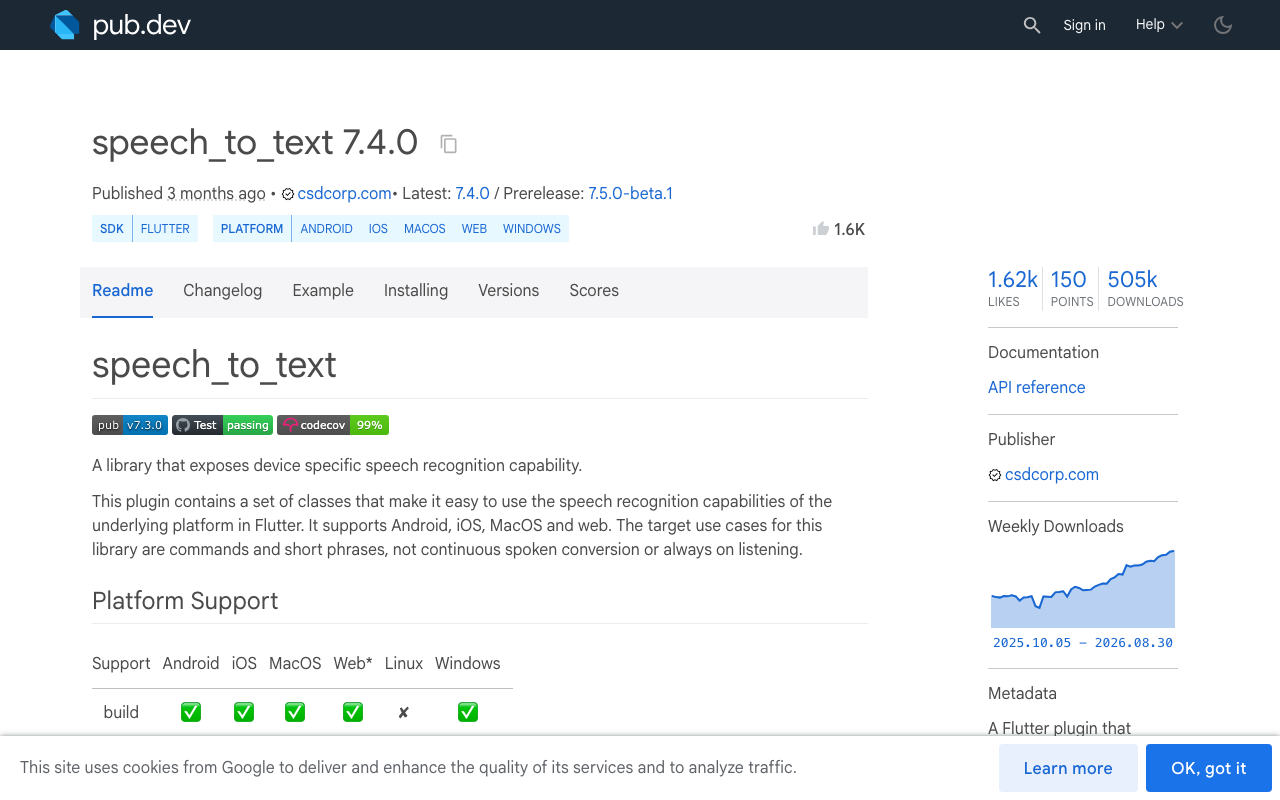
The speech_to_text package (7.4.0 at the time of writing) is a thin bridge to each platform's native recognizer: SFSpeechRecognizer on iOS, SpeechRecognizer on Android, and the Web Speech API in browsers. The package's own docs are upfront that it is "designed for short intermittent use, like when expecting a response to a question, or issuing a single voice command" — not continuous listening.
Three separate timeouts conspire against you:
- Silence timeout. The OS recognizer decides the utterance is over after a pause — typically around 3–5 seconds on iOS and often just 2–3 seconds on Android.
pauseForis ignored on Android. The docs state that Android imposes its own "very short timeout when the speaker pauses," and that the duration varies by device and OS version. SettingpauseFor: Duration(seconds: 30)does nothing there — which is why so many threads are titled "speech_to_text pauseFor listenFor not working."- Session length cap. Native recognizers limit total session duration. Android sessions commonly end around the one-minute mark even when speech is still coming in, and
listenForcan only shorten a session, never extend it past what the OS allows.
So "flutter speech recognition auto stop android" isn't a bug in your code. It's the platform working as designed. What you can do is tune the knobs you have and restart the session automatically.
Fix 1: Tune pauseFor and listenFor properly
Since version 6.6.0, session behavior is split between direct listen() parameters (pauseFor, listenFor) and a SpeechListenOptions object. For a chat screen, request generous timeouts and dictation mode — iOS honors them reasonably well:
import 'package:speech_to_text/speech_to_text.dart';

final SpeechToText _speech = SpeechToText();

Future<void> _listenOnce() async {
  await _speech.listen(
    onResult: _onResult,
    listenFor: const Duration(seconds: 55), // stay under Android's cap
    pauseFor: const Duration(seconds: 8),   // honored on iOS; Android ignores it
    listenOptions: SpeechListenOptions(
      listenMode: ListenMode.dictation, // free-form speech, not one command
      partialResults: true,             // live transcript while the user talks
      cancelOnError: false,
    ),
  );
}
partialResults: true matters for chat UX: render the interim transcript in the input field as the user speaks, and only send to your assistant when result.finalResult is true.
Fix 2: The restart-on-status loop
The standard workaround for flutter speech to text continuous listening is to watch the status stream and start a new session whenever the recognizer stops while you still want to listen. Register the status callback in initialize():
bool _keepListening = false;

Future<void> _initSpeech() async {
  await _speech.initialize(
    onStatus: _onStatus,
    onError: (e) => debugPrint('stt error: ${e.errorMsg}'),
  );
}

Future<void> _startConversationMode() async {
  _keepListening = true;
  await _listenOnce();
}

void _onStatus(String status) {
  // The recognizer reports 'done' / 'notListening' when the OS ends a session.
  if ((status == 'done' || status == 'notListening') && _keepListening) {
    Future.delayed(const Duration(milliseconds: 300), () {
      if (_keepListening && !_speech.isListening) {
        _listenOnce();
      }
    });
  }
}

void _onResult(SpeechRecognitionResult result) {
  if (result.finalResult && result.recognizedWords.isNotEmpty) {
    _sendToAssistant(result.recognizedWords);
  }
}

Future<void> _stopConversationMode() async {
  _keepListening = false;
  await _speech.stop();
}
Details that save you debugging time:
- Keep the short delay before restarting. Calling
listen()synchronously inside the status callback races the native teardown and can throw "recognizer busy" errors, especially on Android. - Guard with a flag, not the status string.
notListeningalso fires when you callstop(). Without_keepListening, tapping the mic off immediately turns it back on. - Expect the Android beep. Many Android devices play the system listening sound on every
listen()call, so a restart loop beeps at your user each cycle. There is no supported way to suppress it from the plugin. - Accept the gap. Words spoken during the few hundred milliseconds between sessions are simply lost.
Fix 3: Stop the recognizer on dispose
If the user navigates away mid-session, an orphaned recognizer keeps the OS mic pipeline hot, leaks the plugin's stream subscriptions, and your status callback may call setState on a dead widget. Always shut it down:
@override
void dispose() {
  _keepListening = false; // stop the restart loop first
  _speech.cancel();       // discard any in-flight result
  super.dispose();
}
Also check your platform setup — half of "flutter voice chat stops after silence" reports are actually permission problems. Android needs RECORD_AUDIO plus, on SDK 30+, a <queries> entry for android.speech.RecognitionService; iOS needs NSSpeechRecognitionUsageDescription and NSMicrophoneUsageDescription in Info.plist. If you're hitting a crash instead of a silent stop, see our post on the Flutter mic SecurityException for the full permission checklist.
Wiring the transcript into your AI chat
Once you have a final transcript, treat it like any typed message. With WidgetChat, the same streaming endpoint that powers text chat accepts it — POST https://api.widgetchat.app/v1/chat/stream returns the assistant's reply token-by-token as Server-Sent Events, so the answer starts rendering while the model is still generating (check WidgetChat's integration docs for the exact request fields for your project):
import 'dart:convert';
import 'package:http/http.dart' as http;

Future<void> _sendToAssistant(String transcript) async {
  final request = http.Request(
    'POST',
    Uri.parse('https://api.widgetchat.app/v1/chat/stream'),
  )
    ..headers['Content-Type'] = 'application/json'
    ..body = jsonEncode(buildChatPayload(transcript));

  final response = await http.Client().send(request);
  response.stream
      .transform(utf8.decoder)
      .transform(const LineSplitter())
      .listen((line) {
    if (line.startsWith('data:')) {
      final token = line.substring(5).trim();
      _appendToAssistantBubble(token); // stream tokens into the chat UI
    }
  });
}
In FlutterFlow, the same pattern lives in a custom action — no proprietary SDK required.
Be honest: the tap-to-talk loop is fundamentally fragile
Even with all three fixes, you've built a stack of workarounds on timeouts you don't control. The OS still ends every session on its own schedule; Android still ignores pauseFor and beeps on every restart; words in the restart gap are still lost; and while your text-to-speech reply is playing, the recognizer either hears the assistant's own voice or isn't listening at all — so the user can't interrupt. For dictating one message, fine. For an actual back-and-forth voice conversation with an AI assistant, it never stops feeling broken.
The reliable path: a real speech-to-speech session
This is why WidgetChat ships live voice chat inside the same widget you already embed for text support. Instead of stitching recognizer sessions together, the user taps the mic in the widget and gets a real-time voice call with your assistant:
- Speech-to-speech: it listens and replies out loud in a natural voice — no silence timeout ending the conversation between turns.
- Barge-in: the user can interrupt while the assistant is speaking, which a speech_to_text + TTS loop cannot do.
- Live captions during the call, and the assistant can show rich product cards on screen while it speaks.
- Same widget, same conversation history, same dashboard as text chat, across iOS, Android, and web Flutter apps.
- Provider API keys stay server-side, so nothing sensitive ships in your app binary.
Voice usage is plan-gated by a monthly voice-minute pool, and you configure it per project in the dashboard's Voice section: enable or disable voice, pick the voice, set a max session length, and choose whether captions default on. If you're building in FlutterFlow specifically, our FlutterFlow voice assistant guide walks through the setup end to end.
Wrap-up
Use pauseFor/listenFor with ListenMode.dictation to get the most the OS will give you, add a guarded restart-on-status loop for continuity, and always stop the recognizer on dispose. That's the ceiling for DIY speech_to_text. When the requirement is "hold an open-ended voice conversation with our support assistant," skip the fragile loop and turn on WidgetChat's live voice call — it's the same drop-in widget, now with a mic.
Try WidgetChat free and give your Flutter app a support assistant your users can actually talk to.

Comments
Comments are coming soon. We'd love to hear your thoughts!