

Your Flutter App's OpenAI Key Falls Out in 60 Seconds
Before you read anything else, run this against the release build you already shipped. You need the APK and about a minute.
# The build your users actually download
flutter build apk --release

# An APK is just a ZIP file
unzip -o build/app/outputs/flutter-apk/app-release.apk -d /tmp/apk

# The compiled Dart snapshot lives here
strings /tmp/apk/lib/arm64-v8a/libapp.so | grep -Eo 'sk-[A-Za-z0-9_-]{20,}'

# And your bundled assets live here
grep -rIEo 'sk-[A-Za-z0-9_-]{20,}' /tmp/apk/assets/ 2>/dev/null
cat /tmp/apk/assets/flutter_assets/.env 2>/dev/null
If a line starting sk-proj- scrolls past, your provider key is public, and every user who installed your app already has a copy. OpenAI switched new keys to the sk-proj- prefix in mid-2024; legacy sk- keys and the newer sk-svcacct- and sk-admin- forms all match the same grep.
iOS is no different. An .ipa is also a ZIP — unzip it and run strings over Payload/Runner.app/Frameworks/App.framework/App.
Why the key is sitting there
Flutter's AOT compiler puts every string literal your Dart code references into the snapshot's object pool inside libapp.so. It does not strip them, encrypt them, or hide them, because your code has to read them at runtime. A key you pasted into a custom action is a string literal. It ships.
The three tricks that do not help
1. A .env file with flutter_dotenv
This is the worst of the three, because the file survives completely intact. flutter_dotenv loads .env as a Flutter asset, which means the build copies it verbatim to assets/flutter_assets/.env inside the APK. No compilation, no transformation — cat reads it. The package's own documentation warns against putting secrets in there for exactly this reason.
2. --dart-define
Better than an asset, and genuinely the right tool for build configuration, but it does not solve this. String.fromEnvironment is a const expression, so the compiler folds your value into the snapshot at build time. It lands in the same object pool as a hardcoded literal, and the same strings | grep finds it.
3. --obfuscate, and packages that obfuscate secrets
Flutter's own documentation is blunt:
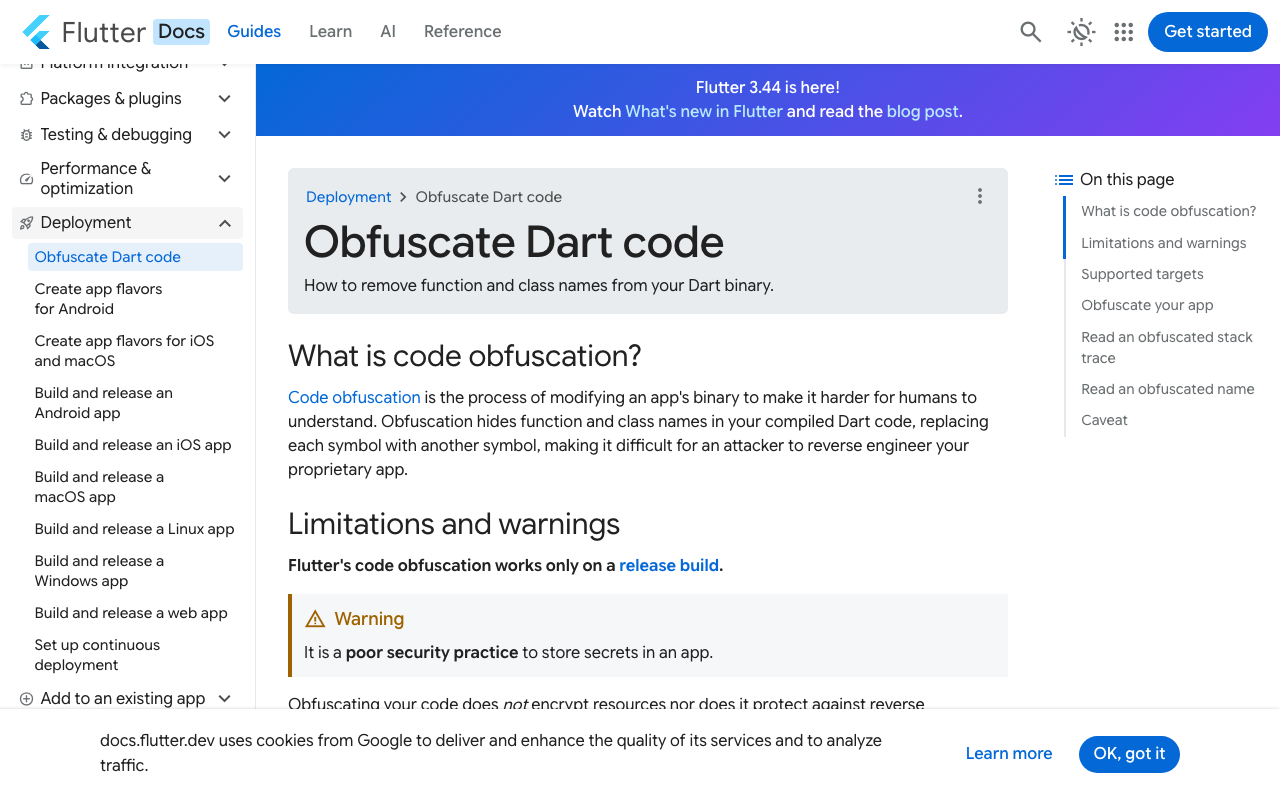
It is a poor security practice to store secrets in an app. Obfuscating your code does not encrypt resources nor does it protect against reverse engineering. It only renames symbols with more obscure names.
--obfuscate --split-debug-info=build/symbols renames Dart classes and methods. It does not touch string literals. Rebuild with obfuscation on, re-run the grep, and the key is still there — that is a two-minute experiment worth doing yourself rather than taking on faith.
Packages like envied with obfuscate: true go a step further and XOR the value against a generated key array, so a naive strings pass misses it. That is a real improvement over plaintext and worth using for low-value values. But look at what actually ships: the ciphertext, the key that decrypts it, and the code that combines them, all in the same binary. Tools that dump the Dart object pool from an arm64 snapshot (Blutter is the common one) recover constants regardless of symbol renaming. Any secret the app can use at runtime, the app can be made to reveal.
This is a billing problem before it is a security problem
A leaked provider key is not a data breach in the usual sense. It is a metered spend endpoint attached to your card, and scrapers actively watch app stores and public repos for this exact pattern. Rotating the key fixes it for roughly as long as it takes someone to unzip your next release.
The fix: the app never holds a provider key
There is one structural answer and it is not a clever hiding place. The app authenticates to a server you control using a token that is scoped and revocable. That server holds the provider key and calls OpenAI. Your binary contains no sk- at all, so there is nothing in it worth extracting.
The part that trips people up is streaming. Proxying a plain request/response call is easy. Keeping token-by-token output flowing through the extra hop, so the chat still types out live instead of appearing in one lump after eight seconds, takes a little more care: the server needs to speak Server-Sent Events and the app needs to consume them incrementally rather than waiting for a complete body.
WidgetChat's endpoint is that hop, hosted. POST https://api.widgetchat.app/v1/chat/stream returns token-by-token data: SSE, the provider key stays server-side, and there is no proprietary SDK to install — any HTTP client works, which is what makes it usable from a FlutterFlow custom action.
The streaming custom action
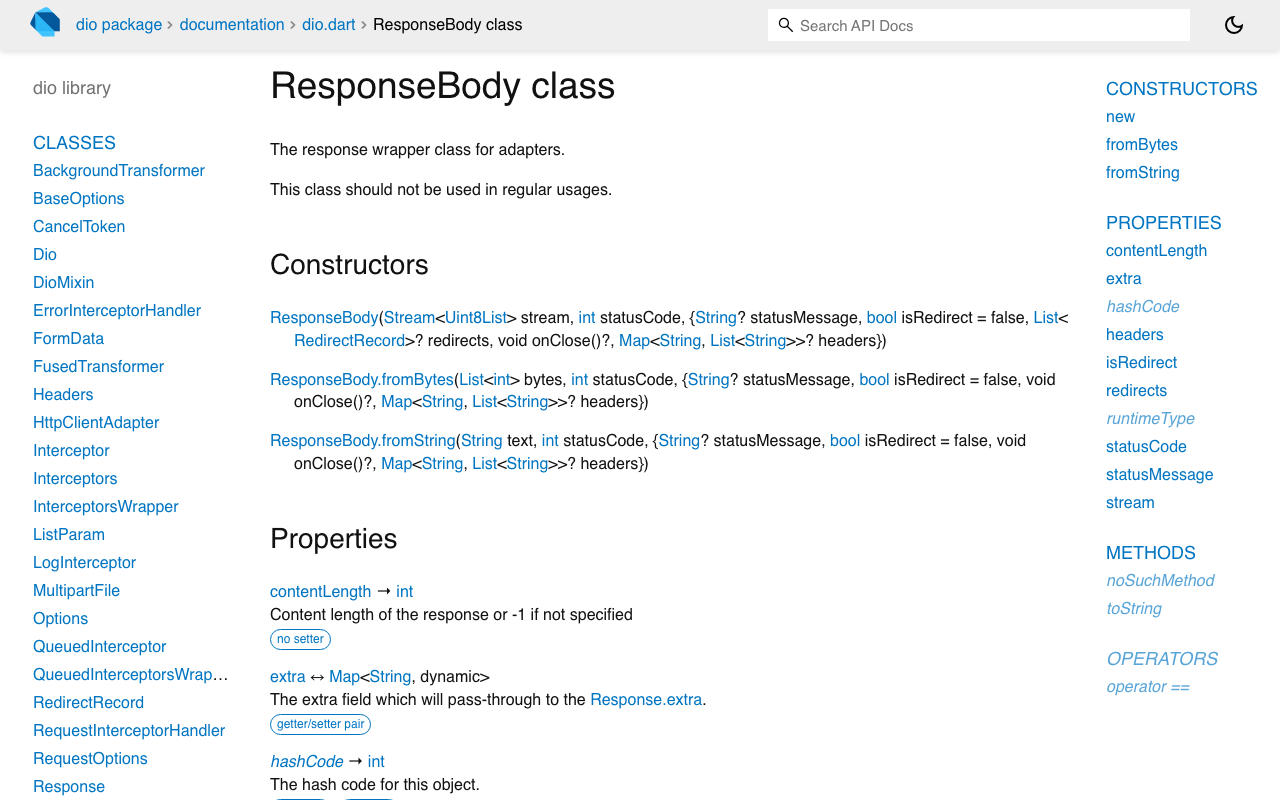
Use dio (5.11.0 at time of writing) with ResponseType.stream. Add dio: ^5.11.0 to your custom action's pubspec dependencies in FlutterFlow, or to pubspec.yaml in a plain Flutter project.
import 'dart:convert';
import 'package:dio/dio.dart';

const _projectToken = String.fromEnvironment('WIDGETCHAT_PROJECT_TOKEN');

/// Emits assistant tokens as they arrive from the server.
Stream<String> streamChatReply(String message, String conversationId) async* {
  final dio = Dio();

  final res = await dio.post<ResponseBody>(
    'https://api.widgetchat.app/v1/chat/stream',
    data: {'message': message, 'conversation_id': conversationId},
    options: Options(
      responseType: ResponseType.stream,
      headers: {
        'Authorization': 'Bearer $_projectToken',
        'Accept': 'text/event-stream',
      },
    ),
  );

  // ResponseBody.stream is a Stream<Uint8List>; cast before utf8.decoder so a
  // multi-byte character split across two chunks still decodes correctly.
  final lines = res.data!.stream
      .cast<List<int>>()
      .transform(utf8.decoder)
      .transform(const LineSplitter());

  await for (final line in lines) {
    if (!line.startsWith('data:')) continue; // skip blank lines and comments
    final payload = line.substring(5).trim();
    if (payload.isEmpty || payload == '[DONE]') continue;

    // Be liberal: accept a JSON event or a bare token string.
    if (payload.startsWith('{')) {
      final event = jsonDecode(payload) as Map<String, dynamic>;
      final delta = event['delta'] ?? event['token'] ?? event['content'];
      if (delta is String && delta.isNotEmpty) yield delta;
    } else {
      yield payload;
    }
  }
}
Check your dashboard's integration snippet for the exact request field names your project expects, then keep these three details:
cast<List<int>>()beforeutf8.decoder.ResponseBody.streamis typedStream<Uint8List>, and Dart will not accept aStreamTransformer<List<int>, String>on it directly. Reaching forutf8.decode(chunk)per chunk instead is the bug that garbles emoji and accented characters, because a multi-byte sequence can land across a chunk boundary.LineSplitterafter the decoder. SSE frames are line-delimited; TCP chunks are not. Splitting without buffering silently drops half-lines mid-sentence.- The project token is not a provider key. Even passed via
--dart-define, it still ends up in the binary and is extractable exactly like everything above. What changed is its value to an attacker: it addresses one project on a service you control, not a billable OpenAI account.
Rendering it in FlutterFlow
A custom action that returns a Stream is awkward in FlutterFlow's action model, so accumulate into app state and let the widget rebuild:
final buffer = StringBuffer();
await for (final token in streamChatReply(message, conversationId)) {
  buffer.write(token);
  FFAppState().update(() => FFAppState().assistantReply = buffer.toString());
}
Bind a Text widget to assistantReply and the answer types out live.
If you host the proxy yourself
That is a perfectly good choice. Just be precise about what the move buys you: putting the provider key on a server closes the extraction hole in the binary, and nothing more. It does not by itself stop someone from pointing your own endpoint at their own traffic. User authentication, per-user limits, a ceiling on spend, and whatever conversation history your UI needs are separate design questions — worth answering deliberately rather than assuming they came along with the proxy.
The same rule is why voice calls work
WidgetChat's live voice chat follows the same principle. Users tap the mic and talk to the assistant speech-to-speech: it replies out loud in a natural voice, supports barge-in so the user can interrupt mid-sentence, shows live captions, and can put product cards on screen while it speaks. Provider API keys stay server-side — nothing about a voice call requires a provider credential in your binary. It is the same widget, same conversation, and same dashboard as text chat, across iOS, Android, and web Flutter apps. Voice is plan-gated by a monthly voice-minute pool, and you enable it per project in the dashboard's Voice section, along with the voice name, maximum session length, and whether captions default on.
If a feature seems to require a provider credential inside the app, that is the architecture being wrong, not a constraint you have to live with.
Try WidgetChat free
Rotate the key that is currently sitting in your APK, then point your chat action at an endpoint that keeps the replacement on the server. Try WidgetChat free — Flutter and FlutterFlow, SSE streaming from a single POST, and no sk- anywhere in your binary.


Comments
Comments are coming soon. We'd love to hear your thoughts!