

flutter_markdown Is Dead: Fix Streaming Chat Flicker
If you built an AI chat UI in Flutter, you probably have two warnings on screen right now: a discontinued package banner on flutter_markdown, and a code block that flashes in and out of existence every time a token arrives. They're separate problems with one combined fix. Here's both, wired against WidgetChat's SSE endpoint.
What actually happened to flutter_markdown
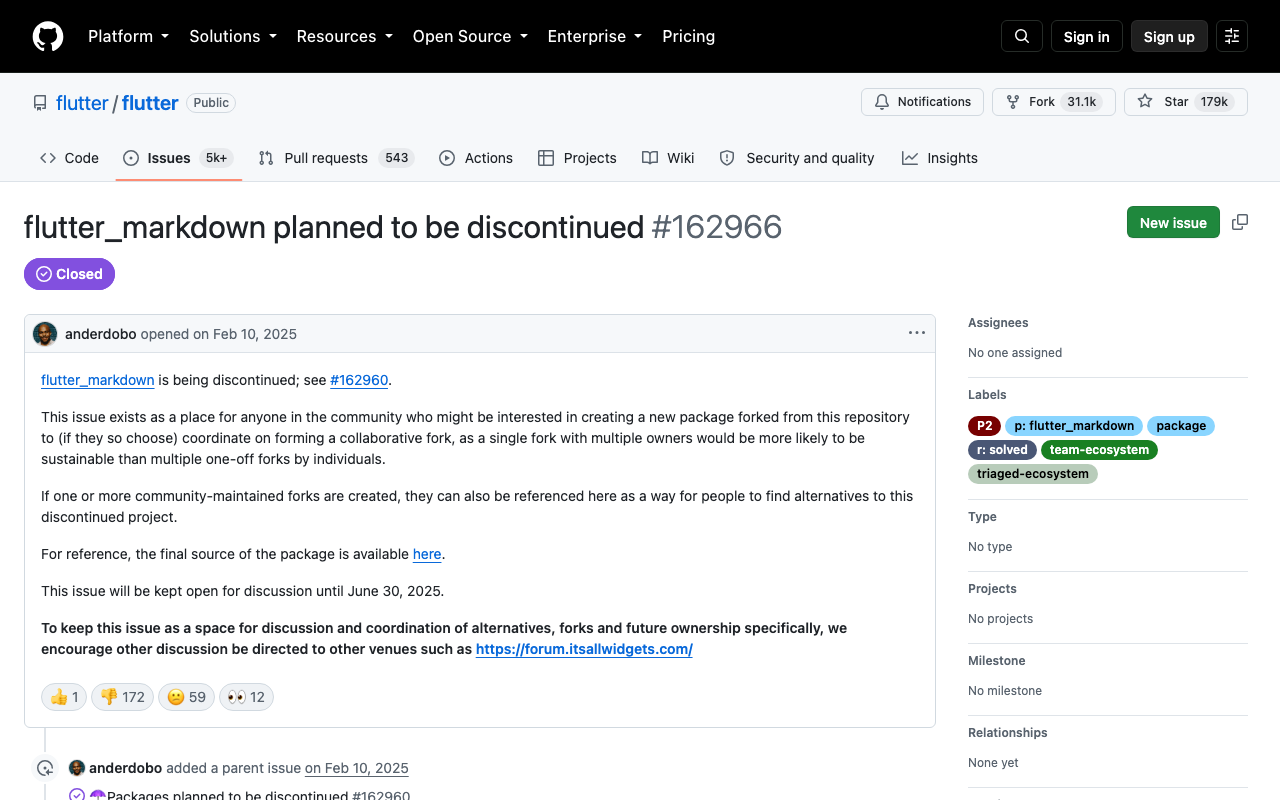
The Flutter team announced the deprecation in February 2025 (flutter/flutter#162960, with the fork-coordination thread at #162966) and marked the package discontinued on pub.dev on 30 May 2025. It still compiles — nothing broke overnight — but there are no more bug fixes, no Flutter-version compatibility patches, and pub scoring will keep flagging it. Rather than naming a blessed successor, Google invited the community to maintain a collaborative fork.
Choosing a flutter markdown alternative in 2026
Three maintained options are worth knowing, and the right one depends on whether you're rendering static markdown or a live token stream:
| Package | Latest | Best for |
|---|---|---|
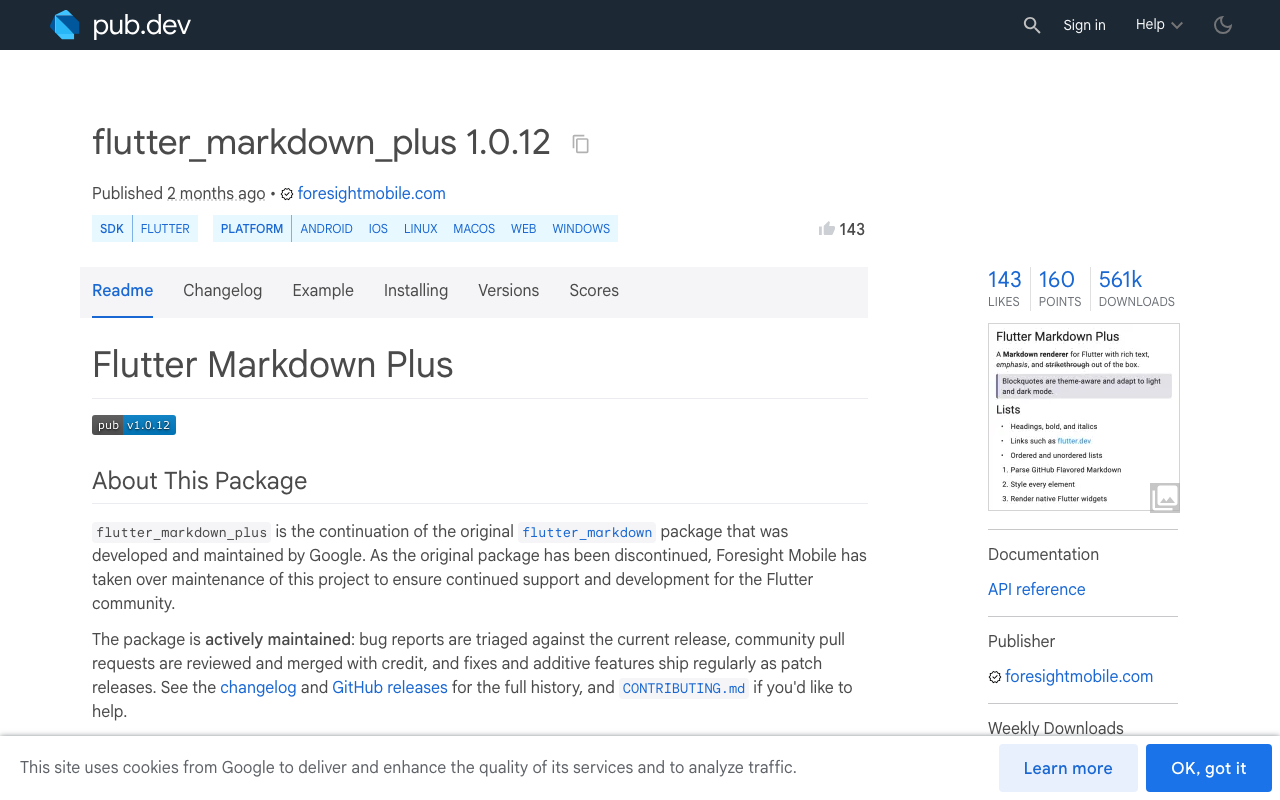
flutter_markdown_plus |
1.0.12 | Drop-in continuation of the Google package — same Markdown / MarkdownBody / MarkdownRaw API, BSD-3, maintained by Foresight Mobile |
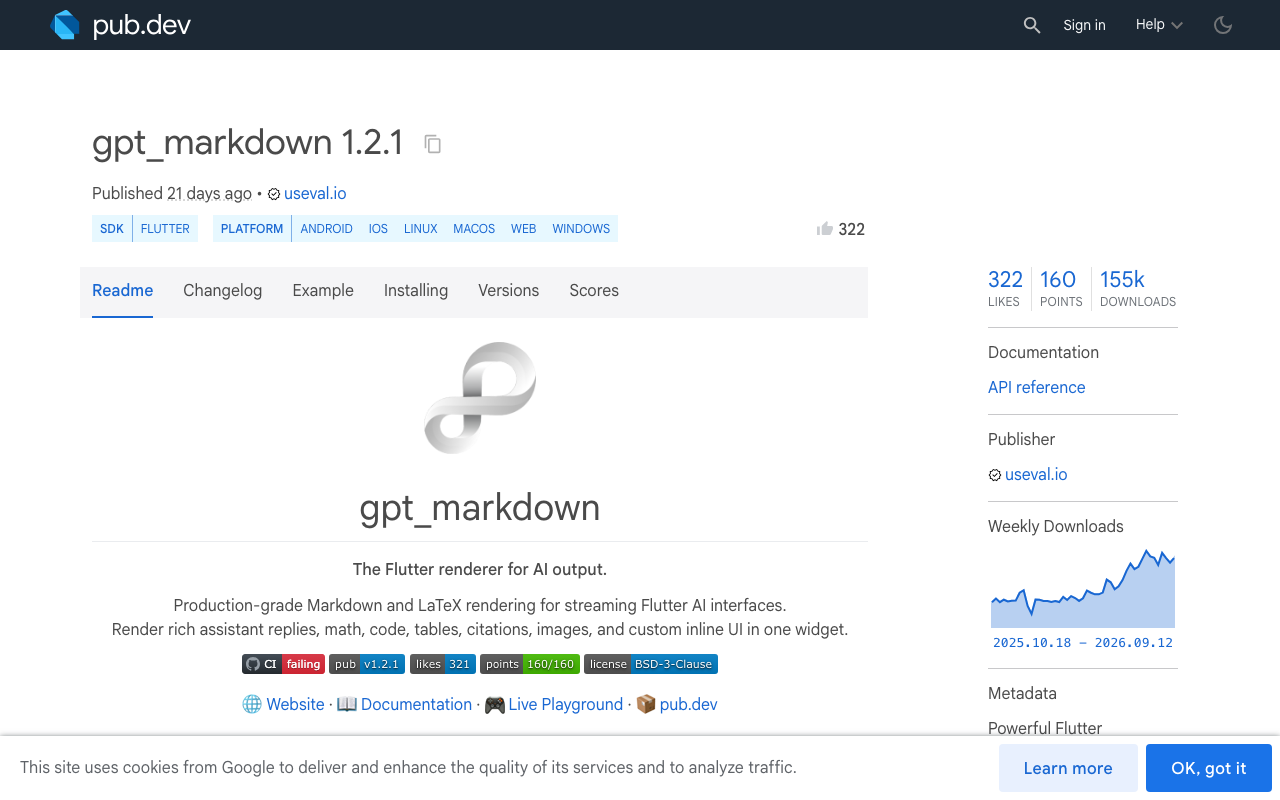
gpt_markdown |
1.2.1 | AI output specifically — LaTeX, custom builders, and split-document caching so only the live tail rebuilds |
streamdown |
0.1.1 | Stream-first API (Streamdown(stream: ...)) with provisional code-fence rendering; still 0.x |
If you want the smallest possible diff, take flutter_markdown_plus. If your renderer exists purely to display assistant replies, gpt_markdown is the better long-term home. Both are shown below.
The flutter_markdown_plus migration
It is genuinely a find-and-replace. In pubspec.yaml:
dependencies:
  flutter_markdown_plus: ^1.0.12
  # or, for AI-output rendering:
  # gpt_markdown: ^1.2.1
  http: ^1.2.0
Then swap the import; the widget names and MarkdownStyleSheet are unchanged:
// - import 'package:flutter_markdown/flutter_markdown.dart';
import 'package:flutter_markdown_plus/flutter_markdown_plus.dart';

MarkdownBody(
  data: message.text,
  selectable: true,
);
Run dart pub deps | grep flutter_markdown afterwards — a transitive dependency (a chat or docs package) will often drag the dead version back in.
Why your code blocks flicker while tokens stream
Swapping packages does not fix the flash, because the flash isn't a renderer bug. It's what you're feeding the renderer.
A markdown parser is a whole-document parser. On every SSE token you hand it a slightly longer string, it re-parses from byte zero, and it builds a completely new widget subtree. Mid-stream, that string is frequently invalid markdown:
- The model emits
```and a language tag. For the next twenty tokens the document has an unclosed fence, so most parsers treat the rest as plain paragraph text. The moment the closing fence arrives, everything snaps into a styled code block. That snap is the flicker. - Tables are worse: a header row with no separator row is just a paragraph full of pipe characters, so the table materialises in one jump at the end.
- Sixty rebuilds per second of a full document tree also means new
Elements, lost scroll anchoring, and dropped selection.
So there are three things to fix: how often you re-render, what you hand the parser, and which widgets keep identity between frames.
Step 1: consume the SSE stream by line, not by chunk
POST https://api.widgetchat.app/v1/chat/stream returns token-by-token data: frames as Server-Sent Events. A common bug: treating each network chunk as one event. TCP does not respect frame boundaries — one read can contain two and a half events. Decode to lines first.
import 'dart:async';
import 'dart:convert';
import 'package:http/http.dart' as http;

class WidgetChatStream {
  final http.Client _client = http.Client();

  Stream<String> send({
    required String projectId,
    required String message,
    String? conversationId,
  }) async* {
    final req = http.Request(
      'POST',
      Uri.parse('https://api.widgetchat.app/v1/chat/stream'),
    )
      ..headers.addAll({
        'Content-Type': 'application/json',
        'Accept': 'text/event-stream',
      })
      ..body = jsonEncode({
        'project_id': projectId,
        'message': message,
        if (conversationId != null) 'conversation_id': conversationId,
      });

    final res = await _client.send(req);
    if (res.statusCode != 200) {
      throw Exception('WidgetChat stream failed: ${res.statusCode}');
    }

    final lines = res.stream
        .transform(utf8.decoder)
        .transform(const LineSplitter());

    await for (final line in lines) {
      if (!line.startsWith('data:')) continue;
      final payload = line.substring(5).trim();
      if (payload.isEmpty || payload == '[DONE]') continue;
      final token = _token(payload);
      if (token != null && token.isNotEmpty) yield token;
    }
  }

  /// Decode defensively: JSON frames if they parse, raw text otherwise.
  String? _token(String payload) {
    try {
      final decoded = jsonDecode(payload);
      if (decoded is String) return decoded;
      if (decoded is Map) {
        for (final k in const ['delta', 'text', 'content', 'token']) {
          final v = decoded[k];
          if (v is String) return v;
        }
      }
      return null;
    } on FormatException {
      return payload;
    }
  }

  void dispose() => _client.close();
}
Note the utf8.decoder on the stream rather than per chunk — a multi-byte emoji split across two chunks is another classic source of garbled output.
Step 2: coalesce tokens on a timer
You do not need to re-parse the document 40 times a second. A flush every ~80 ms still reads as smooth typing but cuts parser work by an order of magnitude, and it means partial fences exist for fewer frames.
class StreamingMessage extends ChangeNotifier {
  static const _interval = Duration(milliseconds: 80);

  final StringBuffer _raw = StringBuffer();
  Timer? _flush;
  String _visible = '';

  String get visible => _visible;

  void push(String token) {
    _raw.write(token);
    _flush ??= Timer(_interval, _commit);
  }

  void _commit() {
    _flush = null;
    final next = _raw.toString();
    if (next == _visible) return;
    _visible = next;
    notifyListeners();
  }

  /// Call when the SSE stream closes so the final partial tick isn't dropped.
  void complete() {
    _flush?.cancel();
    _commit();
  }

  @override
  void dispose() {
    _flush?.cancel();
    super.dispose();
  }
}
Step 3: hand the parser valid markdown
This is the actual flicker fix. Before rendering, close any fence the model hasn't closed yet. The user sees a code block form line by line instead of appearing all at once.
/// Temporarily closes a dangling ``` fence so partial code renders as code.
String balanceFences(String source) {
  final fence = '`' * 3; // avoid a literal fence inside this file
  var open = false;
  for (final line in source.split('\n')) {
    if (line.trimLeft().startsWith(fence)) open = !open;
  }
  if (!open) return source;
  final sep = source.endsWith('\n') ? '' : '\n';
  return '$source$sep$fence';
}

/// Drops a half-written table row so the table doesn't jitter column widths.
String trimPartialTableRow(String source) {
  final i = source.lastIndexOf('\n');
  final last = i == -1 ? source : source.substring(i + 1);
  if (last.startsWith('|') && !last.trimRight().endsWith('|')) {
    return i == -1 ? '' : source.substring(0, i);
  }
  return source;
}

String forRender(String source) => balanceFences(trimPartialTableRow(source));
One caveat: only apply this to the live message. Once the stream completes, render the raw string — if the model genuinely ended mid-fence you want to see that.
Step 4: keep widget identity stable
Give every message a stable key so Flutter reuses elements instead of tearing down the list, and scope rebuilds to the single streaming bubble with a RepaintBoundary and a ListenableBuilder (Flutter 3.16+).
import 'package:gpt_markdown/gpt_markdown.dart';

class AssistantBubble extends StatelessWidget {
  const AssistantBubble({super.key, required this.message, required this.done});

  final StreamingMessage message;
  final bool done;

  @override
  Widget build(BuildContext context) {
    return RepaintBoundary(
      child: ListenableBuilder(
        listenable: message,
        builder: (context, _) => GptMarkdown(
          done ? message.visible : forRender(message.visible),
          style: Theme.of(context).textTheme.bodyMedium,
          onLinkTap: (url, title) => launchUrlString(url),
        ),
      ),
    );
  }
}

// In the list: identity per message, never per index.
ListView.builder(
  itemCount: messages.length,
  itemBuilder: (context, i) => KeyedSubtree(
    key: ValueKey(messages[i].id),
    child: MessageRow(message: messages[i]),
  ),
);
GptMarkdown takes the markdown as its first positional argument (not a data: named param like MarkdownBody) — that's the one gotcha when moving between the two. It also caches settled content and rebuilds only the changing tail, which is exactly the workload a chat stream produces. If you stayed on flutter_markdown_plus, substitute MarkdownBody(data: forRender(message.visible), selectable: true) — the buffering and fence-balancing above do the heavy lifting either way.
Wiring it together
Future<void> ask(String text) async {
  final live = StreamingMessage();
  setState(() => messages.add(Message.assistant(live)));
  try {
    await for (final token in api.send(projectId: kProjectId, message: text)) {
      live.push(token);
    }
  } finally {
    live.complete();
    if (mounted) setState(() => _streamingDone = true);
  }
}
That's the whole fix: one maintained renderer, one 80 ms buffer, one fence balancer, one stable key. No proprietary SDK required — WidgetChat is a plain HTTP/SSE endpoint, so the same code works from a Flutter widget or a FlutterFlow custom action.
Try WidgetChat free
WidgetChat drops an AI support chatbot into your Flutter or FlutterFlow app, streaming answers from your own content over /v1/chat/stream — and users can tap the mic for a real-time voice call in the same widget, with live captions and barge-in. Try WidgetChat free.

Comments
Comments are coming soon. We'd love to hear your thoughts!