

Flutter Chat Scroll to Bottom While Streaming, Done Right
Your AI support chat streams a reply from an SSE endpoint, and the list misbehaves in one of two ways. Either the reply grows past the bottom of the screen and the user has to chase it, or you added animateTo(maxScrollExtent) and now every token drags the user back down while they try to read an earlier answer.
Both come from the same mistake: treating "scroll to bottom" as something you do per event. This post replaces it with a layout that stays at the bottom on its own.
Why animateTo after each message breaks for streaming
The usual answer to "flutter auto scroll new message ScrollController" is:
WidgetsBinding.instance.addPostFrameCallback((_) {
  _scroll.animateTo(
    _scroll.position.maxScrollExtent,
    duration: const Duration(milliseconds: 200),
    curve: Curves.easeOut,
  );
});
That works when a whole message is added. A streaming reply is different. No new item is added: the last bubble just gets taller, maybe 30 times a second. So you either call animateTo on every token, which starts a new animation each time and fights the user's finger, or you call it once and the reply grows out of view.
There is a second problem. In a normal top-to-bottom ListView.builder, items that have not been built yet are estimated, so maxScrollExtent is not always the real bottom in a long history. You end up scrolling "to the bottom" and landing a little short.
The fix: reverse the list
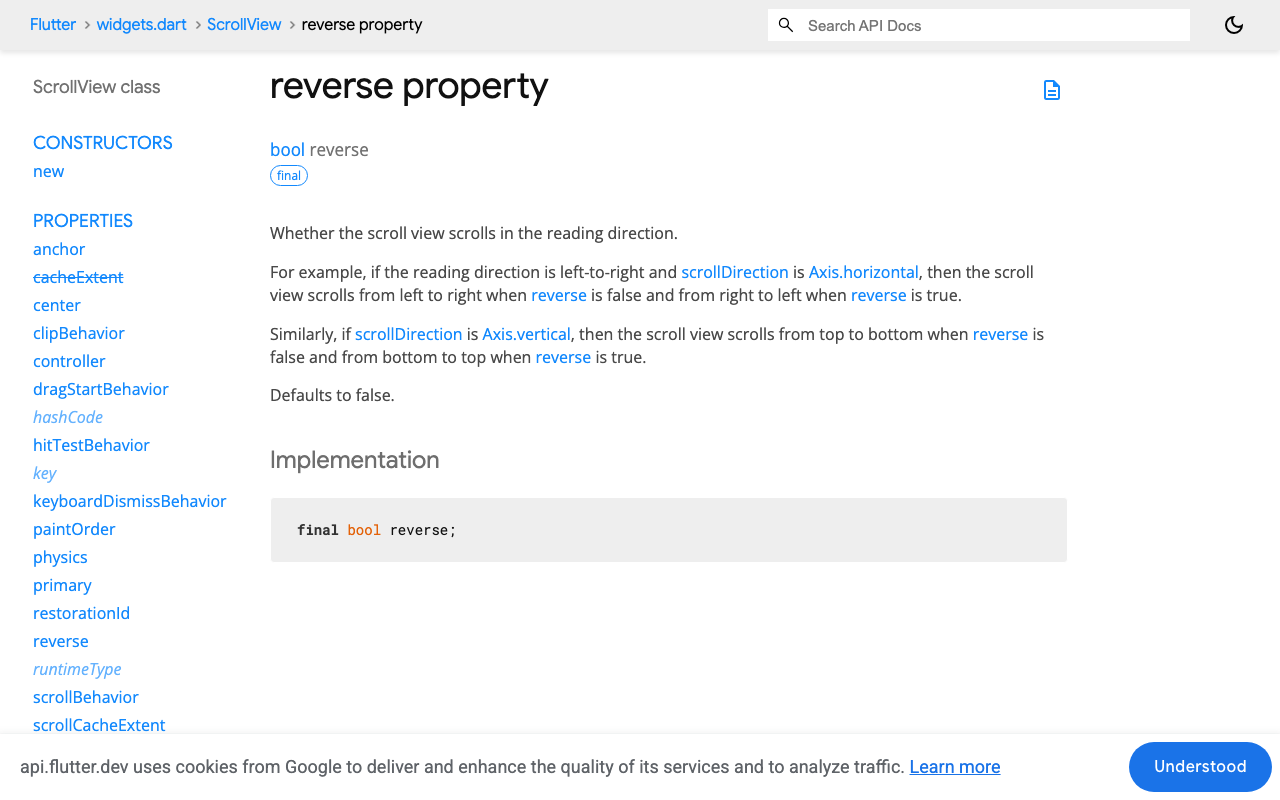
With reverse: true, scroll offset 0 is the bottom of the screen and item 0 sits there. Flutter's docs describe it simply: a vertical reversed scroll view scrolls from bottom to top.
That changes everything for streaming:
- The newest message is item
0. When it grows, it grows upward from the bottom edge. A user at offset0stays pinned to the latest token with no scroll call at all. - "Bottom" is always offset
0, an exact value, never an estimate. - When the user scrolls up, nothing in your code moves them. There is no per-token
animateToleft to yank them back.
You just have to feed the list newest first.
Full Flutter example against the WidgetChat stream
This screen posts to POST https://api.widgetchat.app/v1/chat/stream and appends each data: token to the reply bubble. Copy the auth header for your project from the WidgetChat dashboard. It uses the http package.
import 'dart:convert';

import 'package:flutter/material.dart';
import 'package:http/http.dart' as http;

class ChatMessage {
  ChatMessage({required this.id, required this.fromUser, this.text = ''});
  final String id;
  final bool fromUser;
  String text;
}

class StreamingChatView extends StatefulWidget {
  const StreamingChatView({
    super.key,
    required this.authHeaderName,
    required this.authHeaderValue,
  });

  final String authHeaderName;
  final String authHeaderValue;

  @override
  State<StreamingChatView> createState() => _StreamingChatViewState();
}

class _StreamingChatViewState extends State<StreamingChatView> {
  static const _nearBottom = 80.0;

  final _scroll = ScrollController();
  final _input = TextEditingController();
  final _messages = <ChatMessage>[]; // oldest first
  final _showJump = ValueNotifier(false);
  http.Client? _client;

  @override
  void initState() {
    super.initState();
    _scroll.addListener(() {
      final away = _scroll.offset > _nearBottom;
      if (_showJump.value != away) _showJump.value = away;
    });
  }

  @override
  void dispose() {
    _client?.close();
    _scroll.dispose();
    _input.dispose();
    _showJump.dispose();
    super.dispose();
  }

  void _toLatest() {
    if (!_scroll.hasClients) return;
    _scroll.animateTo(0,
        duration: const Duration(milliseconds: 250), curve: Curves.easeOut);
  }

  Future<void> _send() async {
    final text = _input.text.trim();
    if (text.isEmpty) return;
    _input.clear();

    final now = DateTime.now().microsecondsSinceEpoch;
    final reply = ChatMessage(id: 'a$now', fromUser: false);
    setState(() {
      _messages.add(ChatMessage(id: 'u$now', fromUser: true, text: text));
      _messages.add(reply);
    });
    _toLatest(); // the user just sent: always show their message

    _client?.close();
    final client = _client = http.Client();
    final request = http.Request(
      'POST',
      Uri.parse('https://api.widgetchat.app/v1/chat/stream'),
    )
      ..headers.addAll({
        'Content-Type': 'application/json',
        'Accept': 'text/event-stream',
        widget.authHeaderName: widget.authHeaderValue,
      })
      ..body = jsonEncode({'message': text});

    try {
      final response = await client.send(request);
      final lines = response.stream
          .transform(utf8.decoder)
          .transform(const LineSplitter());
      await for (final line in lines) {
        if (!line.startsWith('data:')) continue;
        var token = line.substring(5);
        if (token.startsWith(' ')) token = token.substring(1);
        if (!mounted) return;
        setState(() => reply.text += token); // no scroll call here
      }
    } on http.ClientException {
      // Closed by a newer send or by dispose, or the network dropped.
      if (mounted && reply.text.isEmpty) {
        setState(() => reply.text = 'Connection lost. Try again.');
      }
    } finally {
      client.close();
    }
  }

  bool _onScrollEnd(ScrollEndNotification n) {
    final offset = _scroll.offset;
    // Settled a few pixels above the bottom: finish the trip so the
    // growing reply is pinned again. Deferred because a new scroll
    // activity must not start inside the end notification.
    if (offset > 0 && offset <= _nearBottom) Future.microtask(_toLatest);
    return false;
  }

  @override
  Widget build(BuildContext context) {
    return Column(
      children: [
        Expanded(
          child: Stack(
            children: [
              NotificationListener<ScrollEndNotification>(
                onNotification: _onScrollEnd,
                child: ListView.builder(
                  controller: _scroll,
                  reverse: true,
                  padding: const EdgeInsets.all(12),
                  itemCount: _messages.length,
                  itemBuilder: (context, index) {
                    final m = _messages[_messages.length - 1 - index];
                    return Align(
                      key: ValueKey(m.id),
                      alignment: m.fromUser
                          ? Alignment.centerRight
                          : Alignment.centerLeft,
                      child: Container(
                        margin: const EdgeInsets.symmetric(vertical: 4),
                        padding: const EdgeInsets.all(12),
                        constraints: const BoxConstraints(maxWidth: 320),
                        decoration: BoxDecoration(
                          color: m.fromUser
                              ? Colors.blue.shade100
                              : Colors.grey.shade200,
                          borderRadius: BorderRadius.circular(12),
                        ),
                        child: Text(m.text.isEmpty ? '...' : m.text),
                      ),
                    );
                  },
                ),
              ),
              Positioned(
                right: 12,
                bottom: 12,
                child: ValueListenableBuilder<bool>(
                  valueListenable: _showJump,
                  builder: (context, show, _) => show
                      ? FloatingActionButton.small(
                          heroTag: null,
                          onPressed: _toLatest,
                          child: const Icon(Icons.arrow_downward),
                        )
                      : const SizedBox.shrink(),
                ),
              ),
            ],
          ),
        ),
        SafeArea(
          top: false,
          child: Row(
            children: [
              Expanded(
                child: TextField(
                  controller: _input,
                  onSubmitted: (_) => _send(),
                  decoration: const InputDecoration(
                    hintText: 'Ask a question',
                    contentPadding: EdgeInsets.all(12),
                  ),
                ),
              ),
              IconButton(icon: const Icon(Icons.send), onPressed: _send),
            ],
          ),
        ),
      ],
    );
  }
}
The data: handling strips one space after the colon, as the SSE format specifies, so tokens like " can" keep their own leading space. If tokens go missing when a network chunk splits a line, see Flutter SSE: fix missing tokens when chunks split. If your reply bubble shows only the latest token, you are setting instead of appending: append, don't set.
How "stick only if near the bottom" works here
Notice what is missing from the token loop: any scroll call. Sticking is a property of the layout, so the check moves to the few moments that matter.
- Every token. Nothing happens. At offset
0, the reply stays pinned because ofreverse: true. Scrolled up, the user stays where they are. - The user stops scrolling within 80 px of the bottom.
_onScrollEndfinishes the trip to0. Without this, a fling that stops at offset 30 would hide the bottom 30 px of the bubble, which is exactly where new text appears. - The user sends a message. Always go to
0. They expect to see what they just typed. - The user is further up. The jump-to-latest button appears, driven by a
ValueNotifierso the scroll listener does not rebuild the whole list.
One honest limit: Flutter has no built-in scroll anchoring. If the user has scrolled up only slightly and the streaming bubble is still on screen, or just below it, its growth pushes the older messages above it upward a little. Once the user is far enough up that the bubble is no longer laid out, its growth does not move what they are reading.
The ValueKey(m.id) on each bubble keeps an item tied to its message. When a new pair is added, index 0 becomes a different message, and because the key changed Flutter builds a fresh element for it instead of reusing the old bubble's.
FlutterFlow version
Option 1: the built-in ListView
If you keep the chat in page state and stream with a FlutterFlow API call, the same idea applies with no code:
- Select the ListView and turn on Reverse. FlutterFlow describes it as making a vertical list start from the bottom.
- Make item 0 the newest message. For a backend query, order by timestamp descending. For a page-state list, keep it newest first.
- Remove any Scroll To action from the streaming message handler. Keep one on the send button only, scrolling to the start of the list, which is the bottom when the list is reversed.
That fixes the common "flutterflow listview not scrolling to bottom chat" report without a scroll call per token.
Option 2: a custom widget
For the near-bottom snap and the jump button, use the code above as a custom widget. Create a widget named StreamingChatView, add http under its dependencies if your project does not already have it, and add two String parameters, authHeaderName and authHeaderValue. Paste everything from the example below FlutterFlow's generated imports, and add the width and height parameters FlutterFlow generates:
class StreamingChatView extends StatefulWidget {
  const StreamingChatView({
    super.key,
    this.width,
    this.height,
    required this.authHeaderName,
    required this.authHeaderValue,
  });

  final double? width;
  final double? height;
  final String authHeaderName;
  final String authHeaderValue;

  @override
  State<StreamingChatView> createState() => _StreamingChatViewState();
}
Wrap the Column returned from build in a SizedBox(width: widget.width, height: widget.height, ...) and drop the widget into an Expanded area of your page. If the auth value is a secret, read moving the key server-side before you ship.
Keyboard and input
A reversed list keeps the last message right above the input, so when the keyboard opens the latest reply stays visible as long as the screen resizes for the keyboard. If the input itself disappears under it, the fix is in Flutter chat input hiding behind the keyboard.
Try WidgetChat free
WidgetChat gives your Flutter or FlutterFlow app an AI support assistant that answers from your own content and streams replies token by token over SSE, which is exactly what this list was built for. Users can also tap the mic for a live voice conversation in the same widget. Try WidgetChat free and point the code above at your project's stream.

Comments
Comments are coming soon. We'd love to hear your thoughts!