

Flutter Chat Input: Enter Sends, Shift+Enter Adds a Line
If you ship an AI support chat built with Flutter to web or desktop, the composer is the first thing users judge. They expect Enter to send and Shift+Enter to add a line, the same as every chat client they already use. A stock multiline TextField gives you neither. With maxLines: null and TextInputAction.newline, Enter inserts a line break and onSubmitted never fires. Switch the action to done or send to get onSubmitted back and both Enter and Shift+Enter submit, so the user cannot write a second paragraph at all.
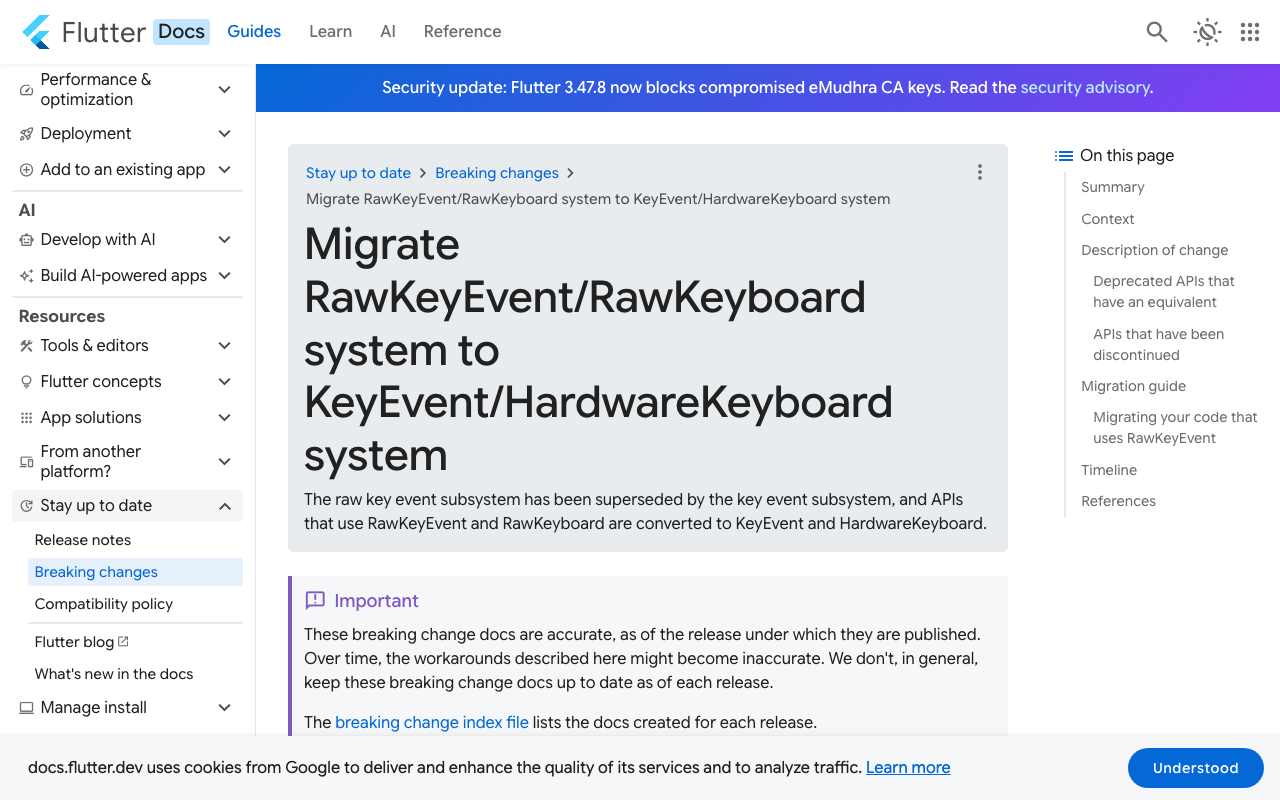
Most answers you will find wrap the field in RawKeyboardListener. That widget was deprecated in Flutter 3.19 (the annotation reads "deprecated after v3.18.0-2.0.pre") together with RawKeyboard, RawKeyEvent and Focus.onKey. This post shows the current pattern with Focus.onKeyEvent and HardwareKeyboard, keeps mobile soft keyboards inserting a newline, wires the send into a WidgetChat streaming call, and gives the same field as a FlutterFlow custom widget.
Why the TextField behaves like this
Two separate systems deliver Enter to a Flutter text field.
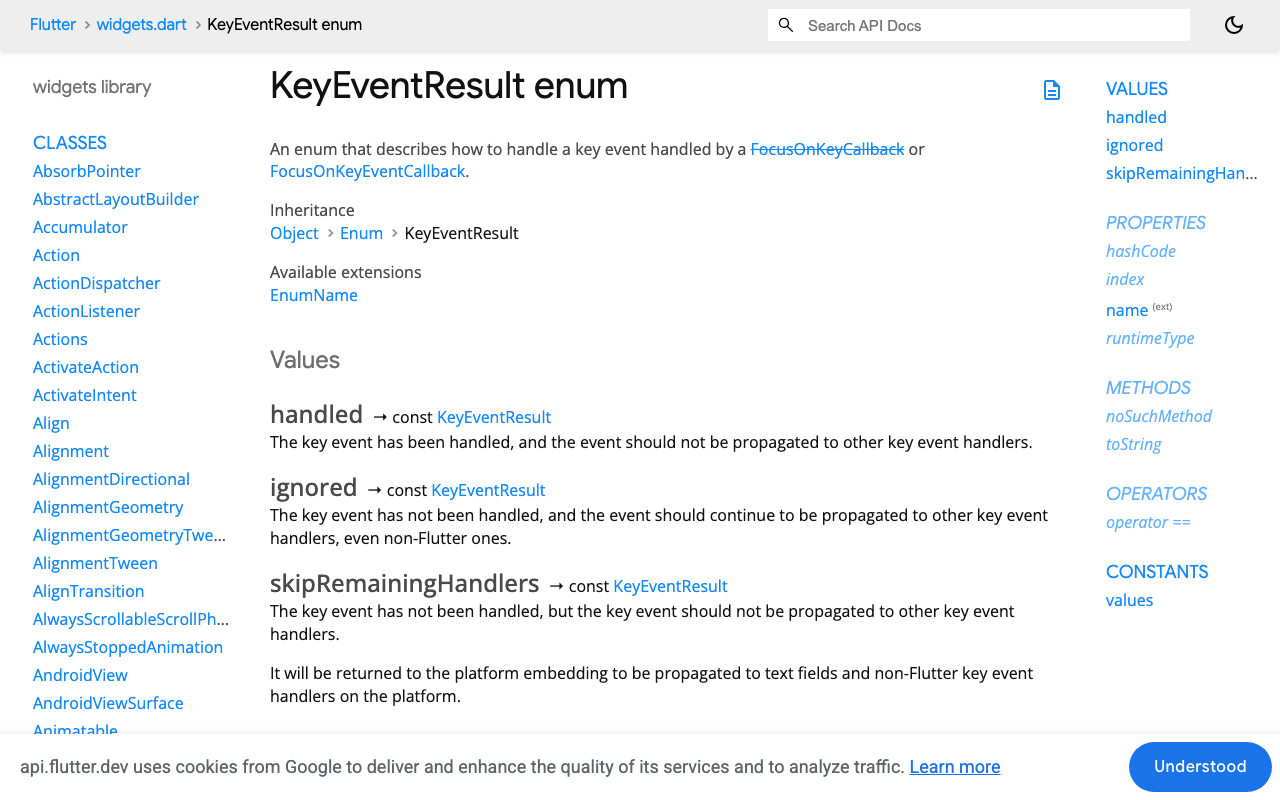
On desktop and web, a physical key press reaches the framework as a KeyEvent. It goes first to the FocusNode with primary focus, then up the focus tree for as long as handlers return KeyEventResult.ignored. EditableText, the widget inside TextField, handles Enter in a multiline field by inserting a newline and returning handled.
On a phone, the soft keyboard talks to the text input plugin instead. There are no hardware key events at all. The keyboard's action button does whatever textInputAction says: newline inserts a line break, send or done calls onSubmitted. Shift does not exist on that path. That is why a FlutterFlow multiline field with a Submit Type set fires On Submit for both Enter and Shift+Enter on web, and why onSubmitted is a dead end for this feature.
So the fix is: own the key event before EditableText sees it on hardware keyboards, and leave the soft keyboard path alone.
Why not KeyboardListener?
The documented replacement for RawKeyboardListener is KeyboardListener. It is fine for observing keys, but its onKeyEvent callback returns void. It cannot tell Flutter that the event was consumed, so Enter still reaches the field and inserts a newline right after your send fires. Focus.onKeyEvent, or FocusNode(onKeyEvent:), returns a KeyEventResult. That return value is the whole trick.
The composer widget
import 'package:flutter/material.dart';
import 'package:flutter/services.dart';

class ChatComposer extends StatefulWidget {
  const ChatComposer({super.key, required this.onSend});

  final Future<void> Function(String text) onSend;

  @override
  State<ChatComposer> createState() => _ChatComposerState();
}

class _ChatComposerState extends State<ChatComposer> {
  final _controller = TextEditingController();
  late final FocusNode _focusNode = FocusNode(onKeyEvent: _onKeyEvent);
  bool _sending = false;

  KeyEventResult _onKeyEvent(FocusNode node, KeyEvent event) {
    // KeyRepeatEvent is also a key down; only act on the first press.
    if (event is! KeyDownEvent) return KeyEventResult.ignored;

    final isEnter = event.logicalKey == LogicalKeyboardKey.enter ||
        event.logicalKey == LogicalKeyboardKey.numpadEnter;
    if (!isEnter) return KeyEventResult.ignored;

    // Shift+Enter: let EditableText insert the newline itself.
    if (HardwareKeyboard.instance.isShiftPressed) {
      return KeyEventResult.ignored;
    }

    _submit();
    return KeyEventResult.handled; // Enter never reaches the field.
  }

  Future<void> _submit() async {
    final text = _controller.text.trim();
    if (text.isEmpty || _sending) return;
    setState(() => _sending = true);
    _controller.clear();
    try {
      await widget.onSend(text);
    } finally {
      if (mounted) setState(() => _sending = false);
      _focusNode.requestFocus();
    }
  }

  @override
  void dispose() {
    _controller.dispose();
    _focusNode.dispose();
    super.dispose();
  }

  @override
  Widget build(BuildContext context) {
    return Row(
      crossAxisAlignment: CrossAxisAlignment.end,
      children: [
        Expanded(
          child: TextField(
            controller: _controller,
            focusNode: _focusNode,
            keyboardType: TextInputType.multiline,
            textInputAction: TextInputAction.newline,
            minLines: 1,
            maxLines: 6,
            decoration: const InputDecoration(
              hintText: 'Ask a question...',
              border: OutlineInputBorder(),
            ),
          ),
        ),
        const SizedBox(width: 8),
        IconButton.filled(
          onPressed: _sending ? null : _submit,
          icon: const Icon(Icons.send),
        ),
      ],
    );
  }
}
Details that matter:
- Check
event is KeyDownEventand nothing else. The migration guide warns thatKeyRepeatEventis also a key down event. If you tested withis! KeyUpEvent, a held Enter would send the same message several times. - Match
numpadEnteras well asenter. They are different logical keys. - Read Shift from
HardwareKeyboard.instance.isShiftPressed. Modifier getters moved off the event in the new system. - For Shift+Enter return
ignored. Do not write the newline character into the controller yourself. LettingEditableTextdo it keeps the cursor and any IME composition (pinyin, Japanese) intact. - Keep
TextInputAction.newline. Flutter issue 116707 traced Shift+Enter submitting on web to the field being set toTextInputAction.done.newlinealso means the mobile keyboard button inserts a line.
What happens on touch devices
Nothing special is needed. A soft keyboard produces no KeyEvent, so _onKeyEvent never runs. The action button inserts a newline because of TextInputAction.newline, and the user taps the send icon. A tablet with a Bluetooth keyboard gets the desktop behaviour for free. There is no kIsWeb or platform check to maintain.
The Shortcuts and Actions alternative
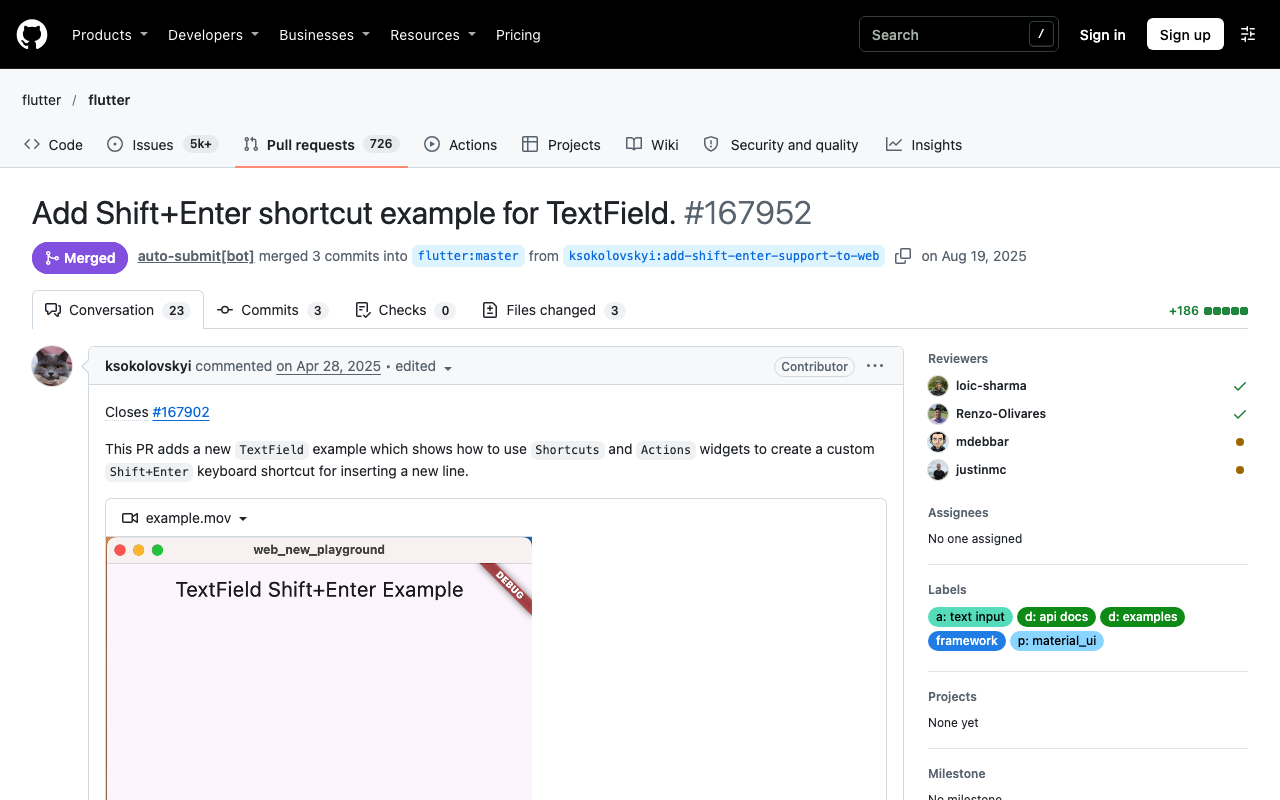
Flutter's own TextField example, added in PR 167952 and merged in August 2025, shows the other idiom: wrap the field in Shortcuts with SingleActivator(LogicalKeyboardKey.enter, shift: true) mapped to an intent, then handle that intent in Actions. Use it if your app already centralises shortcuts. The maintainers chose to document an example rather than change the default, because a plain HTML textarea does not submit on Enter and there was no clear default to match.
Wiring the send into WidgetChat
WidgetChat streams the assistant's reply over Server-Sent Events from POST https://api.widgetchat.app/v1/chat/stream. Each chunk arrives as a data: line, so you can append tokens to a message bubble as they come in. Here is an onSend implementation with the http package. The headers and the exact request fields come from the integration snippet in your WidgetChat dashboard; the shape below shows the streaming plumbing.
import 'dart:convert';
import 'package:http/http.dart' as http;

Future<void> sendToWidgetChat(
  String text, {
  required Map<String, String> headers, // from your WidgetChat dashboard
  required void Function(String token) onToken,
}) async {
  final request = http.Request(
    'POST',
    Uri.parse('https://api.widgetchat.app/v1/chat/stream'),
  )
    ..headers.addAll({
      ...headers,
      'Content-Type': 'application/json',
      'Accept': 'text/event-stream',
    })
    ..body = jsonEncode({'message': text});

  final response = await http.Client().send(request);
  if (response.statusCode != 200) {
    throw http.ClientException('WidgetChat returned ${response.statusCode}');
  }

  await for (final line in response.stream
      .transform(utf8.decoder)
      .transform(const LineSplitter())) {
    if (!line.startsWith('data:')) continue; // blank lines separate events
    final payload = line.substring(5).trim();
    if (payload.isNotEmpty) onToken(payload);
  }
}
Hook it up with ChatComposer(onSend: (text) => sendToWidgetChat(text, headers: myHeaders, onToken: appendToAssistantBubble)). Because _submit returns early while _sending is true, Enter cannot fire a second request while the first reply is still streaming. Drop that guard if you prefer to queue messages.
The same field as a FlutterFlow custom widget
FlutterFlow's built-in TextField exposes a Submit Type but no per-modifier rule, so the composer goes in a Custom Widget. Open Custom Code, add a Widget named ChatComposer, keep the width and height parameters FlutterFlow requires, and add an Action parameter onSend with one String argument named message. Paste the code below after the line "Do not remove or modify the code above" and add the services import there, because the default imports do not include HardwareKeyboard or LogicalKeyboardKey.
import 'package:flutter/services.dart';

class ChatComposer extends StatefulWidget {
  const ChatComposer({
    super.key,
    this.width,
    this.height,
    required this.onSend,
  });

  final double? width;
  final double? height;
  final Future Function(String message)? onSend;

  @override
  State<ChatComposer> createState() => _ChatComposerState();
}

class _ChatComposerState extends State<ChatComposer> {
  final _controller = TextEditingController();
  late final FocusNode _focusNode = FocusNode(onKeyEvent: _onKeyEvent);

  KeyEventResult _onKeyEvent(FocusNode node, KeyEvent event) {
    if (event is! KeyDownEvent) return KeyEventResult.ignored;
    final isEnter = event.logicalKey == LogicalKeyboardKey.enter ||
        event.logicalKey == LogicalKeyboardKey.numpadEnter;
    if (!isEnter || HardwareKeyboard.instance.isShiftPressed) {
      return KeyEventResult.ignored;
    }
    _submit();
    return KeyEventResult.handled;
  }

  void _submit() {
    final text = _controller.text.trim();
    if (text.isEmpty) return;
    _controller.clear();
    widget.onSend?.call(text);
  }

  @override
  void dispose() {
    _controller.dispose();
    _focusNode.dispose();
    super.dispose();
  }

  @override
  Widget build(BuildContext context) {
    return SizedBox(
      width: widget.width,
      height: widget.height,
      child: Row(
        crossAxisAlignment: CrossAxisAlignment.end,
        children: [
          Expanded(
            child: TextField(
              controller: _controller,
              focusNode: _focusNode,
              keyboardType: TextInputType.multiline,
              textInputAction: TextInputAction.newline,
              minLines: 1,
              maxLines: 5,
              decoration: const InputDecoration(hintText: 'Ask a question...'),
            ),
          ),
          IconButton(onPressed: _submit, icon: const Icon(Icons.send)),
        ],
      ),
    );
  }
}
On the page, drop the widget in and bind onSend to the same action chain your send button already uses: a Custom Action that POSTs message to the WidgetChat stream endpoint and appends tokens to the page state list that renders your bubbles. Compile, then test in Run mode from a desktop browser. Enter sends, Shift+Enter breaks the line, and on a phone the keyboard button adds a line while the icon sends.
Testing checklist
- Desktop browser and desktop build: Enter sends, Shift+Enter adds a line, holding Enter sends once.
- Numpad Enter sends.
- iOS and Android: the keyboard return key inserts a newline, the send icon sends.
- IME users: if Enter must commit a candidate instead of sending, add
if (_controller.value.composing.isValid) return KeyEventResult.ignored;before the Shift check. - Empty or whitespace-only text never sends.
Try WidgetChat free
The composer above is the only custom UI you need to put an AI support chatbot in a Flutter or FlutterFlow app. WidgetChat answers from your own content, streams replies token by token over SSE, and the same widget also supports a live voice call with barge-in and captions, all configured from one dashboard. Try WidgetChat free and have Enter-to-send talking to a real assistant this afternoon.

Comments
Comments are coming soon. We'd love to hear your thoughts!