

Flutter Chat Input Hidden by Keyboard in a Bottom Sheet
You put your support chatbot in a showModalBottomSheet, tap the text field, and the keyboard slides straight over it. Or the field survives but the reply that is streaming in gets shoved out of view. Both come from the same three gaps, and this post closes all of them with one sheet widget you can paste into Flutter or FlutterFlow.
Why resizeToAvoidBottomInset is not working in a bottom sheet
Scaffold.resizeToAvoidBottomInset resizes the Scaffold's body when the keyboard opens. A modal bottom sheet is not part of that body. showModalBottomSheet pushes a new route on the Navigator, drawn above your page, so the page's Scaffold resizing does nothing for it.
The sheet has to move itself. Three things cause the bug:
- No
isScrollControlled: true. Without it the sheet is capped at a fraction of the screen height (9/16 by default) and can't grow or shift properly when the keyboard eats space. - No bottom padding for the keyboard. The sheet route does not add the keyboard inset for you. Inside the sheet,
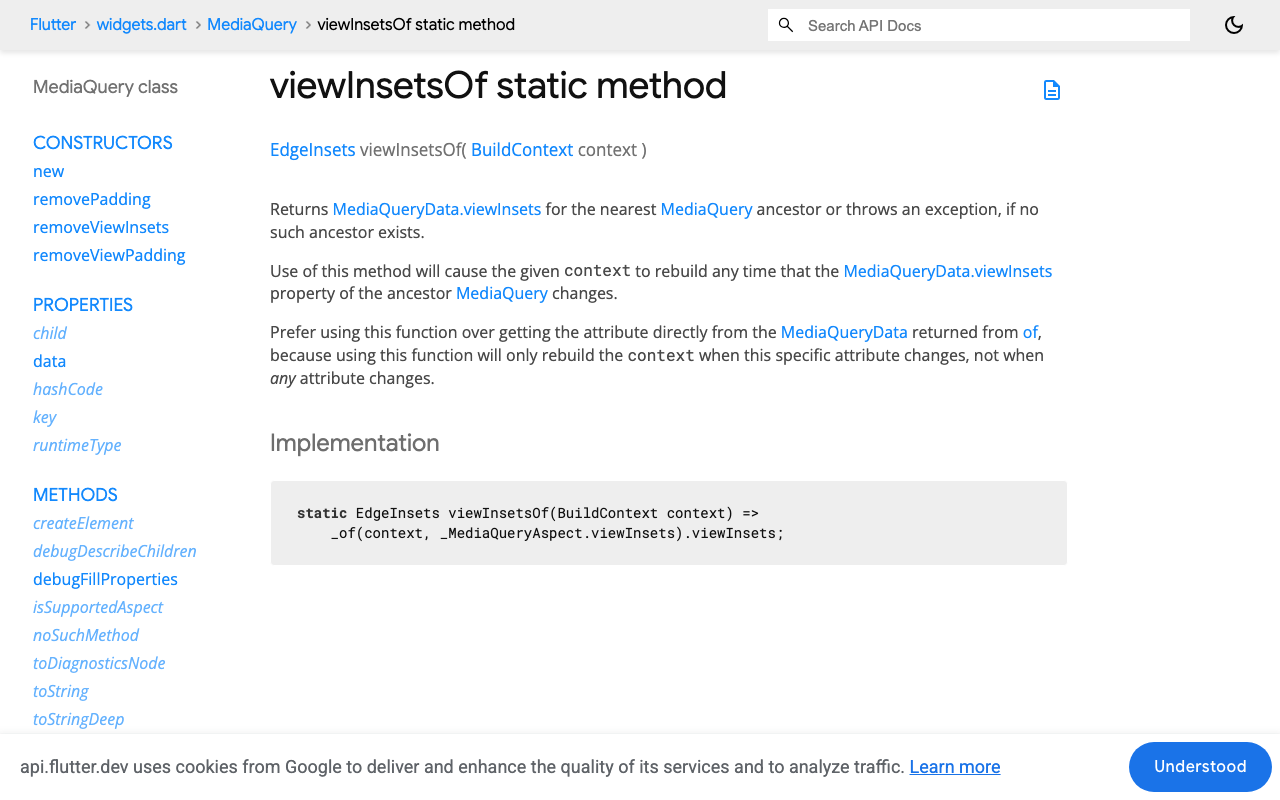
MediaQuery.viewInsetsOf(context).bottomgives the keyboard height, and you have to pad by it. - A top-down message list. A normal
ListViewkeeps its scroll offset measured from the top. When the viewport shrinks, the bottom of the list (your newest message) is what gets cut off.
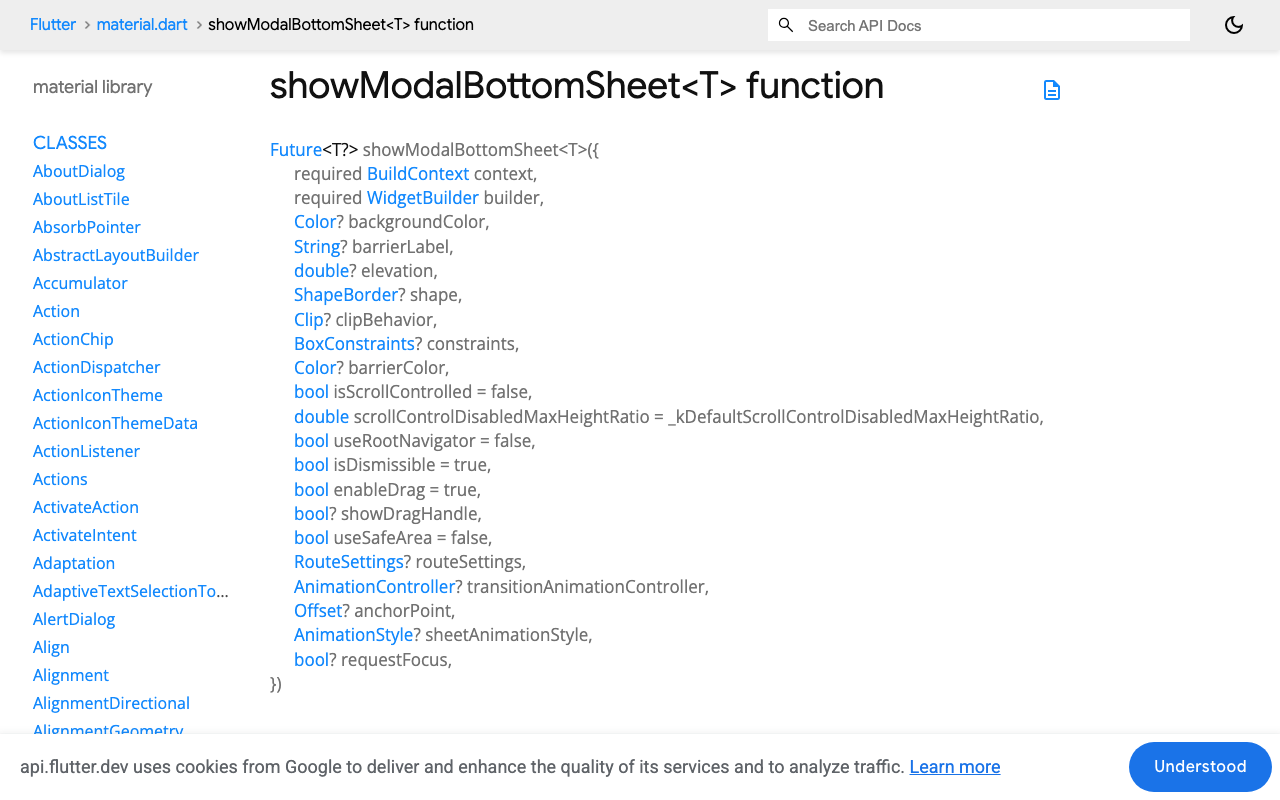
Open the sheet with the right flags
Future<void> openSupportChat(BuildContext context) {
  return showModalBottomSheet<void>(
    context: context,
    isScrollControlled: true, // let the sheet size itself past 9/16
    useSafeArea: true,        // keep it clear of the status bar and notch
    showDragHandle: true,
    builder: (context) => const SupportChatSheet(),
  );
}
useSafeArea avoids system intrusions on the top, left and right only. It does not handle the bottom edge, which is why the input row below gets its own SafeArea(top: false).
The chat sheet: viewInsets padding plus a reversed ListView
This is the whole widget. It streams the reply from WidgetChat's SSE endpoint, POST https://api.widgetchat.app/v1/chat/stream, which sends the answer token by token as data: lines. It uses the http package; no SDK is needed.
import 'dart:async';
import 'dart:convert';
import 'dart:math' as math;

import 'package:flutter/material.dart';
import 'package:http/http.dart' as http;

class ChatMessage {
  ChatMessage({required this.fromUser, this.text = ''});
  final bool fromUser;
  String text;
}

class SupportChatSheet extends StatefulWidget {
  const SupportChatSheet({super.key});

  @override
  State<SupportChatSheet> createState() => _SupportChatSheetState();
}

class _SupportChatSheetState extends State<SupportChatSheet> {
  final _input = TextEditingController();
  final _client = http.Client();
  final _messages = <ChatMessage>[]; // newest first, index 0 sits at the bottom
  StreamSubscription<String>? _sub;
  bool _streaming = false;

  Future<void> _send() async {
    final text = _input.text.trim();
    if (text.isEmpty || _streaming) return;
    _input.clear();

    final reply = ChatMessage(fromUser: false);
    setState(() {
      _messages.insert(0, ChatMessage(fromUser: true, text: text));
      _messages.insert(0, reply);
      _streaming = true;
    });

    final request = http.Request(
      'POST',
      Uri.parse('https://api.widgetchat.app/v1/chat/stream'),
    )
      ..headers['Content-Type'] = 'application/json'
      ..headers['Accept'] = 'text/event-stream'
      // Add your project's auth header and request fields here.
      ..body = jsonEncode({'message': text});

    try {
      final response = await _client.send(request);
      _sub = response.stream
          .transform(utf8.decoder)
          .transform(const LineSplitter())
          .where((line) => line.startsWith('data:'))
          // SSE strips exactly one space after "data:", not all whitespace.
          .map((line) => line.startsWith('data: ')
              ? line.substring(6)
              : line.substring(5))
          .listen(
            (token) {
              if (mounted) setState(() => reply.text += token);
            },
            onDone: () {
              if (mounted) setState(() => _streaming = false);
            },
            onError: (_) {
              if (mounted) setState(() => _streaming = false);
            },
            cancelOnError: true,
          );
    } catch (_) {
      if (mounted) setState(() => _streaming = false);
    }
  }

  @override
  void dispose() {
    _sub?.cancel();
    _client.close();
    _input.dispose();
    super.dispose();
  }

  @override
  Widget build(BuildContext context) {
    final keyboard = MediaQuery.viewInsetsOf(context).bottom;
    final screenHeight = MediaQuery.sizeOf(context).height;

    return Padding(
      padding: EdgeInsets.only(bottom: keyboard),
      child: LayoutBuilder(
        builder: (context, constraints) => SizedBox(
          // 75% of the screen, but never taller than what the keyboard leaves.
          height: math.min(screenHeight * 0.75, constraints.maxHeight),
          child: Column(
            children: [
              Expanded(
                child: ListView.builder(
                  reverse: true,
                  padding: const EdgeInsets.all(12),
                  itemCount: _messages.length,
                  itemBuilder: (context, i) => _Bubble(_messages[i]),
                ),
              ),
              SafeArea(
                top: false,
                child: Padding(
                  padding: const EdgeInsets.fromLTRB(12, 4, 4, 8),
                  child: Row(
                    children: [
                      Expanded(
                        child: TextField(
                          controller: _input,
                          autofocus: true,
                          minLines: 1,
                          maxLines: 4,
                          textInputAction: TextInputAction.send,
                          onSubmitted: (_) => _send(),
                          decoration: const InputDecoration(
                            hintText: 'Ask support...',
                          ),
                        ),
                      ),
                      IconButton(
                        icon: const Icon(Icons.send),
                        onPressed: _streaming ? null : _send,
                      ),
                    ],
                  ),
                ),
              ),
            ],
          ),
        ),
      ),
    );
  }
}

class _Bubble extends StatelessWidget {
  const _Bubble(this.message);
  final ChatMessage message;

  @override
  Widget build(BuildContext context) {
    final scheme = Theme.of(context).colorScheme;
    return Align(
      alignment:
          message.fromUser ? Alignment.centerRight : Alignment.centerLeft,
      child: Container(
        margin: const EdgeInsets.symmetric(vertical: 4),
        padding: const EdgeInsets.all(12),
        constraints: const BoxConstraints(maxWidth: 300),
        decoration: BoxDecoration(
          color: message.fromUser
              ? scheme.primaryContainer
              : scheme.surfaceContainerHighest,
          borderRadius: BorderRadius.circular(14),
        ),
        child: Text(message.text.isEmpty ? '...' : message.text),
      ),
    );
  }
}
Why this keeps the streamed reply pinned above the keyboard
The padding moves the whole sheet up. MediaQuery.viewInsetsOf(context) makes the widget rebuild every time the keyboard inset changes, including during the open and close animation. Read it inside the sheet's own build. If you read it in the page and pass a number into the builder, it is frozen at whatever it was when the sheet opened, usually zero.
The LayoutBuilder stops overflow. With isScrollControlled: true the sheet may be as tall as the screen minus the top safe area. Subtract the keyboard and a fixed 75% height can no longer fit on a small phone, so the height is clamped to whatever room is left.
reverse: true anchors the list to the bottom. In a reversed ListView, scroll offset 0 is the bottom edge and item 0 is drawn there. Store messages newest first and the streaming bubble is item 0. When the keyboard shrinks the viewport, the list loses space at the top, not the bottom. When tokens arrive and the bubble grows, it grows upward from the input row. No ScrollController, no animateTo on every token.
SafeArea(top: false) around the input row pads above the home indicator when the keyboard is closed. When the keyboard is open, MediaQuery.padding.bottom drops to zero (the keyboard already covers that area), so you don't get a double gap.
If the user scrolls up to reread an older answer while a reply streams, the reversed list leaves them where they are. For a "jump to latest" pill and stick-to-bottom logic, see Flutter AI Chat: Pin ListView to Bottom While Streaming.
Android: check windowSoftInputMode
Flutter's Android template sets android:windowSoftInputMode="adjustResize" on the main activity. If someone changed it to adjustPan, Android pans the window instead of reporting the keyboard as an inset, viewInsets.bottom stays at 0, and none of the above can react. Put adjustResize back in AndroidManifest.xml.
The FlutterFlow version
FlutterFlow can host the same widget. Calling showModalBottomSheet from a custom action means you set every flag yourself.
- Custom Widget named
SupportChatSheet. Paste the classes above. FlutterFlow generates the constructor withwidthandheightparameters, so keep those:
class SupportChatSheet extends StatefulWidget {
  const SupportChatSheet({super.key, this.width, this.height});

  final double? width;
  final double? height;

  @override
  State<SupportChatSheet> createState() => _SupportChatSheetState();
}
Add http under the custom code dependencies if your project does not already list it, and compile.
- Custom Action named
openSupportChat:
import '/custom_code/widgets/index.dart';

Future openSupportChat(BuildContext context) async {
  await showModalBottomSheet<void>(
    context: context,
    isScrollControlled: true,
    useSafeArea: true,
    showDragHandle: true,
    builder: (context) => const SupportChatSheet(),
  );
}
- Wire your "Help" button's On Tap to
openSupportChat. Test on a real device or emulator. The web preview has no software keyboard, so it won't show the bug or the fix.
Quick checklist
isScrollControlled: trueonshowModalBottomSheet.Padding(bottom: MediaQuery.viewInsetsOf(context).bottom)inside the sheet's own build.- Sheet height clamped with
LayoutBuilderso it never overflows. ListView(reverse: true)with messages stored newest first.SafeArea(top: false)around the input row.adjustResizeon Android.
Try WidgetChat free
WidgetChat gives your Flutter or FlutterFlow app an AI support chatbot that answers from your own content and streams replies token by token over SSE, the same stream this sheet renders. Users can also tap the mic for a live voice call in the same widget. Start on the free tier at widgetchat.app and have support chat running in a bottom sheet today.

Comments
Comments are coming soon. We'd love to hear your thoughts!