

Flutter AI Chat: Pin ListView to Bottom While Streaming
The streaming chat looks perfect until the model gets wordy. A bubble grows a line, your auto-scroll fires, and the last line sits just below the fold. Then a user scrolls up to re-read something mid-answer and the list snaps back down on the next token, ripping history out from under them.
Both symptoms come from one root cause, and it is not the scroll call.
The version that almost works
final _scrollController = ScrollController();
String _streaming = '';

void _onToken(String token) {
  setState(() => _streaming += token);
  // Runs immediately — before the new text has been laid out.
  _scrollController.jumpTo(_scrollController.position.maxScrollExtent);
}
This is the code behind every flutter listview scroll maxScrollExtent not working bug report. It reads a number that has not been recomputed yet.
Why maxScrollExtent is always one frame stale
setState does not rebuild anything. It marks the element dirty and schedules a frame. The build and layout passes — and therefore the new height of your growing bubble — happen later in that frame. maxScrollExtent is produced by the viewport during layout, so at the moment you read it you get the previous frame's value: the extent from before the token you just appended.
At 30 tokens per second you are permanently one token behind. On a token that wraps a line, that's a whole line hidden under the fold — exactly the flutter chatbot autoscroll while typing response complaint.
animateTo makes it worse. Every token starts a new animation that cancels the one in flight, so the position never converges and the list visibly trails the text. For per-token updates you want jumpTo; save animateTo for the one-off moment the user sends a message.
Fix 1: scroll after layout, once per frame
WidgetsBinding.instance.addPostFrameCallback runs after the frame's layout phase, so maxScrollExtent is finally the real number. Coalesce with a flag — 40 tokens in a frame should not queue 40 callbacks.
Fix 2: a stick-to-bottom flag that the user can break
Pinning unconditionally is the second half of the bug. Track whether we are currently pinned, drop the pin the moment the user drags toward history, and re-attach only when they land back at the bottom themselves.
One API detail that trips people up: in a normal (non-reversed) list, ScrollDirection.forward means the offset is decreasing — the user is heading back up into older messages. ScrollDirection.reverse means they are heading down toward the newest.
import 'package:flutter/material.dart';
import 'package:flutter/rendering.dart'; // ScrollDirection

class ChatList extends StatefulWidget {
  const ChatList({
    super.key,
    required this.messages,
    required this.streamingText,
  });

  final List<String> messages;
  final String streamingText; // grows token by token

  @override
  State<ChatList> createState() => _ChatListState();
}

class _ChatListState extends State<ChatList> {
  final _controller = ScrollController();
  bool _stick = true;       // are we pinned to the bottom?
  bool _scheduled = false;  // one stick per frame, not one per token
  static const _slack = 56.0; // px that still counts as "at the bottom"

  bool get _atBottom {
    if (!_controller.hasClients) return true;
    final p = _controller.position;
    return p.maxScrollExtent - p.pixels <= _slack;
  }

  void _scheduleStick() {
    if (!_stick || _scheduled) return;
    _scheduled = true;
    WidgetsBinding.instance.addPostFrameCallback((_) {
      _scheduled = false;
      if (!_stick || !_controller.hasClients) return;
      final max = _controller.position.maxScrollExtent;
      if (_controller.offset >= max) return;
      _controller.jumpTo(max); // now reading a post-layout extent
    });
  }

  @override
  void didUpdateWidget(covariant ChatList old) {
    super.didUpdateWidget(old);
    final grew = widget.streamingText != old.streamingText ||
        widget.messages.length != old.messages.length;
    if (grew) _scheduleStick();
  }

  bool _onScroll(ScrollNotification n) {
    // forward == offset decreasing == user is reading history. Let go.
    if (n is UserScrollNotification &&
        n.direction == ScrollDirection.forward) {
      _stick = false;
    }
    // When the gesture settles, re-attach only if they landed at the bottom.
    if (n is ScrollEndNotification) _stick = _atBottom;
    return false;
  }

  @override
  Widget build(BuildContext context) {
    final items = [
      ...widget.messages,
      if (widget.streamingText.isNotEmpty) widget.streamingText,
    ];
    return NotificationListener<ScrollNotification>(
      onNotification: _onScroll,
      child: ListView.builder(
        controller: _controller,
        padding: const EdgeInsets.all(16),
        itemCount: items.length,
        itemBuilder: (_, i) => Bubble(text: items[i]),
      ),
    );
  }

  @override
  void dispose() {
    _controller.dispose();
    super.dispose();
  }
}
Note that _stick is deliberately not in setState — it changes no pixels. If you want a "jump to latest" pill while the user is reading history, that one does need setState, and its tap handler should set _stick = true and animateTo(maxScrollExtent).
The reverse: true variant (less code, fewer edge cases)
With reverse: true, offset 0.0 is the bottom. A growing last bubble extends away from zero, so pixels never changes and the view stays pinned with no scroll call at all. The stale-extent problem simply stops existing.
ListView.builder(
  controller: _controller,
  reverse: true,
  padding: const EdgeInsets.all(16),
  itemCount: items.length,
  // index 0 is the newest message
  itemBuilder: (_, i) => Bubble(text: items[items.length - 1 - i]),
)
Three things flip when you reverse:
_atBottombecomesp.pixels <= _slack.- The release direction inverts: heading into history now increases the offset, so test for
ScrollDirection.reverse. _scheduleStickonly needsjumpTo(0), and only after the pin was manually released.
The one visual caveat: when there are fewer messages than fill the viewport, a reversed list packs them against the bottom. That's usually right for chat, but it changes how an empty state or a header renders.
Feeding it a WidgetChat token stream
WidgetChat streams replies over Server-Sent Events from POST https://api.widgetchat.app/v1/chat/stream, token by token as data: lines. Any HTTP client works — no proprietary SDK required.
import 'dart:convert';
import 'package:http/http.dart' as http;

Stream<String> widgetChatTokens(String message) async* {
  final client = http.Client();
  final req = http.Request(
    'POST',
    Uri.parse('https://api.widgetchat.app/v1/chat/stream'),
  )
    ..headers.addAll({
      'Content-Type': 'application/json',
      'Accept': 'text/event-stream',
      // Use the exact auth header your WidgetChat project shows in the dashboard.
      'Authorization': 'Bearer $widgetChatKey',
    })
    ..body = jsonEncode({'message': message});

  final res = await client.send(req);
  try {
    await for (final line in res.stream
        .transform(utf8.decoder)
        .transform(const LineSplitter())) {
      if (!line.startsWith('data:')) continue; // skip event:/id:/keep-alives
      final data = line.substring(5).trim();
      if (data.isEmpty || data == '[DONE]') continue;
      yield data;
    }
  } finally {
    client.close();
  }
}
Wire it to the widget above with nothing more than a setState:
Future<void> _send(String text) async {
  setState(() {
    _messages.add(text);
    _streaming = '';
  });
  await for (final token in widgetChatTokens(text)) {
    setState(() => _streaming += token); // ChatList.didUpdateWidget does the rest
  }
  setState(() {
    _messages.add(_streaming);
    _streaming = '';
  });
}
The scroll logic is independent of your payload shape — if your data: lines are JSON, decode them and append the text field instead of the raw string.
The FlutterFlow version
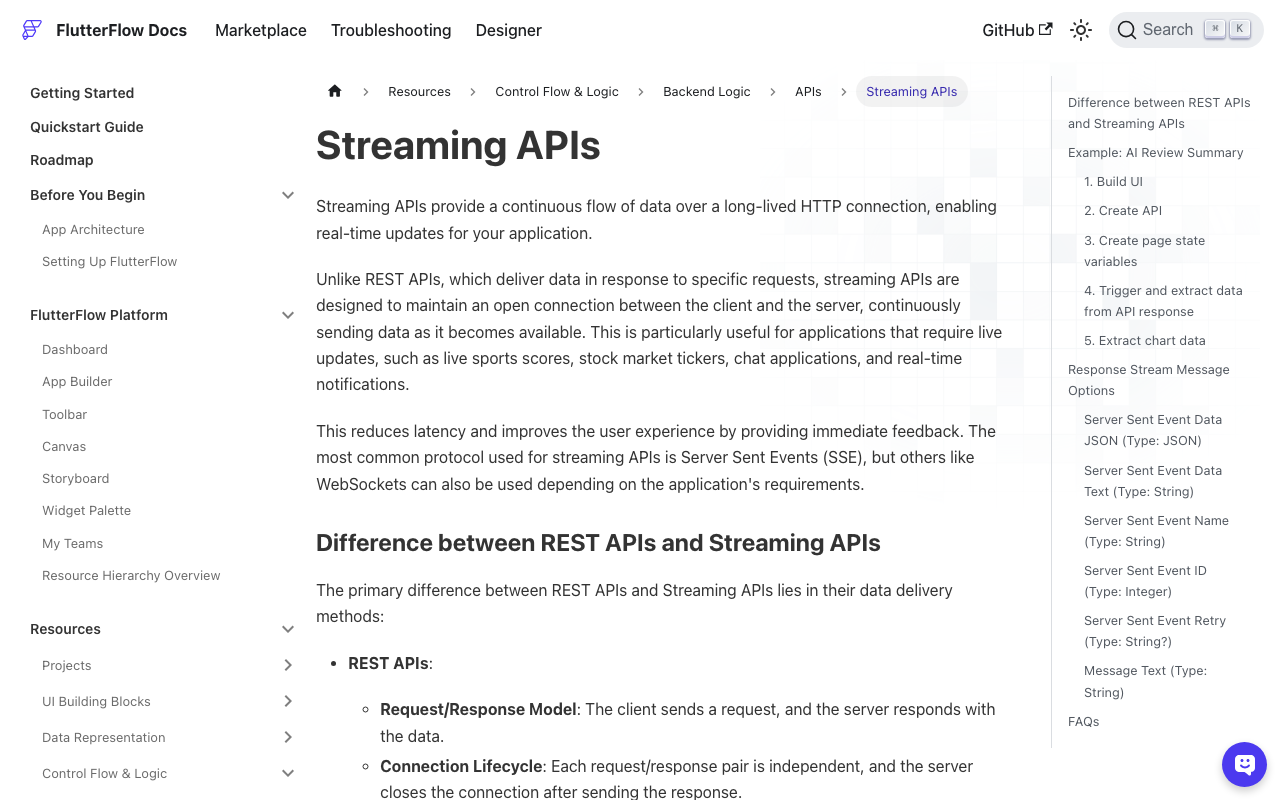
FlutterFlow can consume the SSE endpoint natively: in the API call's Advanced Settings, enable Process Streaming Response, then use the onMessage action with Server Sent Event Data Text (or Data JSON plus a JSON path) to append each token into an App State string such as streamingReply.
App State changes rebuild your custom widget, which means didUpdateWidget is exactly the hook you need — the same _scheduleStick from above, unchanged:
// Custom Code > Custom Widgets > WidgetChatStreamList
// Parameters: width (double?), height (double?),
//             messages (List<String>), streamingText (String)
class WidgetChatStreamList extends StatefulWidget {
  const WidgetChatStreamList({
    super.key,
    this.width,
    this.height,
    required this.messages,
    required this.streamingText,
  });

  final double? width;
  final double? height;
  final List<String> messages;
  final String streamingText;

  @override
  State<WidgetChatStreamList> createState() => _WidgetChatStreamListState();
}
Give it the _controller, _stick, _scheduled, _atBottom, _scheduleStick, _onScroll and didUpdateWidget members verbatim, and wrap the returned ListView in a SizedBox(width: widget.width, height: widget.height, ...). Bind messages and streamingText to your App State variables in the widget's properties panel. That's the whole flutterflow chat scroll to bottom new message fix — no timers, no delayed futures.
Checklist for the remaining edge cases
- Always guard with
hasClients. A token can arrive after the route is popped; without the guard you get a thrown assertion. - Never call
jumpToduringbuild. Post-frame only. - Keyboard insets change the extent too. Call
_scheduleStick()when the input gains focus, or fromdidChangeMetricson aWidgetsBindingObserver. - Keep
_slackat two lines or so. Sub-pixel rounding at the exact bottom will otherwise unstick the pin at random. - Images and markdown that resize after layout need one more post-frame stick when they finish loading — the same helper handles it.
Try WidgetChat free
WidgetChat drops a real AI support chatbot into your Flutter or FlutterFlow app, streaming answers from your own content over the SSE endpoint above — and users can tap the mic to talk to it instead, with live captions and barge-in, in the same widget. Try WidgetChat free.

Comments
Comments are coming soon. We'd love to hear your thoughts!