

Cancel a Streaming AI Reply in Flutter and FlutterFlow
Your chat streams tokens fine. Then a user taps Stop, the bubble disappears, and the request keeps running behind it. Tokens still arrive, the socket stays open, and the half-written answer the user could already read is gone.
Hiding the bubble is not the same as stopping the stream. A stop button that really works does three things, in this order:
- Cancels the
StreamSubscriptionso no more tokens reach your UI. - Closes the
http.Client(or cancels the DioCancelToken) so the connection drops. - Commits the partial text as a finished message instead of wiping it.
This post builds all three against POST https://api.widgetchat.app/v1/chat/stream, then wraps them as a FlutterFlow custom action pair.
Why each of the three steps matters
Cancelling the subscription stops your listener
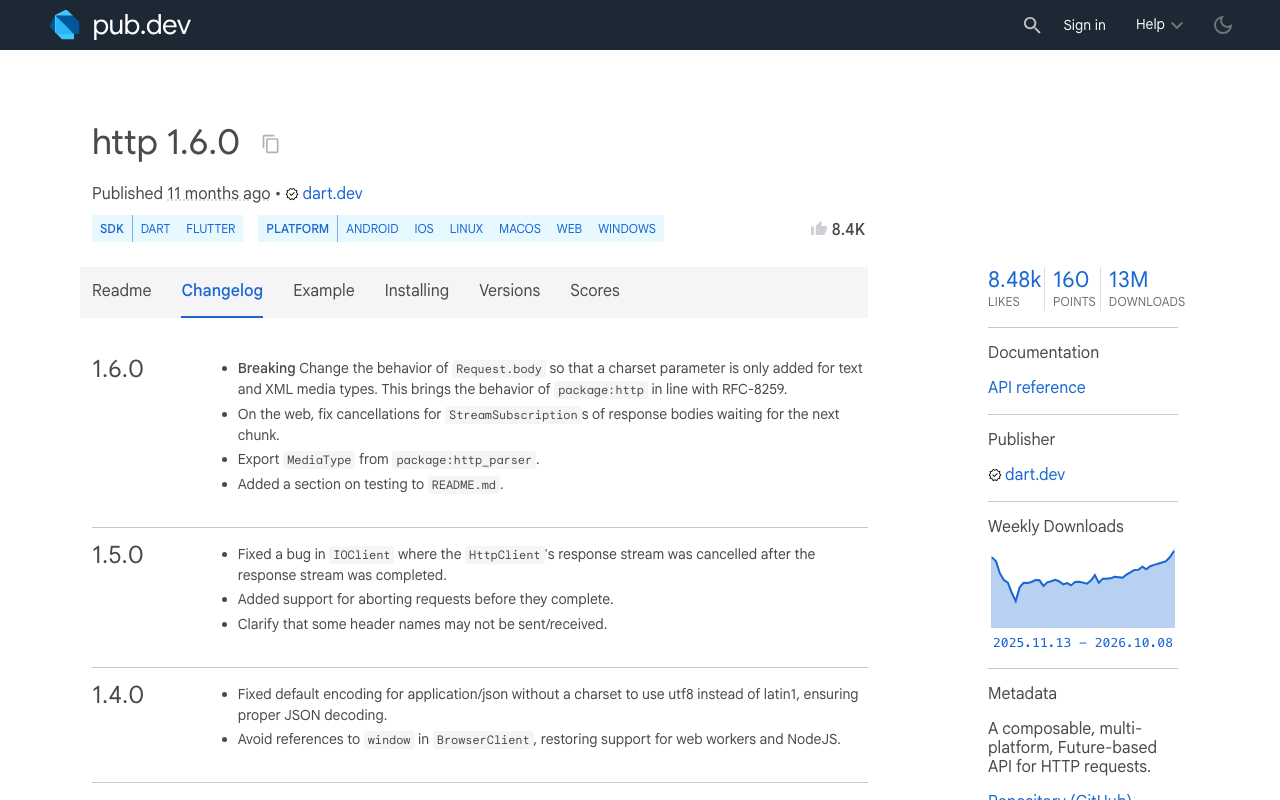
StreamSubscription.cancel() tells Dart you no longer want events. With the dart:io client this also tears down the response, but two details bite in practice. package:http 1.5.0 fixed a response stream cancellation bug in IOClient, and 1.6.0 fixed StreamSubscription cancellations on response bodies on web. If you are on an older version, upgrade before debugging anything else:
dependencies:
  http: ^1.6.0
Closing the client drops the socket
Client.close() terminates the client's active connections. This is the step that covers the case the subscription cannot: the user taps Stop while the request is still connecting, before there is any stream to cancel. Closing the client makes the pending send() fail straight away.
It also means you need one http.Client per reply. If you stream through a shared app-wide client, closing it kills every other request too.
Committing the partial text keeps what the user read
The user tapped Stop because they had seen enough, so the text on screen is the answer. Move it into your message list as a normal, finished message. Flag it as stopped if you want to show a small label or a Regenerate button under it.
The stream manager
One small class owns the client, the subscription and the text so far. Everything is static so two separate FlutterFlow actions can reach the same in-flight request later.
The headers and body below follow the usual shape (bearer key, JSON message). Keep whatever your working stream call already sends.
import 'dart:async';
import 'dart:convert';
import 'package:http/http.dart' as http;

class ChatStream {
  ChatStream._();

  static http.Client? _client;
  static StreamSubscription<String>? _sub;
  static final StringBuffer _partial = StringBuffer();
  static void Function(String text, bool completed)? _onFinish;
  static int _runId = 0;

  static bool get isStreaming => _client != null;

  static Future<void> start({
    required String apiKey,
    required String message,
    required void Function(String textSoFar) onToken,
    required void Function(String text, bool completed) onFinish,
    void Function(Object error)? onError,
  }) async {
    stop(); // one reply at a time
    final runId = ++_runId;
    final client = http.Client();
    _client = client;
    _onFinish = onFinish;
    _partial.clear();

    final request = http.Request(
      'POST',
      Uri.parse('https://api.widgetchat.app/v1/chat/stream'),
    )
      ..headers['Authorization'] = 'Bearer $apiKey'
      ..headers['Content-Type'] = 'application/json'
      ..headers['Accept'] = 'text/event-stream'
      ..body = jsonEncode({'message': message, 'stream': true});

    try {
      final response = await client.send(request);
      if (runId != _runId) return; // stopped while connecting
      if (response.statusCode != 200) {
        throw http.ClientException(
            'HTTP ${response.statusCode}', request.url);
      }

      _sub = response.stream
          .transform(utf8.decoder)
          .transform(const LineSplitter())
          .listen(
        (line) {
          if (runId != _runId || !line.startsWith('data:')) return;
          var data = line.substring(5);
          if (data.startsWith(' ')) data = data.substring(1);
          if (data == '[DONE]') {
            _finish(completed: true);
            return;
          }
          _partial.write(data);
          onToken(_partial.toString());
        },
        onError: (Object e) {
          if (runId != _runId) return;
          onError?.call(e);
          _finish(completed: false);
        },
        onDone: () {
          if (runId == _runId) _finish(completed: true);
        },
        cancelOnError: true,
      );
    } catch (e) {
      if (runId != _runId) return; // our own stop() closed the client
      onError?.call(e);
      _finish(completed: false);
    }
  }

  /// The Stop button calls this.
  static void stop() => _finish(completed: false);

  static void _finish({required bool completed}) {
    final client = _client;
    if (client == null) return; // nothing in flight
    final sub = _sub;
    final onFinish = _onFinish;
    _runId++; // late events from this run are now ignored
    _client = null;
    _sub = null;
    _onFinish = null;

    sub?.cancel();   // 1. no more tokens
    client.close();  // 2. the socket drops
    onFinish?.call(_partial.toString(), completed); // 3. keep the text
  }
}
A few details that are easy to get wrong:
- Only one leading space is stripped after
data:. Callingtrim()there eats the spaces between words, and a streamed reply turns into one long glued word. _runIdguards against late events. A token can already be queued when the user taps Stop. Without the check it lands in the next reply's bubble._finishruns once per reply. Natural end, error and Stop all go through it, so the partial text is committed exactly once and the client is always closed.- Stop during connect works.
client.close()makes the pendingsend()throw, thecatchsees a stalerunIdand stays quiet, andonFinishhas already fired with an empty string.
In onFinish, skip the commit when the text is empty, so a stop before the first token does not leave a blank bubble.
The stop button in plain Flutter
Show Stop while a reply is streaming and Send the rest of the time:
IconButton(
  icon: Icon(_streaming ? Icons.stop_circle : Icons.send),
  onPressed: _streaming ? ChatStream.stop : _send,
)
void _send() {
  setState(() => _streaming = true);
  ChatStream.start(
    apiKey: widget.apiKey,
    message: _input.text,
    onToken: (text) => setState(() => _draft = text),
    onFinish: (text, completed) => setState(() {
      _streaming = false;
      _draft = '';
      if (text.isNotEmpty) {
        _messages.add(ChatMessage(text, stopped: !completed));
      }
    }),
  );
}
Call ChatStream.stop() in dispose() as well, so leaving the page does not leave a request running.
FlutterFlow: a start and stop custom action pair
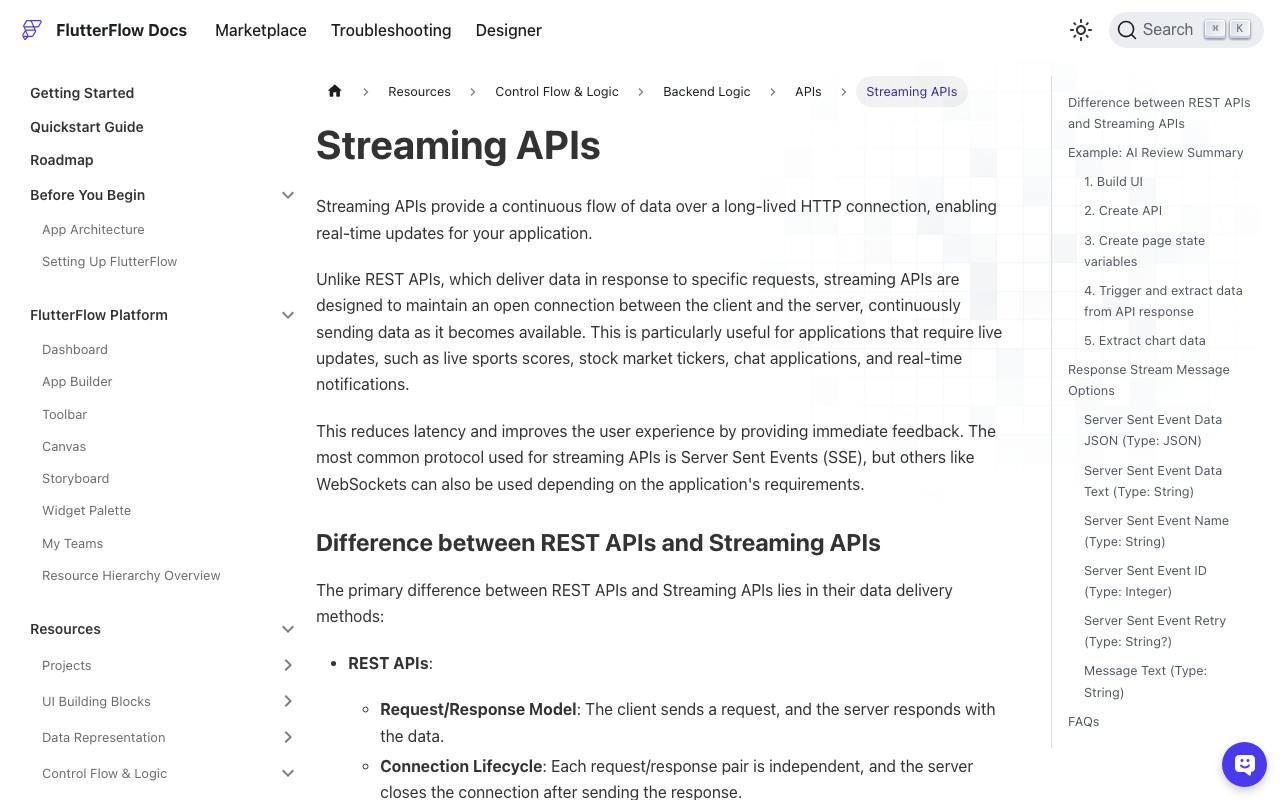
FlutterFlow's built-in streaming API call (the Process Streaming Response toggle) gives you three callbacks: On Message, On Error and On Close. The docs describe no way to end the stream from the app side, and On Close fires when the server ends it. So for a stop button you own the request in custom code.
Add http as a dependency, put the ChatStream class in a custom code file, then create two custom actions that import it.
startChatStream takes apiKey and message as String arguments plus two action callbacks:
Future startChatStream(
  String apiKey,
  String message,
  Future Function(String text) onToken,
  Future Function(String text, bool completed) onFinish,
) async {
  await ChatStream.start(
    apiKey: apiKey,
    message: message,
    onToken: (text) => onToken(text),
    onFinish: (text, completed) => onFinish(text, completed),
  );
}
stopChatStream takes nothing:
Future stopChatStream() async {
  ChatStream.stop();
}
Then wire it up:
- Create page state
draftText(String) andisStreaming(bool). - On Send: set
isStreamingto true, then callstartChatStream. - In the
onTokencallback: setdraftTextto thetextparameter. Bind your in-progress bubble to it. - In the
onFinishcallback: iftextis not empty, add it to your messages list, then cleardraftTextand setisStreamingto false. - Show the Stop button with conditional visibility on
isStreaming, and set its tap action tostopChatStream.
The static fields are what make this work. Each custom action is a separate function, so the client has to live somewhere both can see.
Using Dio instead
With Dio the socket-dropping step is a CancelToken. Use Dio 5.4.1 or newer, which fixed cancellation for streamed responses on IOHttpClientAdapter. Before that, cancelling the token did nothing once the response stream had started.
final cancelToken = CancelToken();

final res = await dio.post<ResponseBody>(
  'https://api.widgetchat.app/v1/chat/stream',
  data: {'message': message, 'stream': true},
  options: Options(
    responseType: ResponseType.stream,
    headers: {'Authorization': 'Bearer $apiKey'},
  ),
  cancelToken: cancelToken,
);

// Stop button:
cancelToken.cancel('stopped by user');
The stream then ends with a DioException of type DioExceptionType.cancel. Treat that as a stop and commit the partial text, the same way _finish does above.
The newer option in package:http
Since 1.5.0, package:http also has AbortableRequest. You pass a future as abortTrigger, usually from a Completer, and completing it aborts the request. If that happens before the response starts, send() completes with RequestAbortedException. If it happens mid-stream, the exception is injected into the response stream, which then closes.
It is handy when you share one client across the app and cannot close it. Not every client implementation supports aborting, so test it on each platform you ship.
Check that it really stopped
Do not trust the UI. Tap Stop early in a long reply and confirm two things: no further onToken calls show up in your logs, and the request is gone from your network inspector or proxy. If tokens keep arriving, you are still on the cancel-only path with an old http version, or a shared client is keeping the connection alive.
Related fixes
- A stopped reply is the natural place for a Regenerate button: Flutter SSE Chat Stuck on Typing: Retry and Regenerate.
- If tokens go missing when a network chunk splits an SSE line: Flutter SSE: Fix Missing Tokens When Chunks Split.
- If the OS cuts the reply instead of the user: Flutter AI Chat Reply Cut Off in Background: Recover It.
Try WidgetChat free
WidgetChat is an AI support chatbot for Flutter and FlutterFlow apps that answers from your own content and streams replies over SSE from POST https://api.widgetchat.app/v1/chat/stream. It works from a custom action or any HTTP client, so the stop logic above drops straight in. The same widget also does live voice calls, where barge-in lets users interrupt the assistant by speaking.
Try WidgetChat free and ship a chat your users can stop mid-sentence.

Comments
Comments are coming soon. We'd love to hear your thoughts!